Open a Stripe account, then connect it to Reservety so customers pay by card, Apple Pay or Google Pay at checkout and through pay links. Not sure Stripe is the one for you? Choosing a payment provider compares it with the others. Shown on Front Range Iron Rentals, an equipment rental yard near Denver.
1. Create your Stripe account
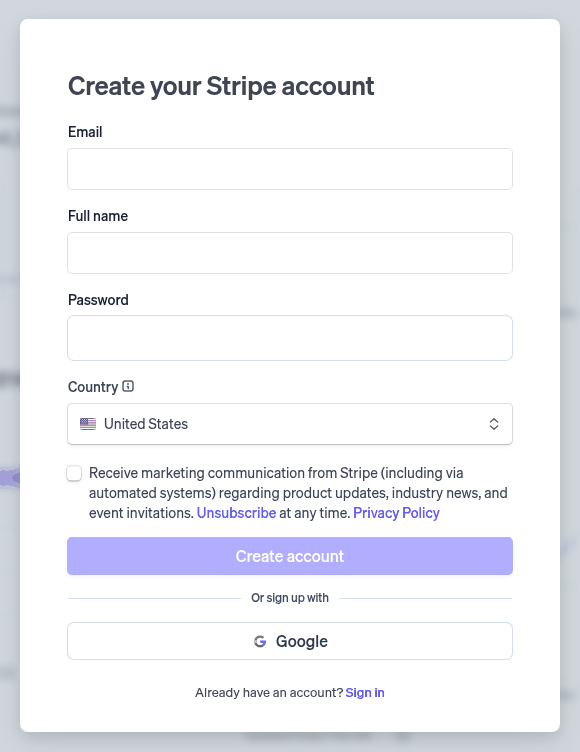
Go to Stripe's sign-up page, type your email, your full name and a password, pick your country and click Create account. Stripe emails you a link to confirm the address. Checked on 2026-10-25 against Stripe's guide.
2. Tell Stripe about your business
Before Stripe pays out real money it asks about your business: its type, legal name and tax ID, its address and website, what you rent, the support phone and email customers see, the name on their card statements, and the bank account your payouts go to. Turn on two-step sign-in for your Stripe login while you are there. Checked on 2026-10-25 against Stripe's guide.
3. Open your payment settings
Where: Settings → Store
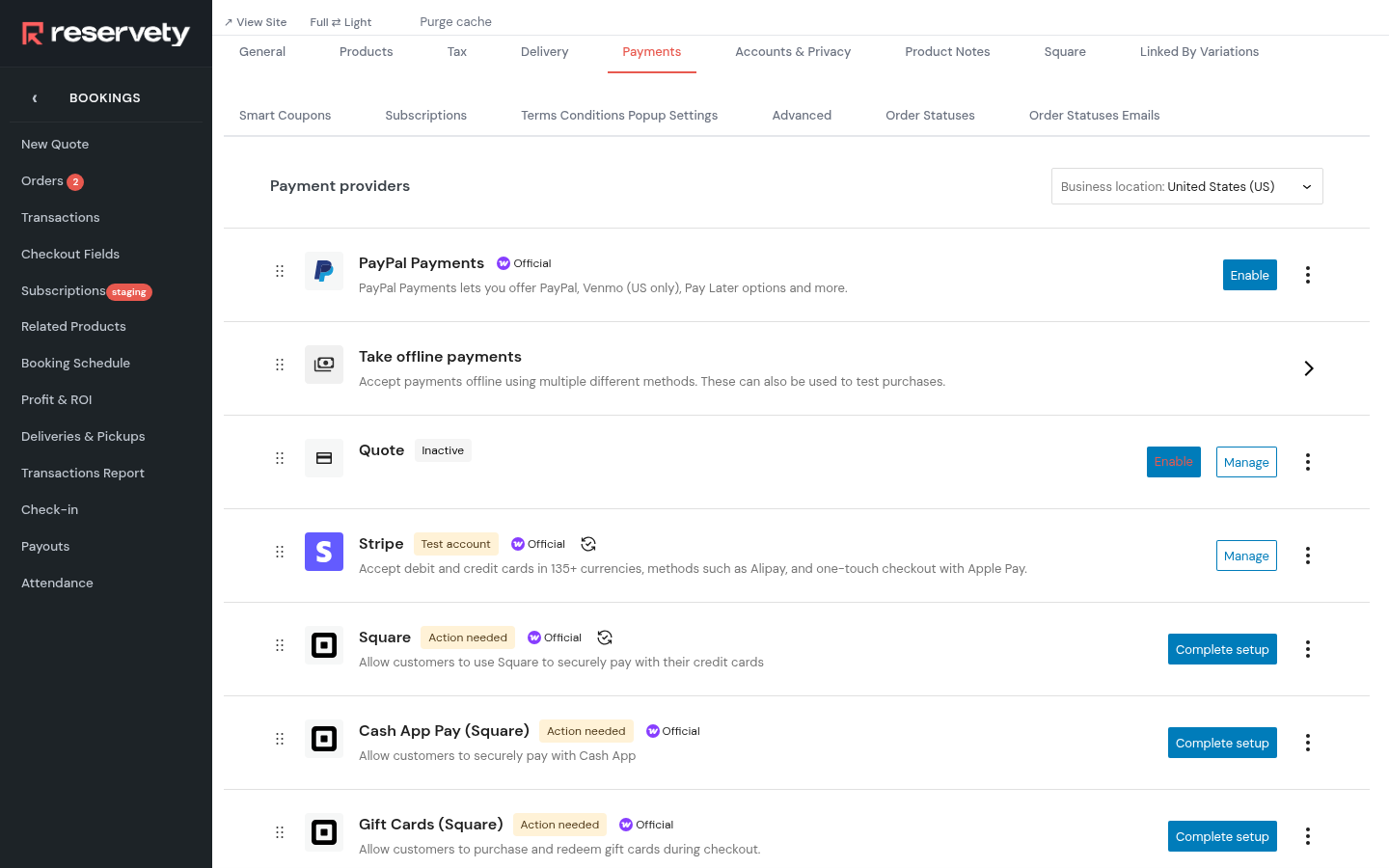
Open the Payments tab. It lists every way customers can pay. Your site starts with Stripe in test mode, so the Stripe row says Test account. Click Manage.
4. Switch off test mode
Where: Settings → Store
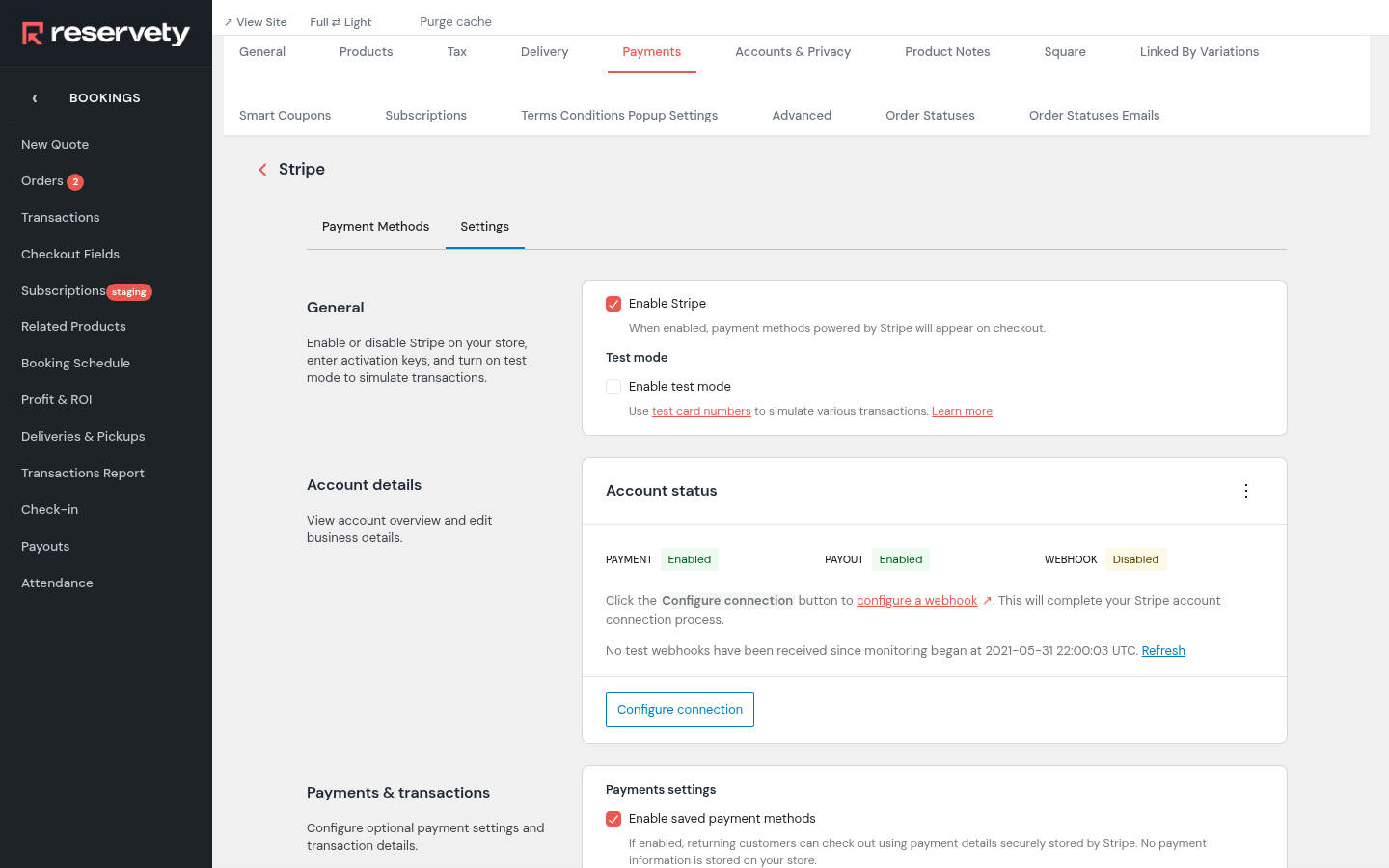
Open the Settings tab. Under Test mode, untick Enable test mode. Then, under Account status, click Configure connection. There's nothing to save here: connecting your live account in the next step switches test mode off.
5. Connect your live account
Where: Settings → Store
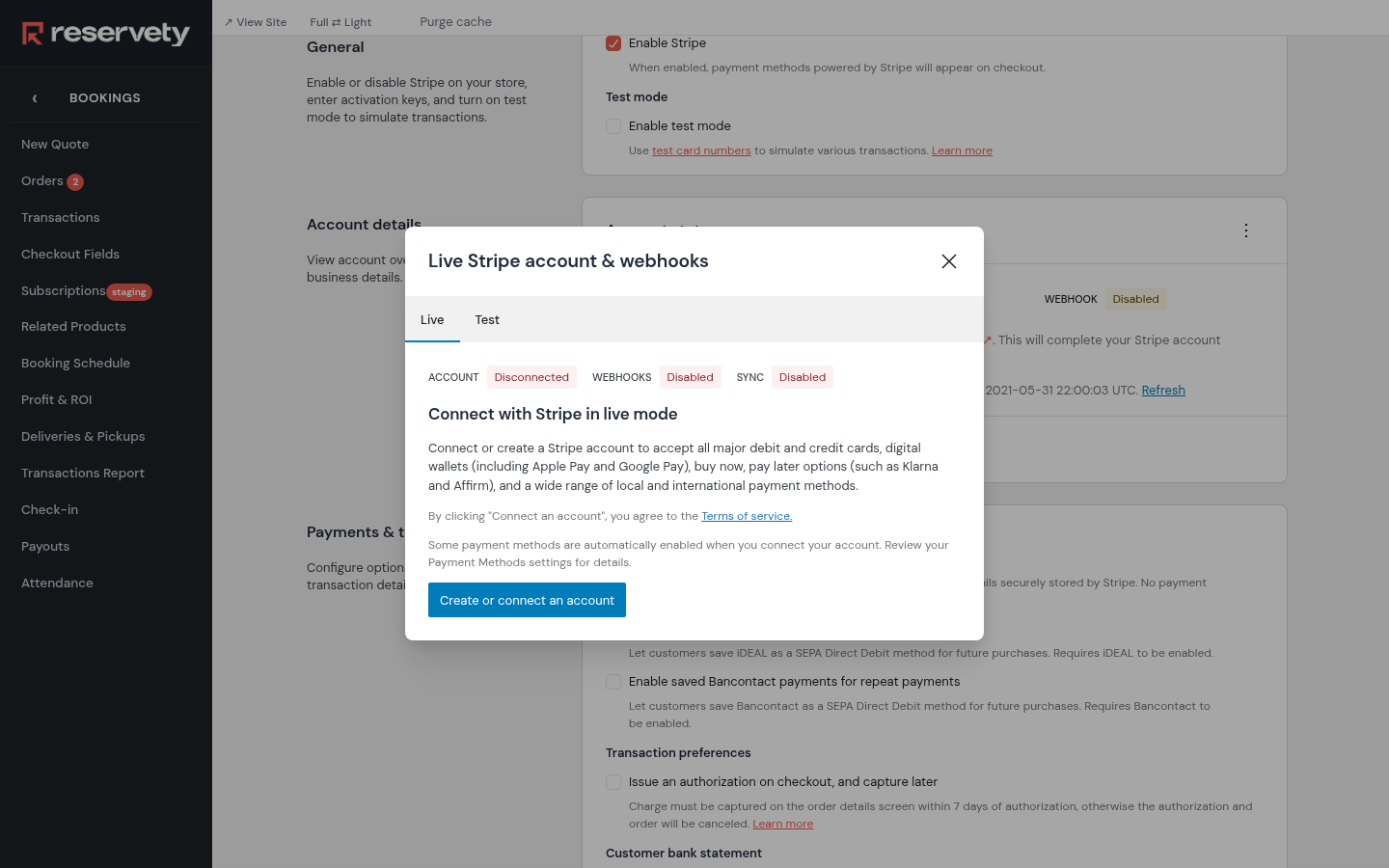
A window opens on its Live tab. Click Create or connect an account. Stripe opens: this is where Reservety and your Stripe account are linked.
6. Allow the connection on Stripe
Sign in to Stripe, choose your account if you have more than one, and allow the connection. Stripe sends you back to Reservety, where the Stripe screen now shows your account details and the payment methods customers see at checkout: Stripe switches some on when you connect, so look through the list. Your first payout comes 7 to 14 days after your first payment, then about 2 business days after each one. From then on, test mode is off and payments are real.
Set it up on your own Reservety site
Reservety handles your website, bookings, inventory, and payments — so you can focus on growing your business.