Open a Square account, then connect it to Reservety so customers pay by card at checkout and through pay links, and your payments sit next to your in-store Square sales. Not sure Square is the one for you? Choosing a payment provider compares it with the others. Shown on Front Range Iron Rentals, an equipment rental yard near Denver.
1. Create your Square account
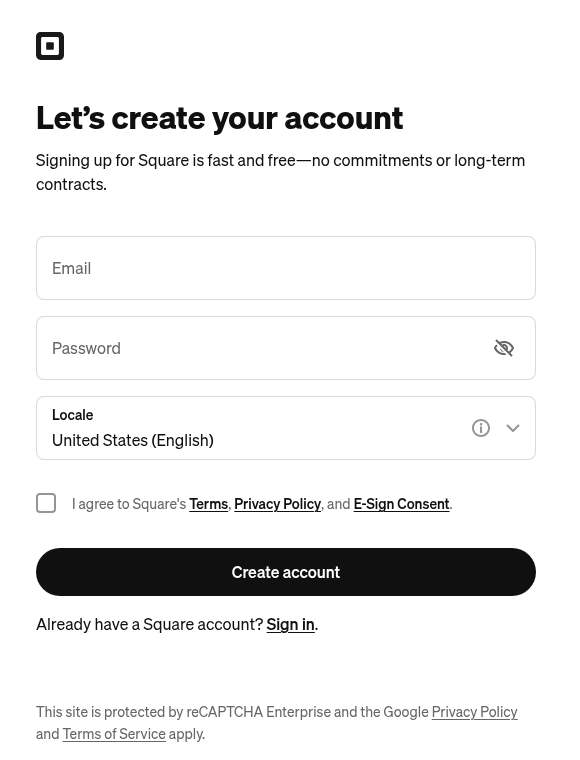
Go to Square's sign-up page, type your email and a password, check that Locale says United States (English), agree to Square's terms and click Create account. Only the business owner can open the account. Checked on 2026-10-25 against Square's guide.
2. Verify yourself and add your bank
Square then asks about your business and verifies who you are, as US law requires for payment accounts: your legal name, Social Security number (or ITIN), date of birth and home address, sometimes a photo of your ID. Add the bank account your money goes to before your first payment: Square sends it the next business day. Checked on 2026-10-25 against Square's guide.
3. Connect it to Reservety
Where: Settings → Store
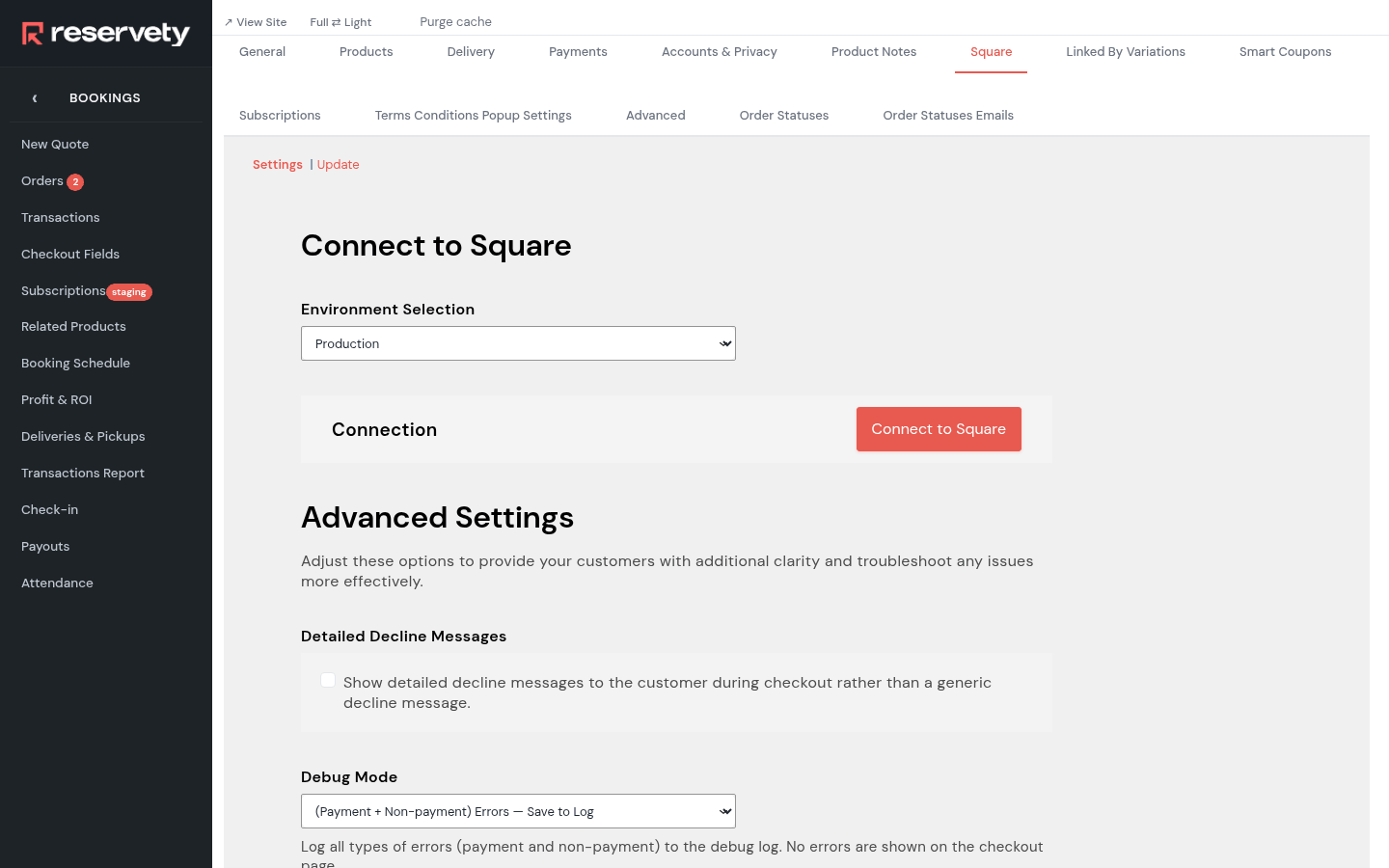
Open the Square tab. Leave Environment Selection on Production (Sandbox is Square's test mode) and click Connect to Square. Square opens and asks you to sign in.
4. Allow the connection on Square
Sign in to Square and allow Reservety to take payments for you. Square sends you back to the Square tab: choose the business location your online payments belong to and click Save changes.
5. Turn on card payments
Where: Settings → Store
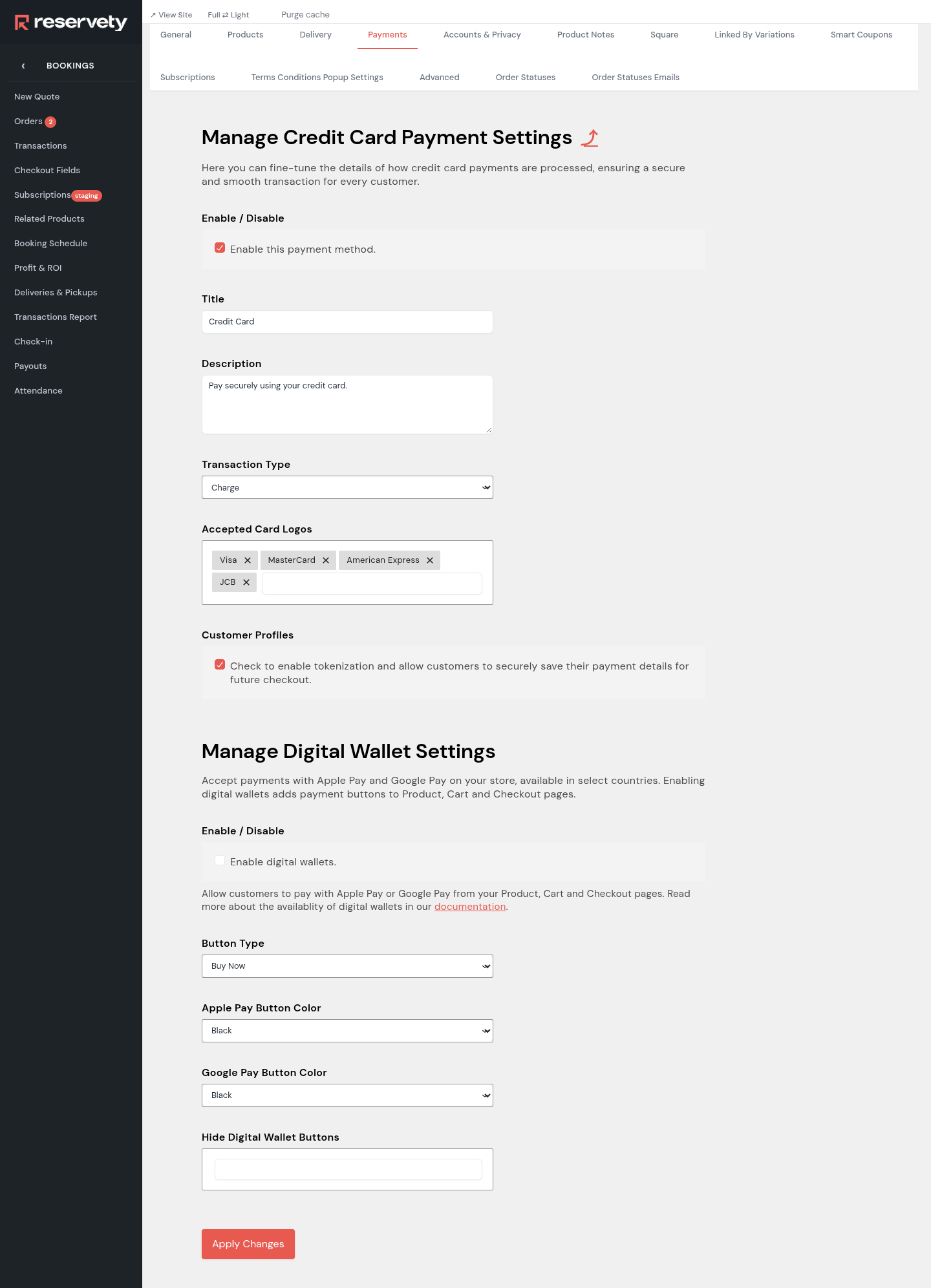
On the Payments tab, the Square row opens its card settings. Tick Enable this payment method. Leave Transaction Type on Charge (Authorization only holds each payment until you take it from the order). Tick Customer Profiles so customers can save their card and you can charge it later from the order. Under Digital Wallet Settings you can add Apple Pay and Google Pay buttons. Click Apply Changes.
Set it up on your own Reservety site
Reservety handles your website, bookings, inventory, and payments — so you can focus on growing your business.