Reservety
Setup guide

Take card payments with NMI

NMI is a payment gateway sold by banks and payment companies. Get an NMI account from yours, then paste its keys into Reservety so customers pay by card at checkout and through pay links. Not sure NMI is the one for you? Choosing a payment provider compares it with the others. Shown on Front Range Iron Rentals, an equipment rental yard near Denver.

Don't see this in your menu? Ask us and we'll switch it on.

1. Get an NMI account

Ask your bank or the payment company that handles your cards (your merchant services provider) for an NMI gateway account: NMI doesn't sell it to shops directly. If you don't have one, NMI's Get In Touch form can point you to one. Checked on 2026-10-25 against NMI's site.

Get an NMI account

2. Create your keys

Sign in to the NMI merchant portal your provider gives you and open the security keys in its settings. Create a private key with API permission and a public key with Tokenization permission, and copy both. Portals differ from one provider to the next: their support can show you where the keys are. Never send the private key by email.

3. Paste them into Reservety

Where: Settings โ†’ Store

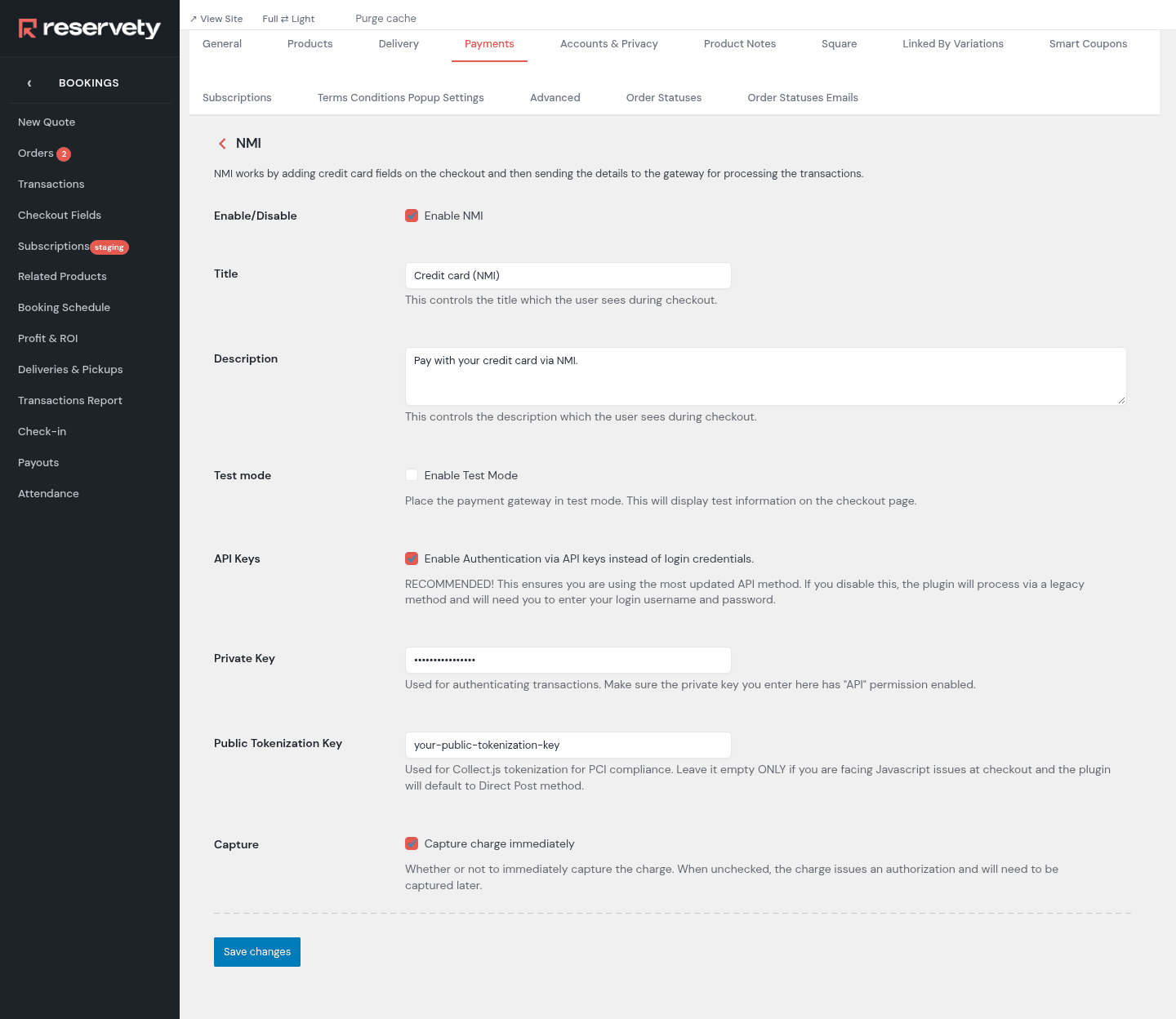
Open the Payments tab and click Manage on the NMI row. Tick Enable NMI and API Keys, then paste your keys into Private Key and Public Tokenization Key. Click Save changes.

Paste them into Reservety

Set it up on your own Reservety site

Reservety handles your website, bookings, inventory, and payments — so you can focus on growing your business.

Start Free Trial View Pricing
Free 14-day trial No credit card required Zero commission