Home/Use Cases/Every unit numbered, paperwork on the phone
Use case · Tool & equipment rental
Every unit numbered, paperwork on the phone
Every unit with its own number, prices by the day, the down payment and the damage deposit from the booking. The rental agreement and the handover and return checklists are signed on the phone and stay on the order. The hour meter and any damage are recorded at return, and the repair is billed on its own. Your rental website is included.
A tool and equipment yard, run from a phone.
Ridgeline Rentals is our test yard in Dayton, Ohio: one mini excavator, five demolition hammers, two plate compactors, three generators and a utility trailer. Every screen below comes from it, with its rentals from late September through October.
01
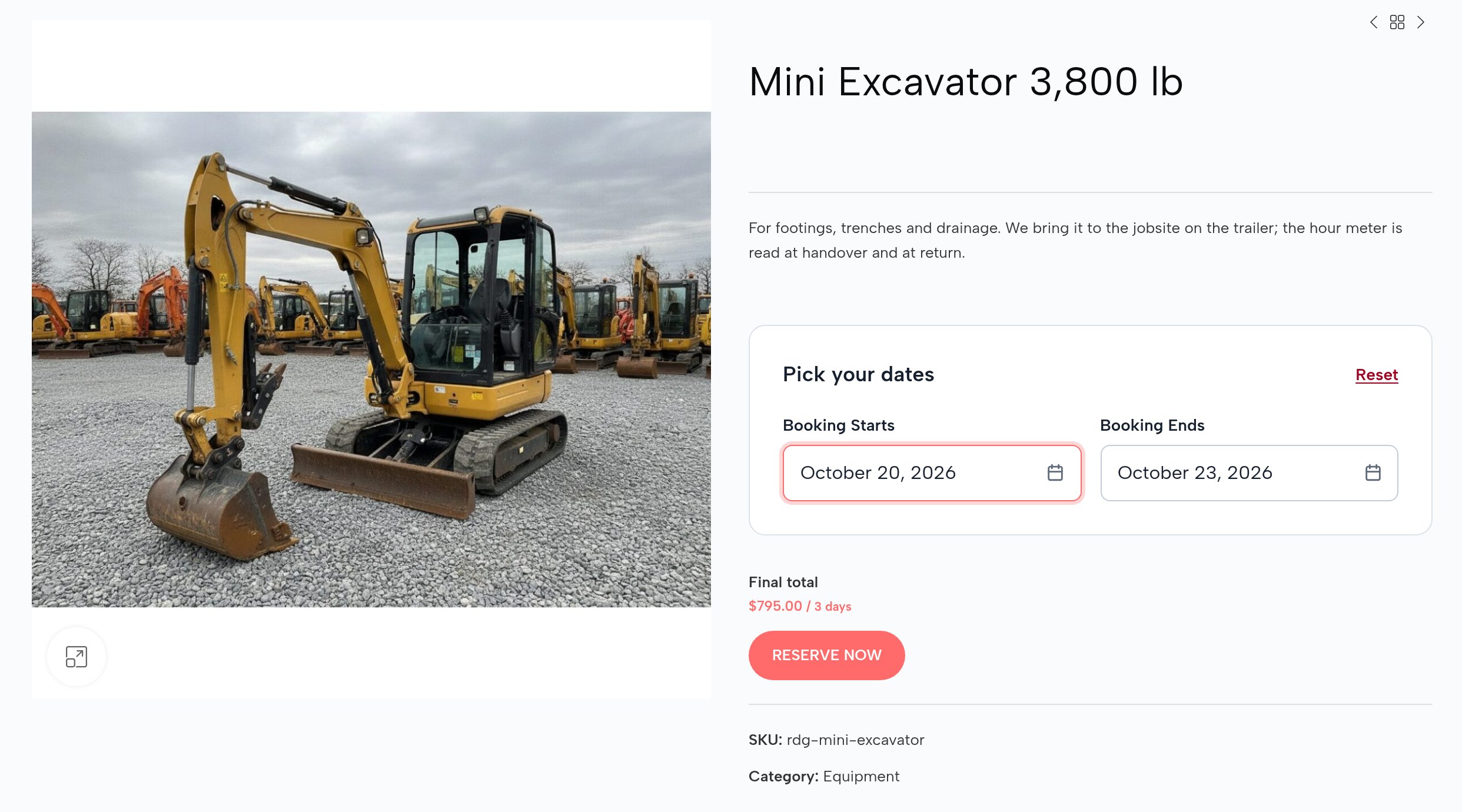
Every machine with its price by the day and its own calendar.
A contractor calls to ask if the mini excavator is free on Thursday and what three days cost. The answer is in a notebook on the counter.
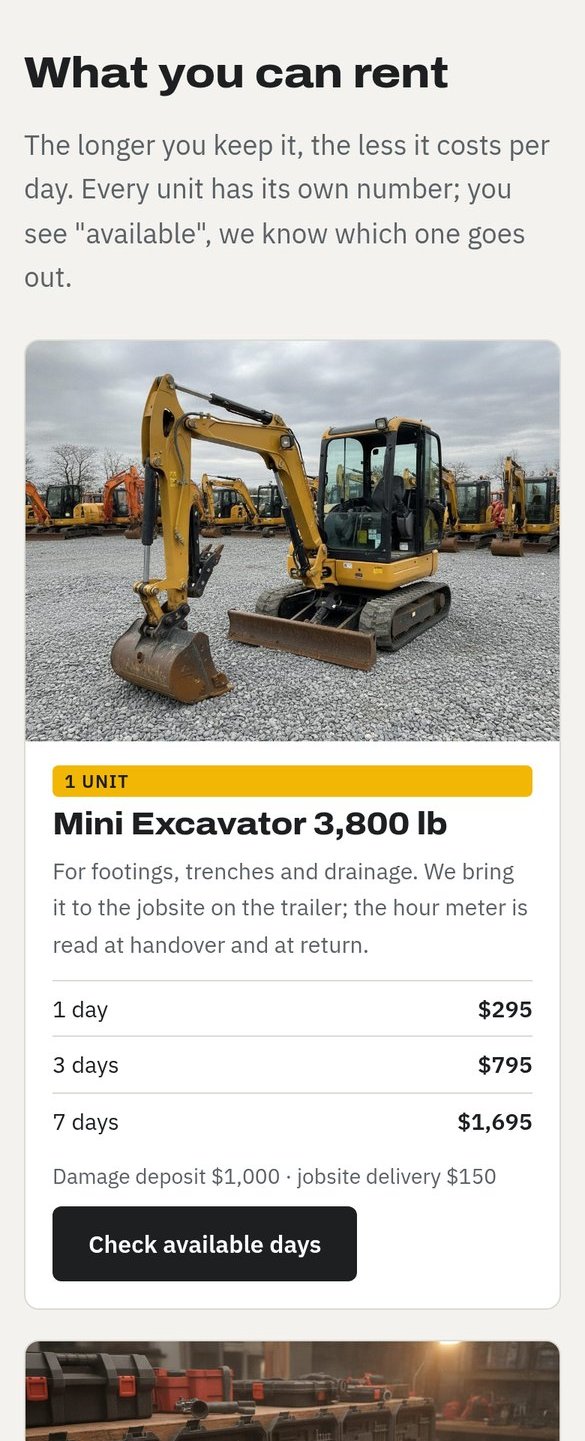
On your website every machine has its photos, its price for a day, three days and a week, and a calendar of the free days. The customer picks the days and sees the price: three days of the mini excavator are $795, not $885.
The days, the price by duration.
02
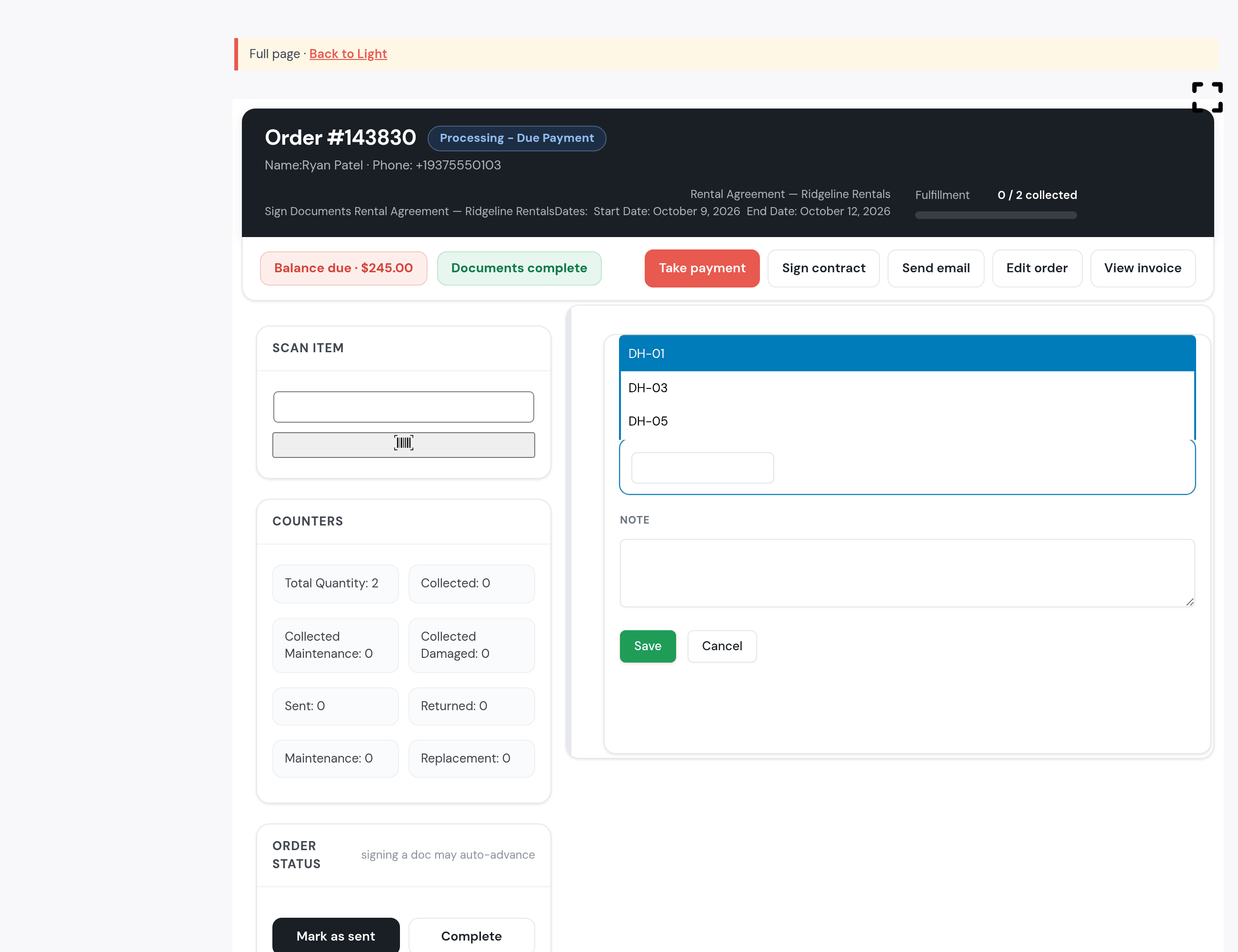
Five identical hammers: five units, each with its number.
You have five identical demolition hammers and no idea which one is where. One comes back without its chisel and you can’t tell who had it.
Every unit has its own number, DH-01 to DH-05. The customer only sees “available”. At handover you choose which one goes out, and the list shows only the units free on that customer’s days; the ones already out don’t appear.
You pick the unit at handover, from the free ones.
03
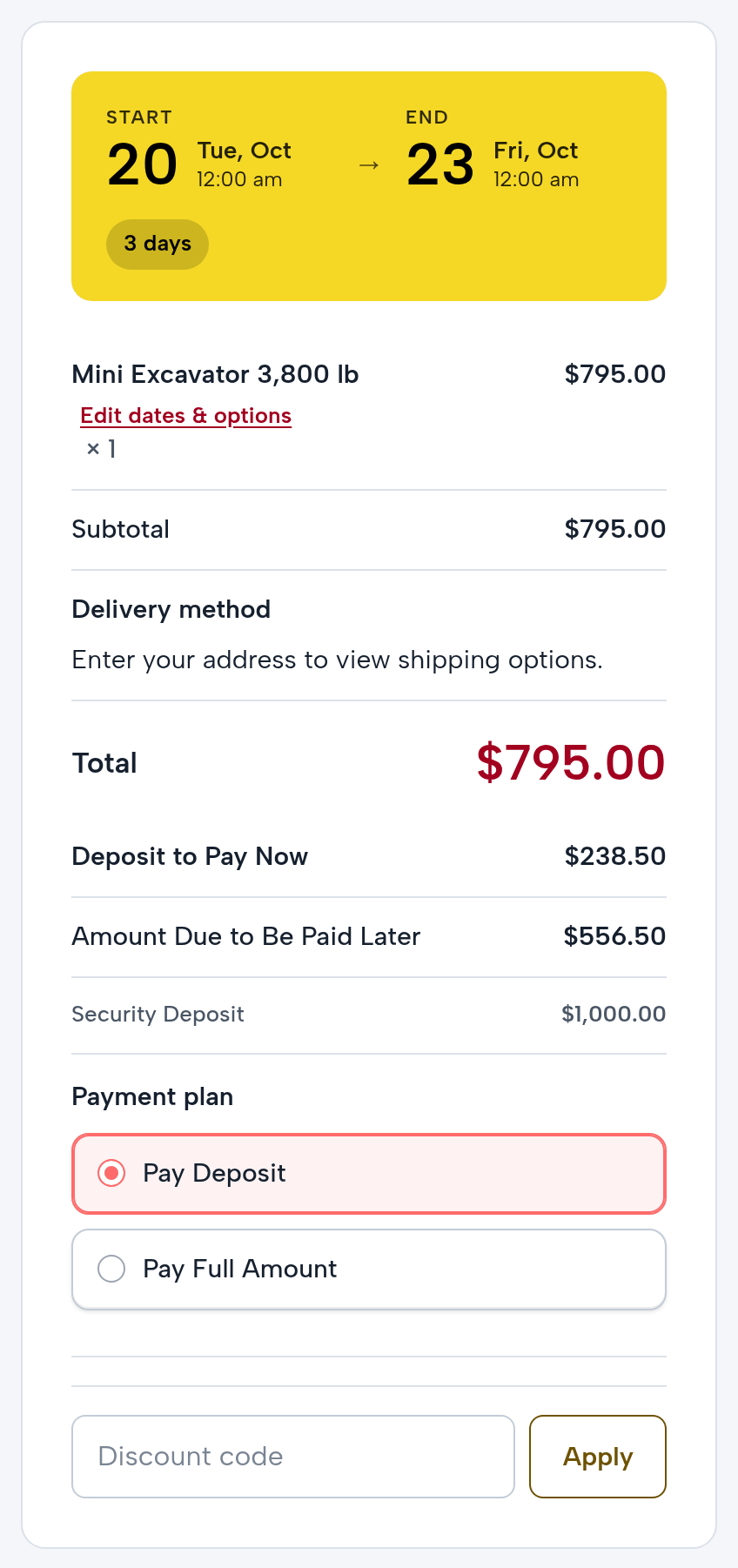
The down payment and the deposit, visible from the booking.
The deposit is haggled over at the counter, in cash, and handed back “on trust”.
At checkout the customer sees the total, the 30% down payment due now and the balance. Each machine’s damage deposit, $1,000 for the mini excavator, sits on the order and is taken at handover.
The down payment at booking, on the real order.
04
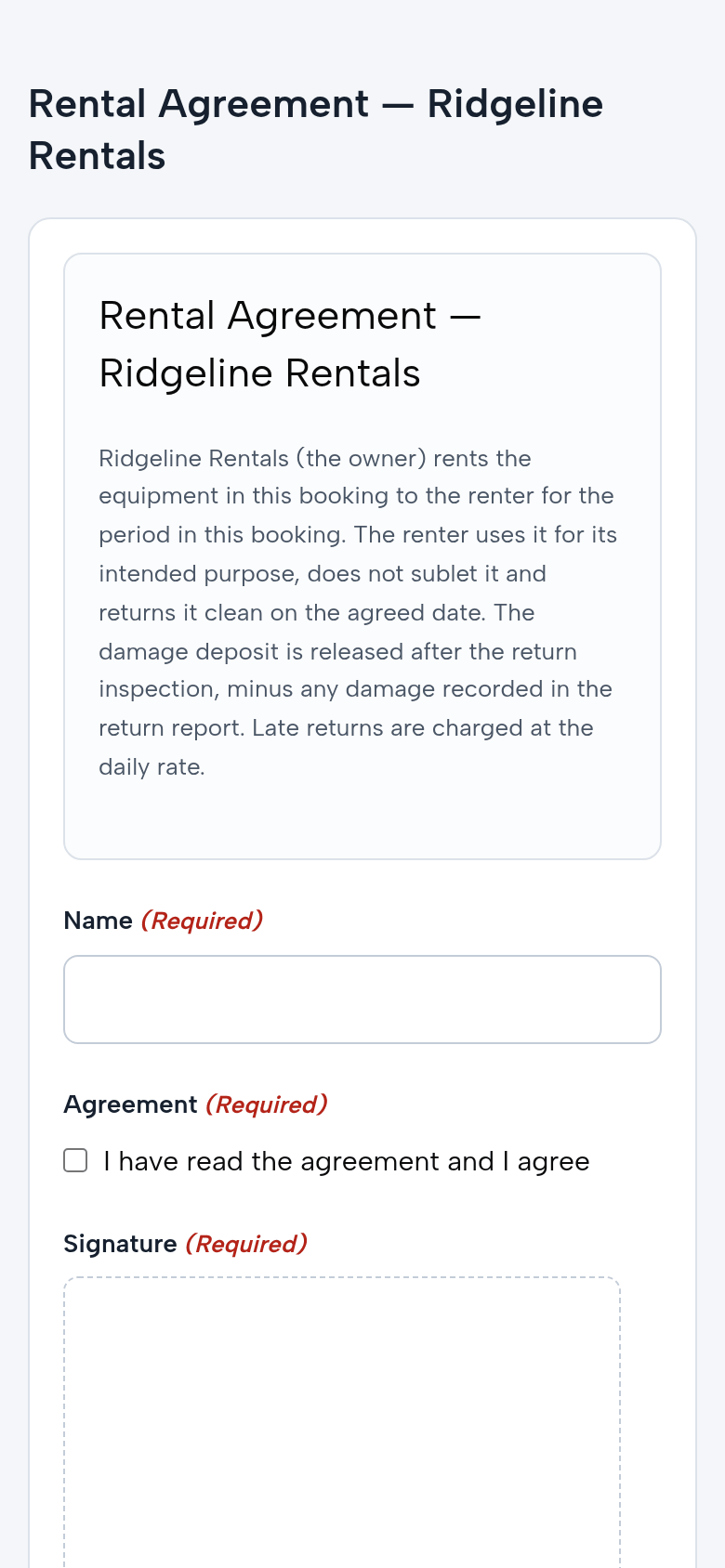
The rental agreement is signed on the phone, not on the counter.
The agreement gets printed, signed in a hurry at pickup and lost in a binder.
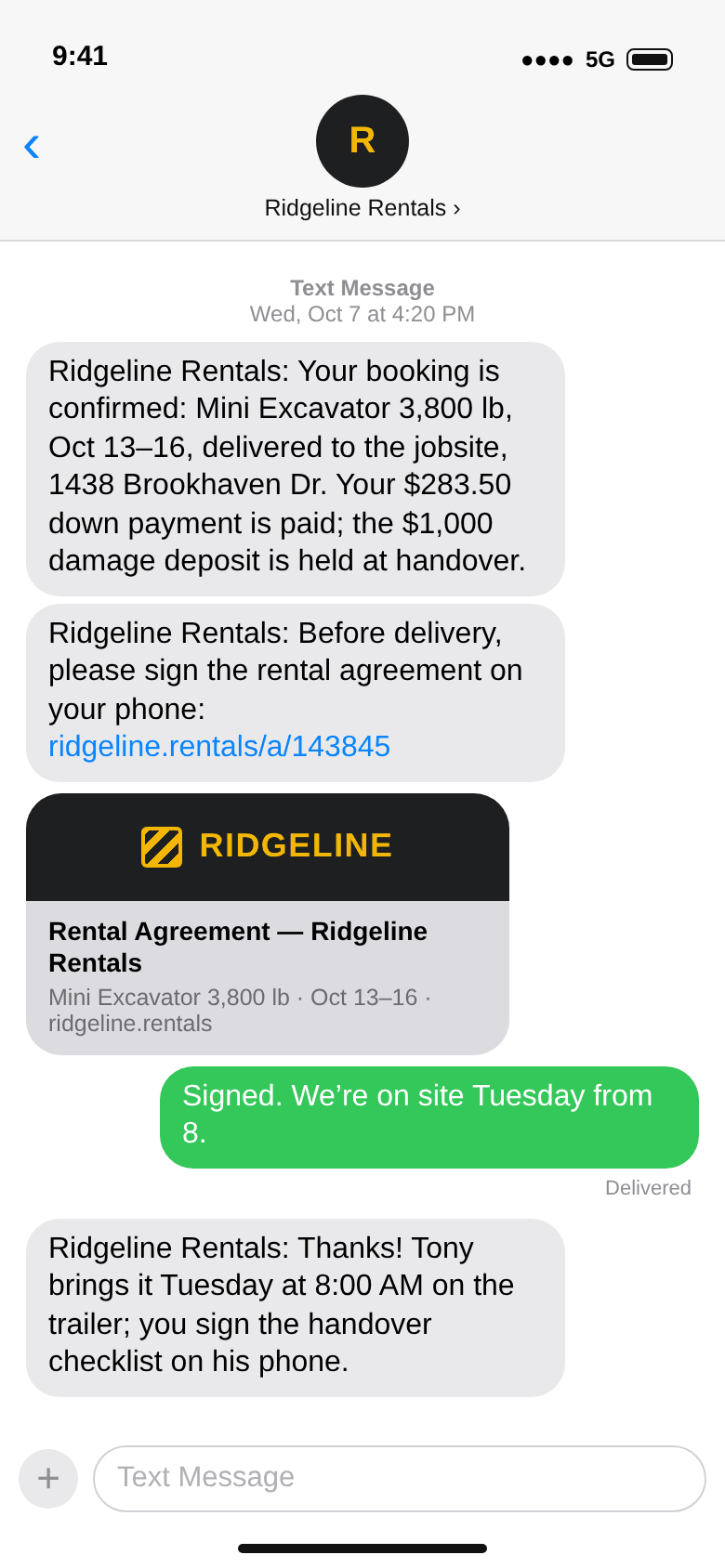
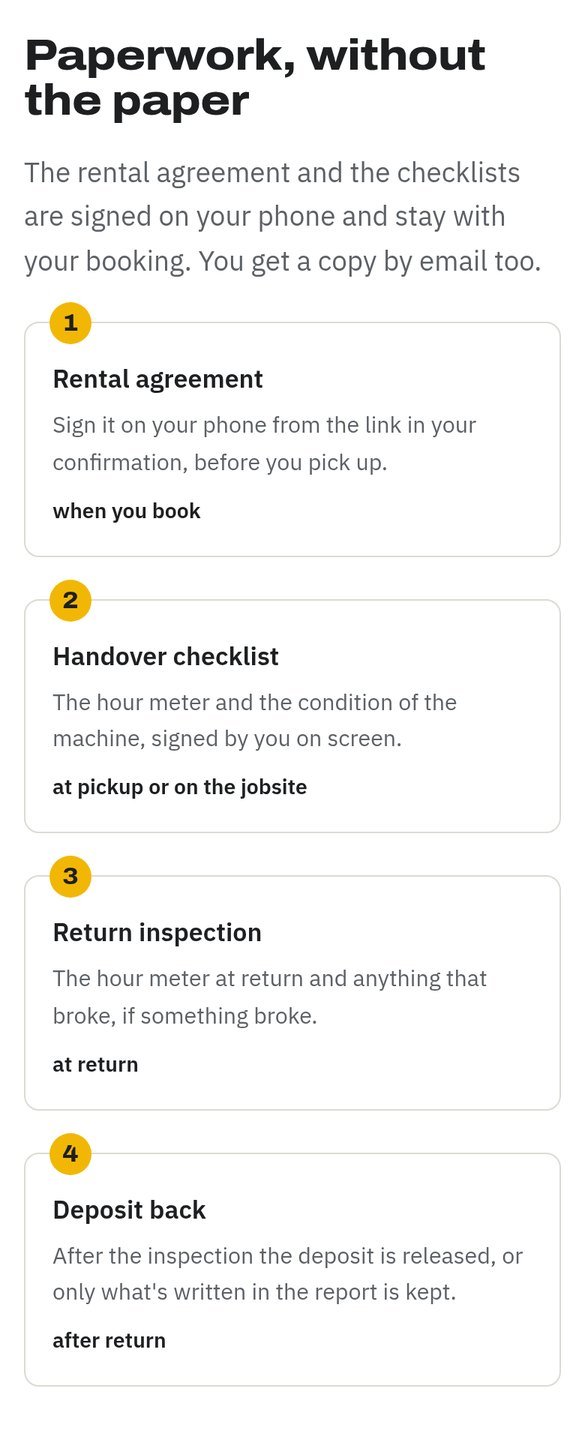
With the confirmation, the customer gets a link to the agreement. They read it and sign it on their phone before handover. The signed agreement stays on the order.
The agreement on the phone; the confirmation (texts, drawn).
05
Handover: the unit, the checklist, the deposit. On one screen.
At handover someone writes down by hand what goes out, the hour meter and the condition. The customer signs a sheet that gets soaked on the trailer.
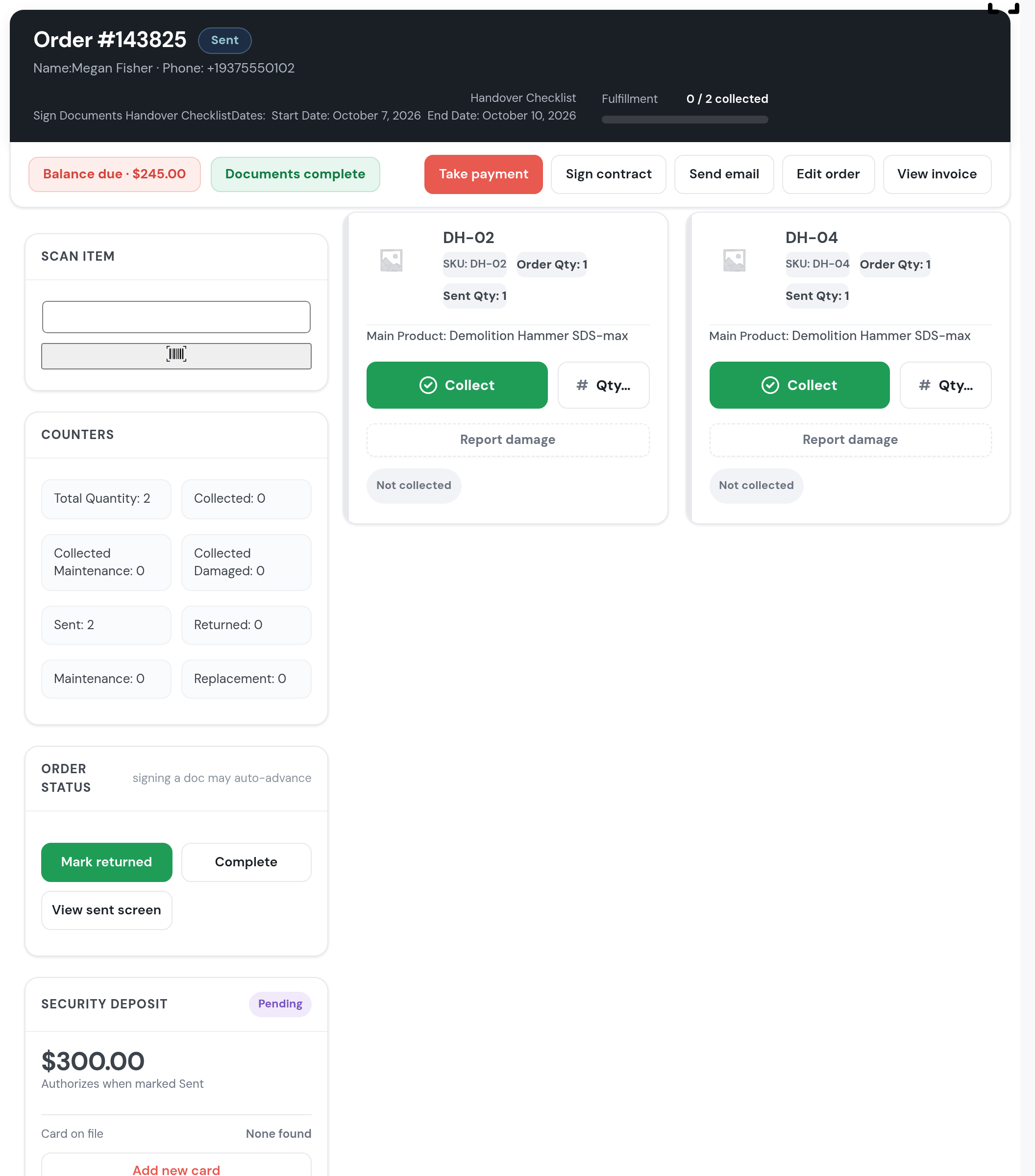
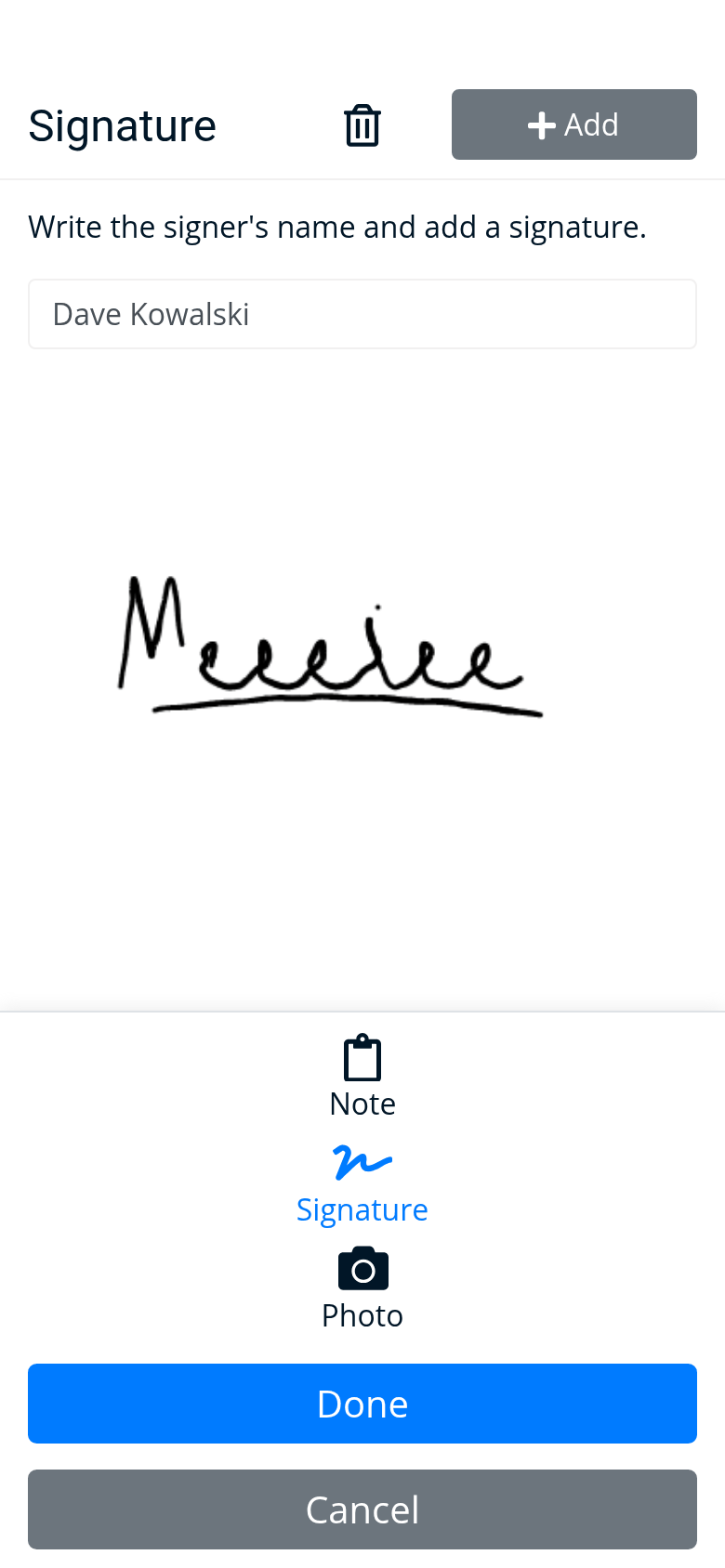
The handover screen has the whole order: the units going out, the handover checklist (you fill it in, then the customer signs it on their phone), the deposit to take and the balance still due. “Mark as sent” and the order is out.
Handover, on the real order.
06
Jobsite delivery, with the driver on his phone.
The driver leaves with an address on a sticky note and calls from the road to ask who he hands it to.
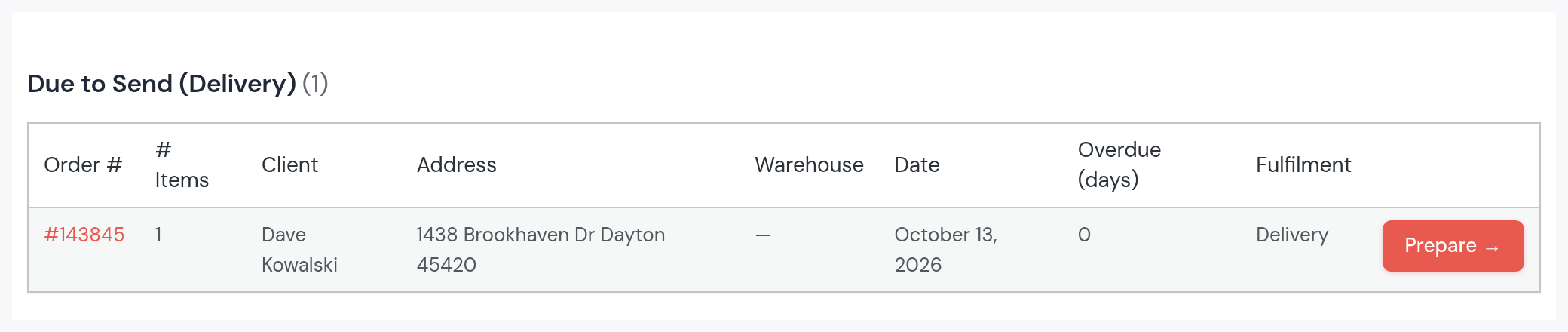
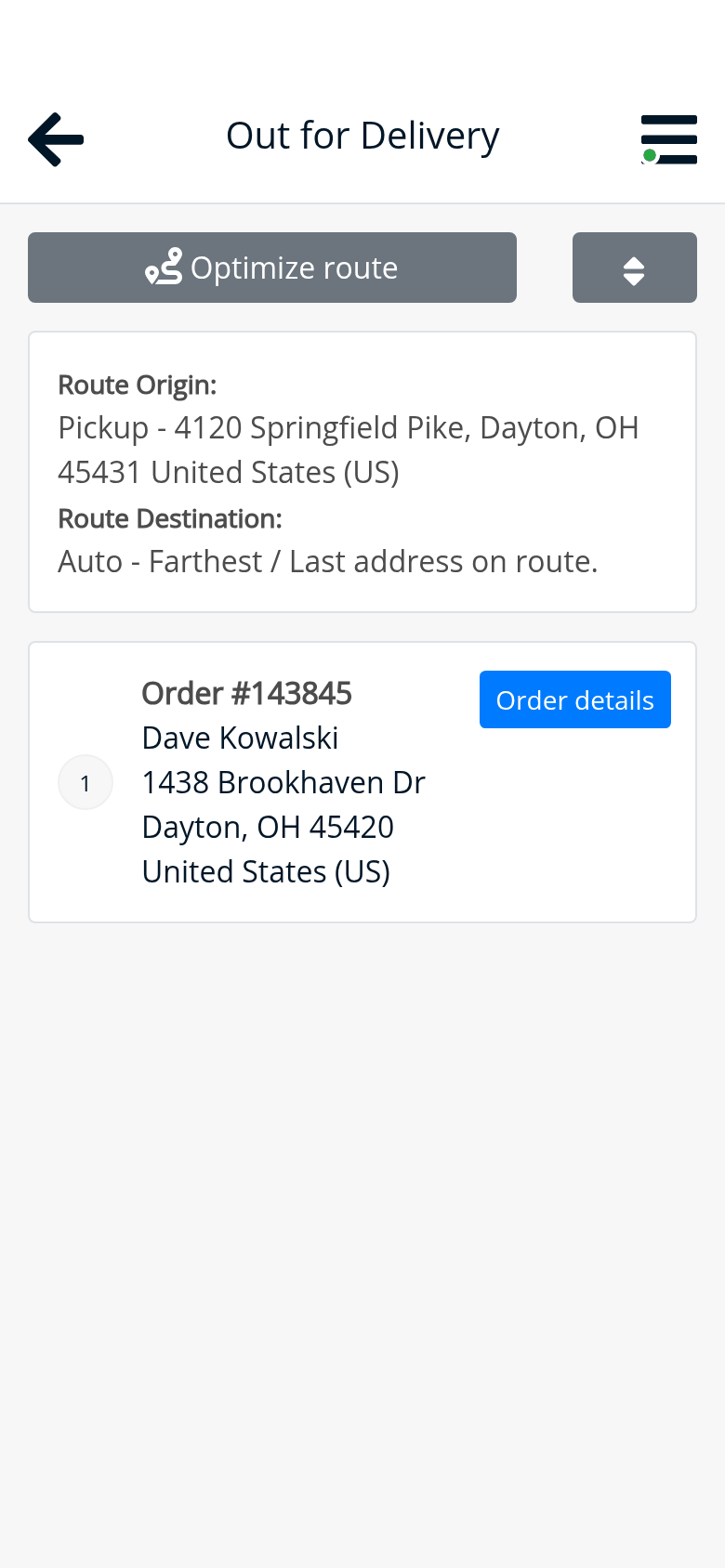
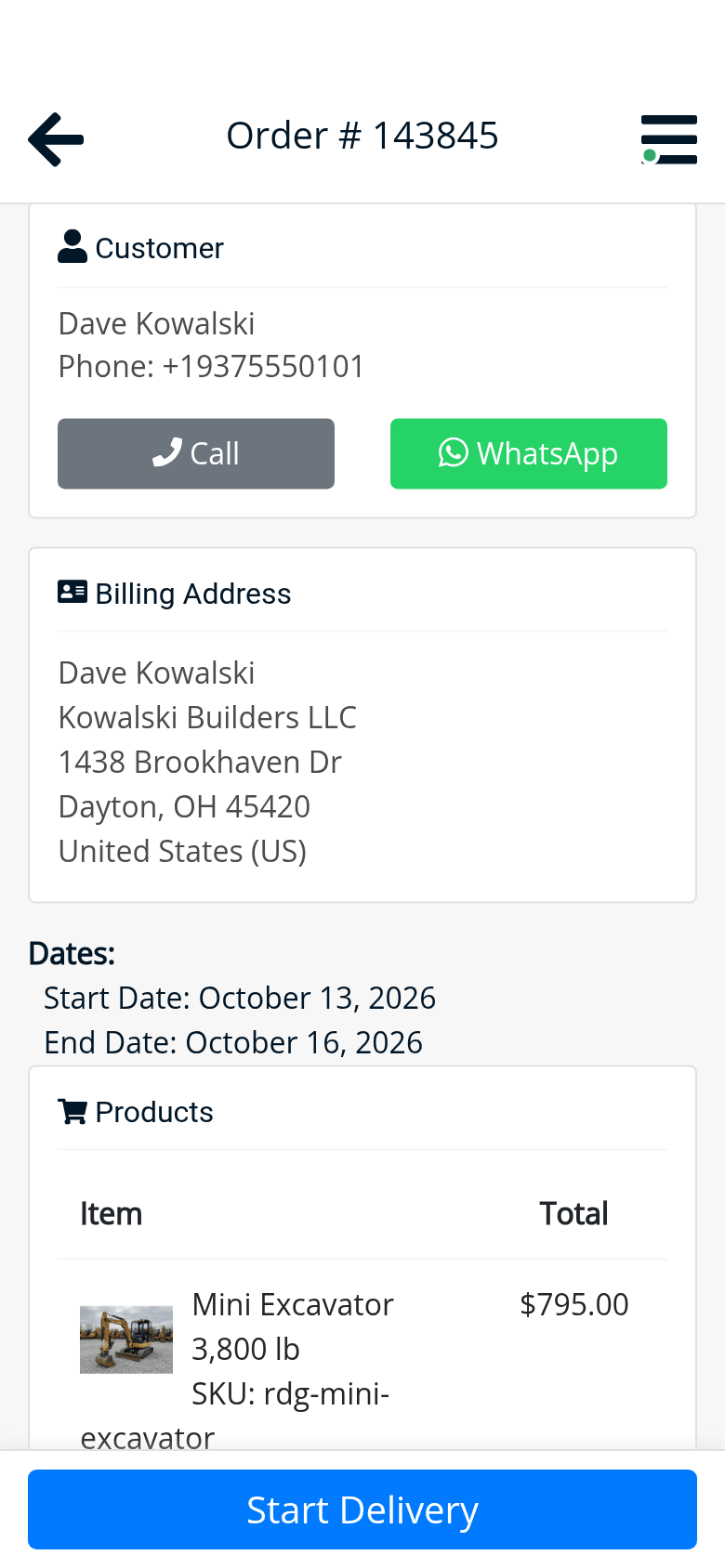
Delivery orders show up in the day’s logistics list with the jobsite address. You give them to Tony, and he sees them in the driver app: the route from the yard, the address with navigation, who’s waiting for him with a call button, the rental days and what to load. At handover, the customer signs on his phone.
The day’s list; the driver app: the route, the order, the signature at handover. The driver app comes with the Driver app & dispatch plan.
07
What’s out and what’s in the yard, unit by unit.
On Friday evening you don’t know how many hammers come back on Monday, or whether you can promise the excavator for Tuesday.
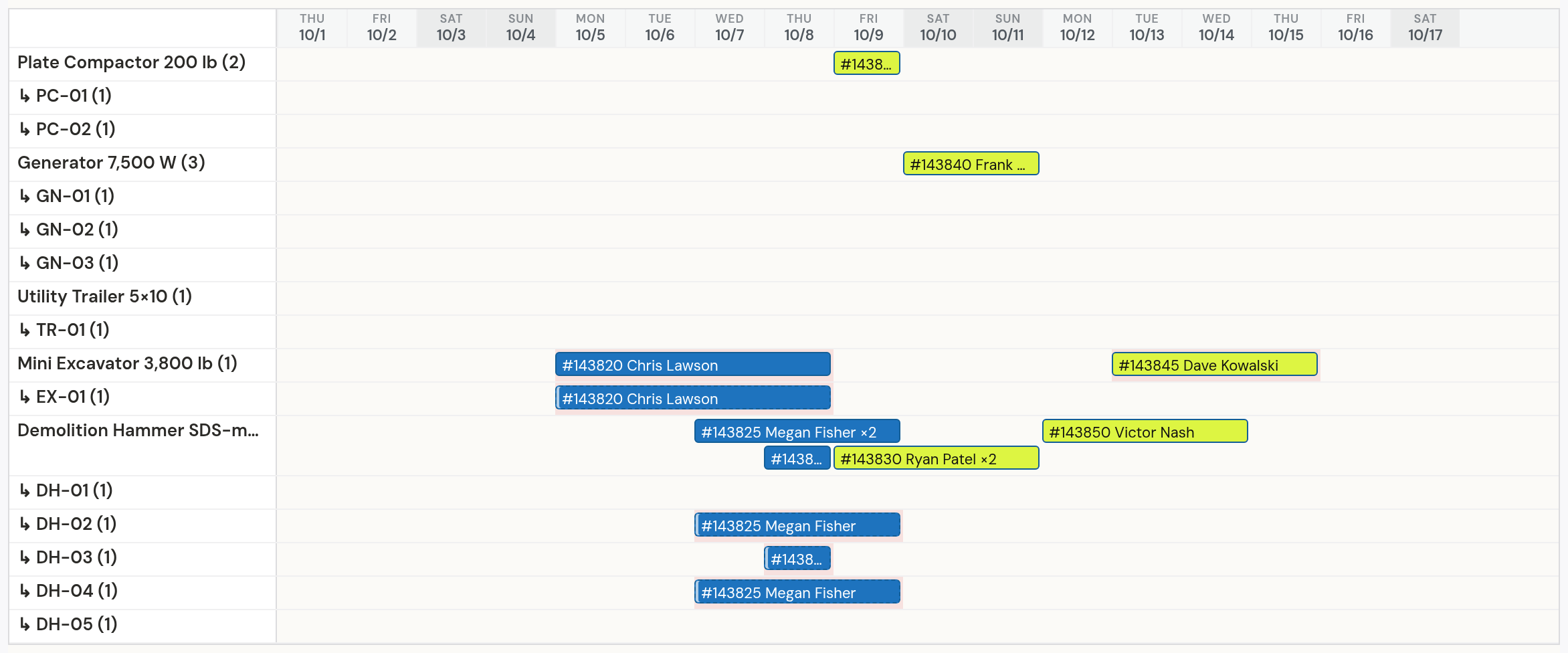
The calendar shows every machine and, under it, each of its units, day by day: who has it, from when until when. You see at a glance what’s out and what’s coming back.
Every unit, by the day.
08
At return: the hour meter and the damage, recorded on the spot.
The excavator comes back with 32 more hours and a bent handle, and the argument about who pays lasts a week.
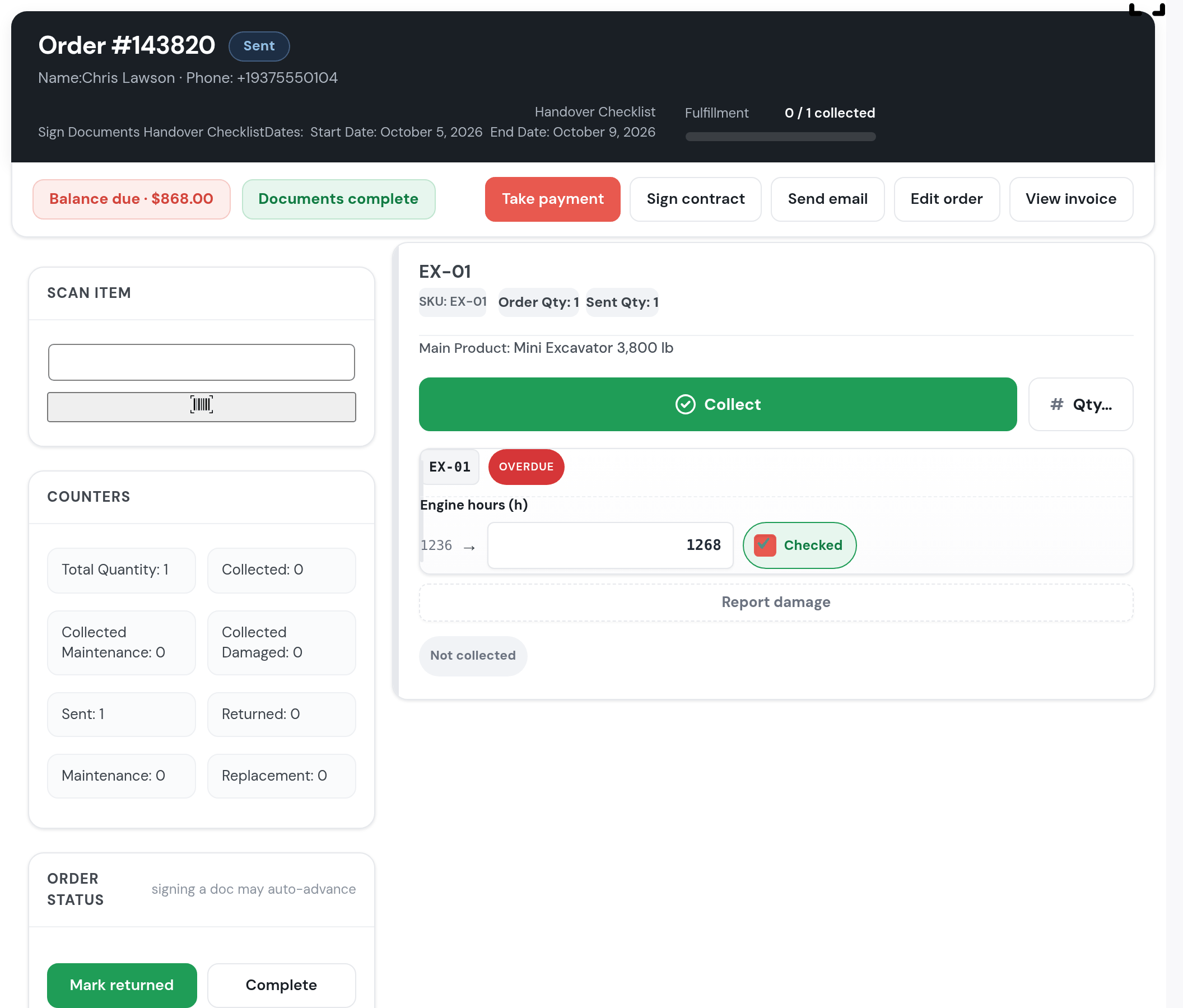
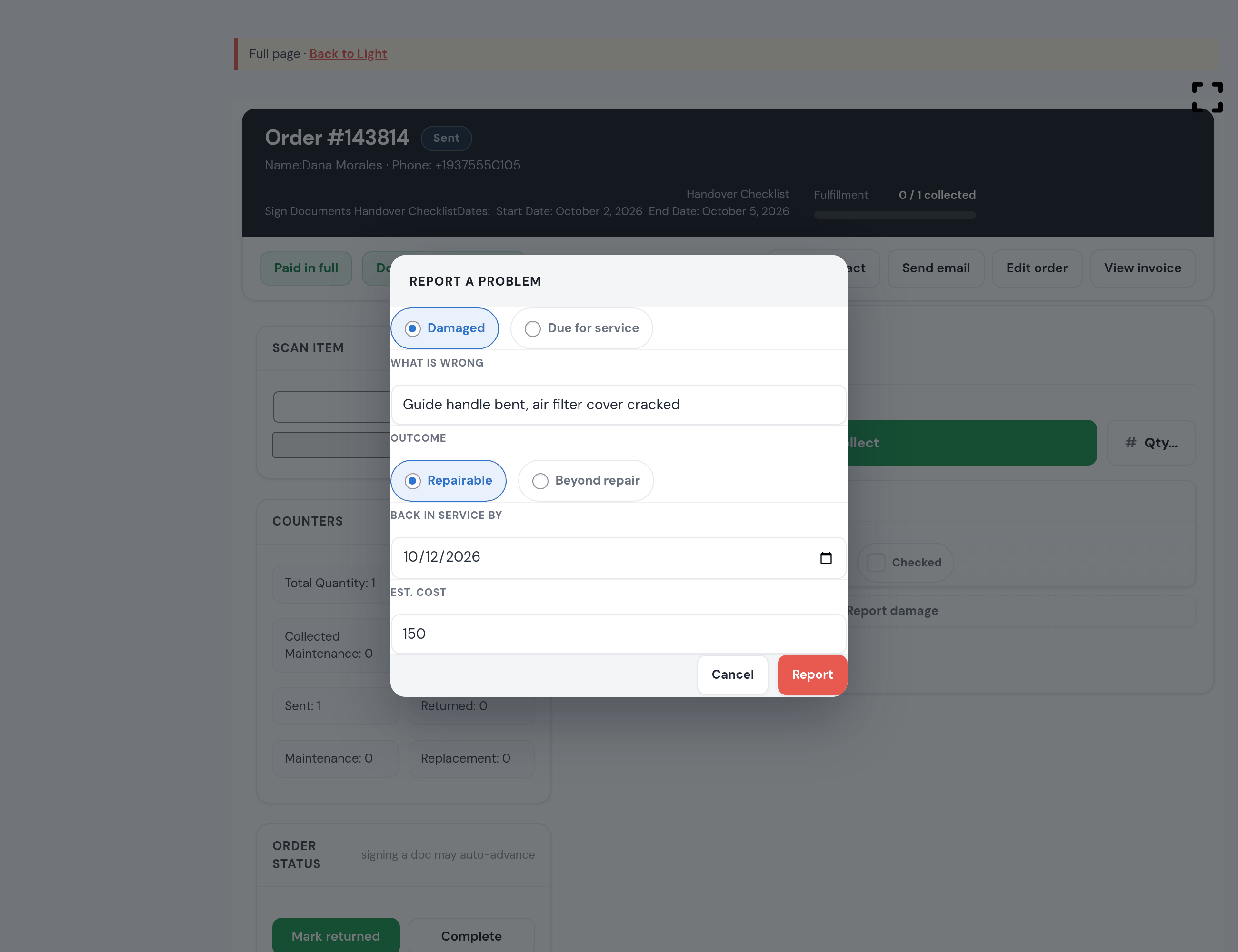
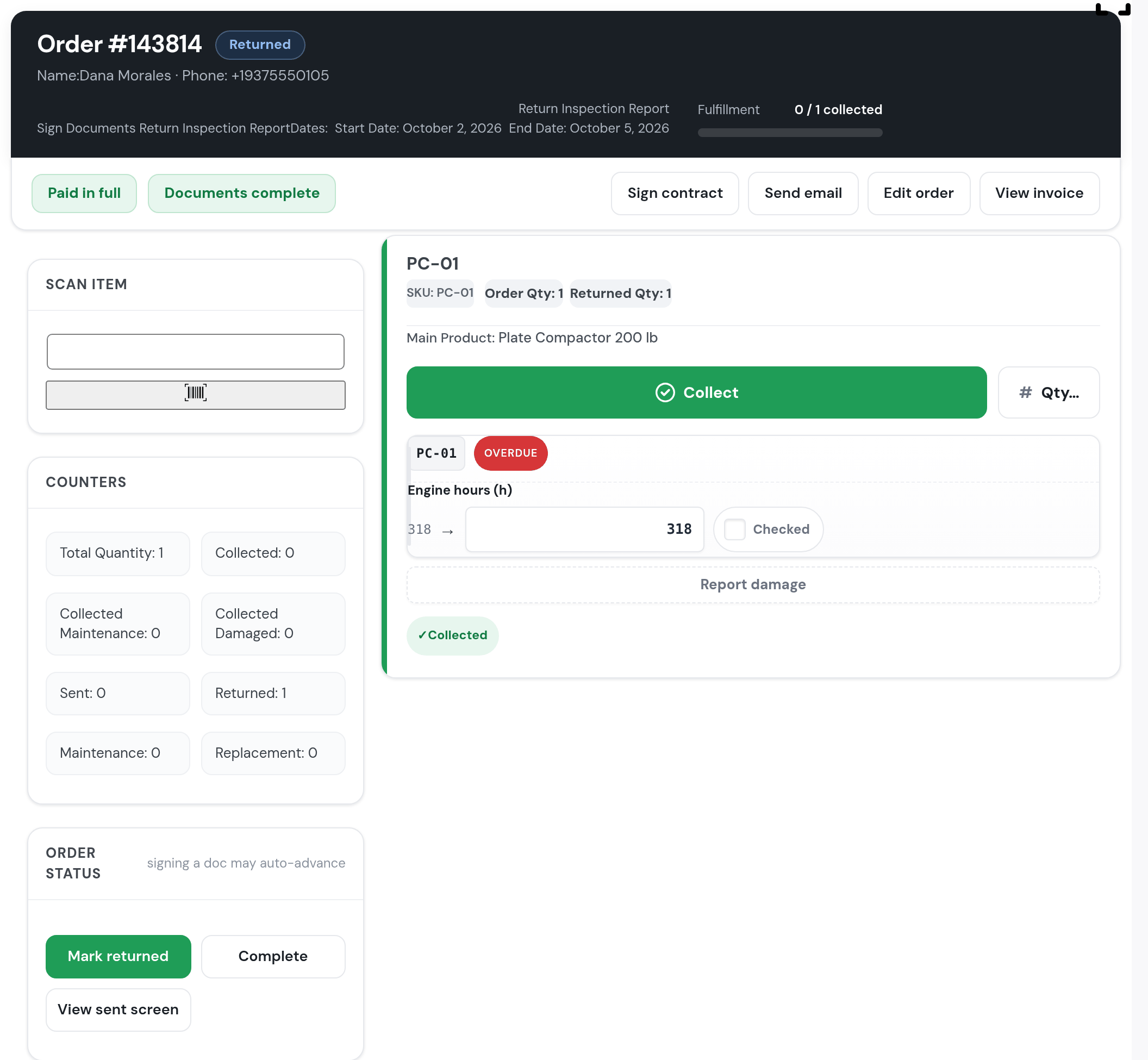
At return the screen asks for the hour meter, with the last reading next to it, and a tick that you checked. If something broke, you press “Report damage”: what broke, whether it can be repaired, until when it’s out of service and what it will cost. The unit can’t be rented again until it’s fixed.
The meter and the damage, at return.
09
The return inspection report, signed by both.
There is no return report: the customer drives off, and you find the damage the next day.
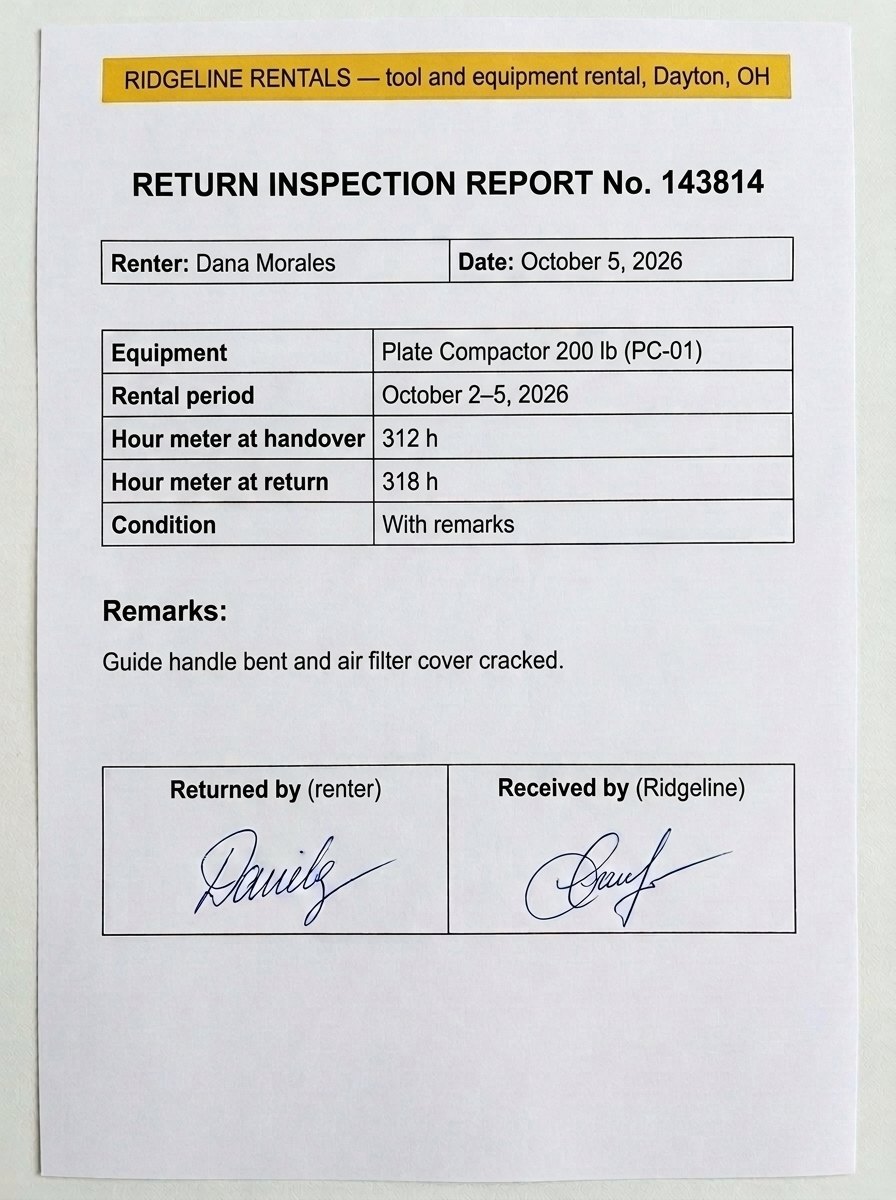
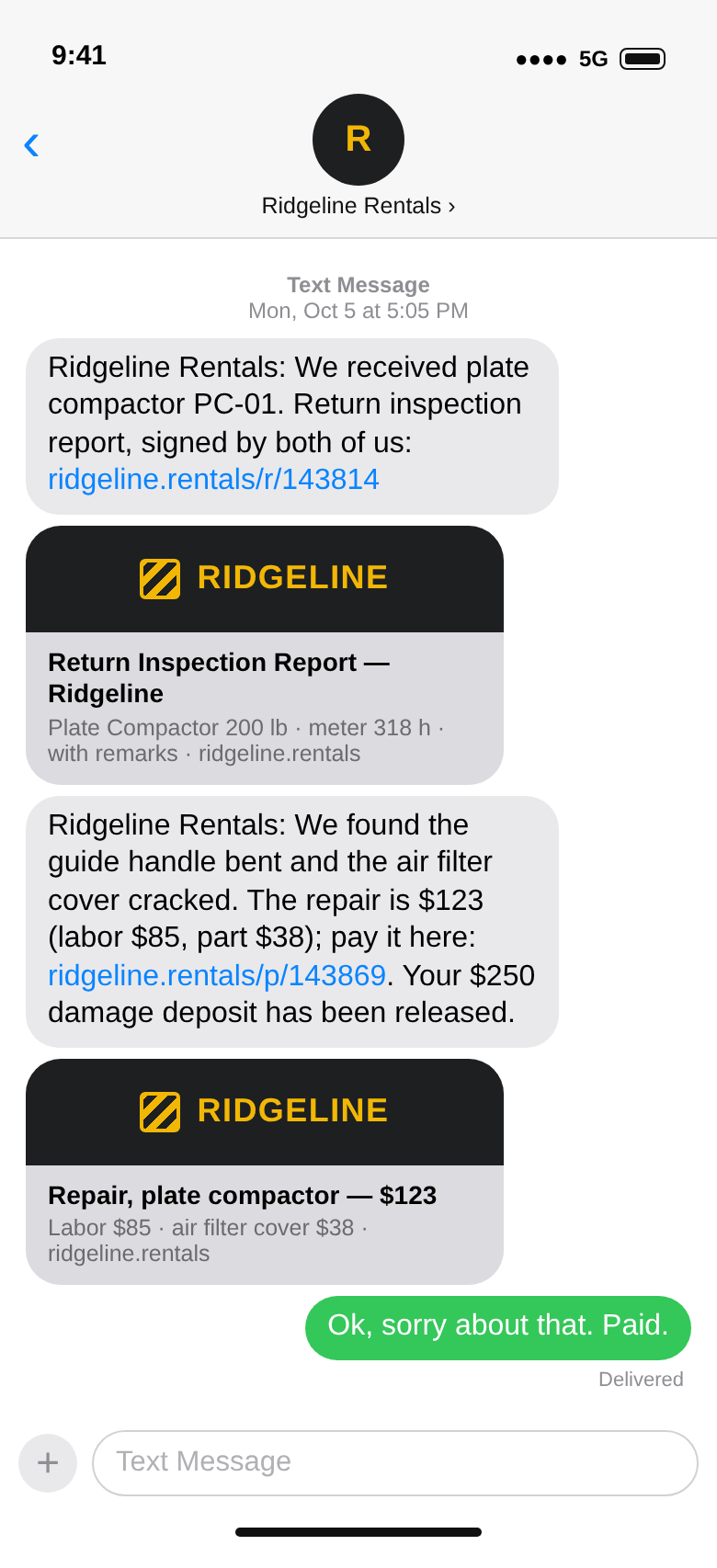
After the return, the inspection report shows up on the order: you fill it in with the meter and what broke, then the customer signs it. They also get it by text, with the deposit released and the repair cost.
The report on the order; the document (generated image); the texts (drawn).
10
The repair is billed on its own. The money, by the day.
The repair is remembered “for next time”, and at the end of the month you add up the receipts.
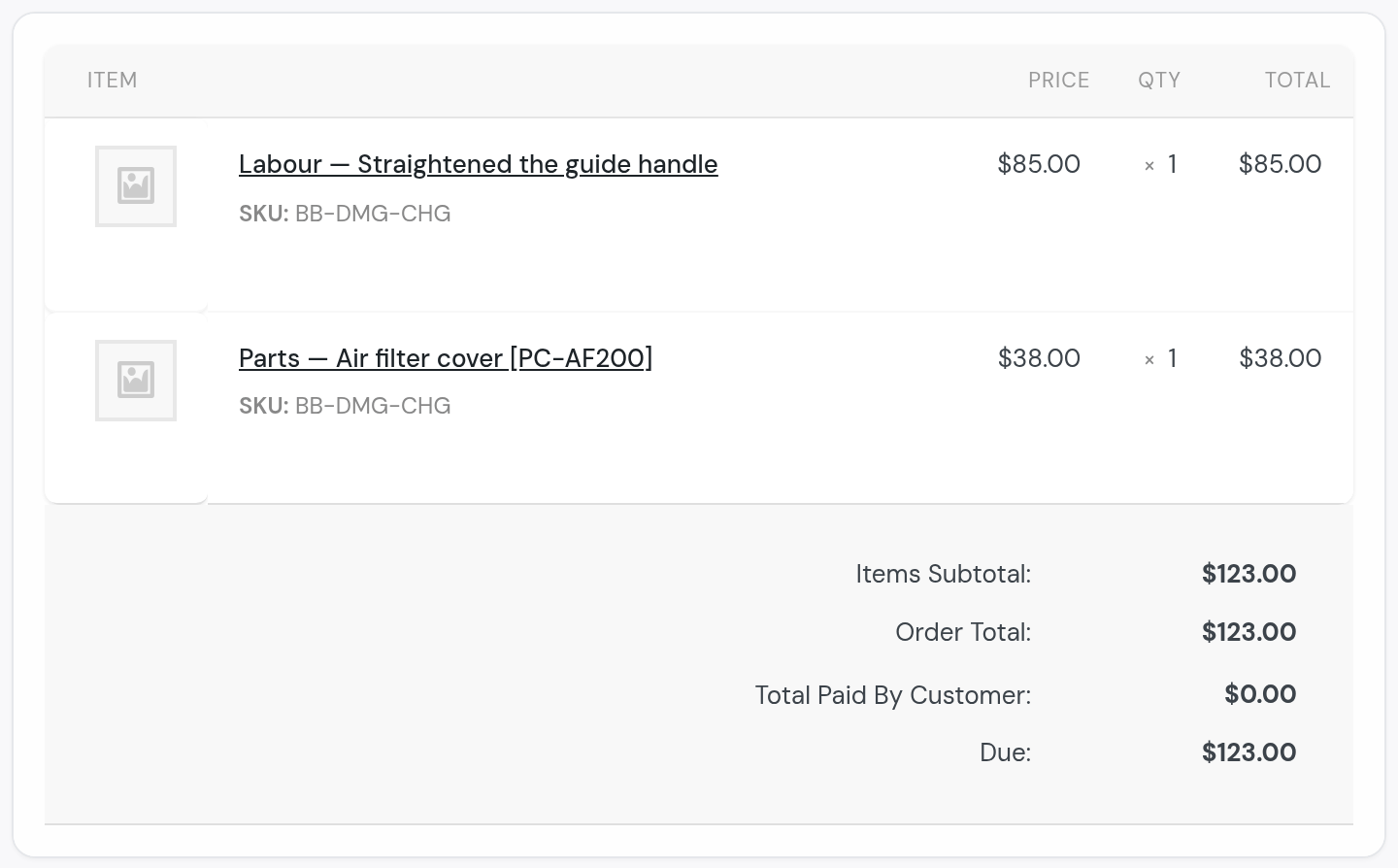
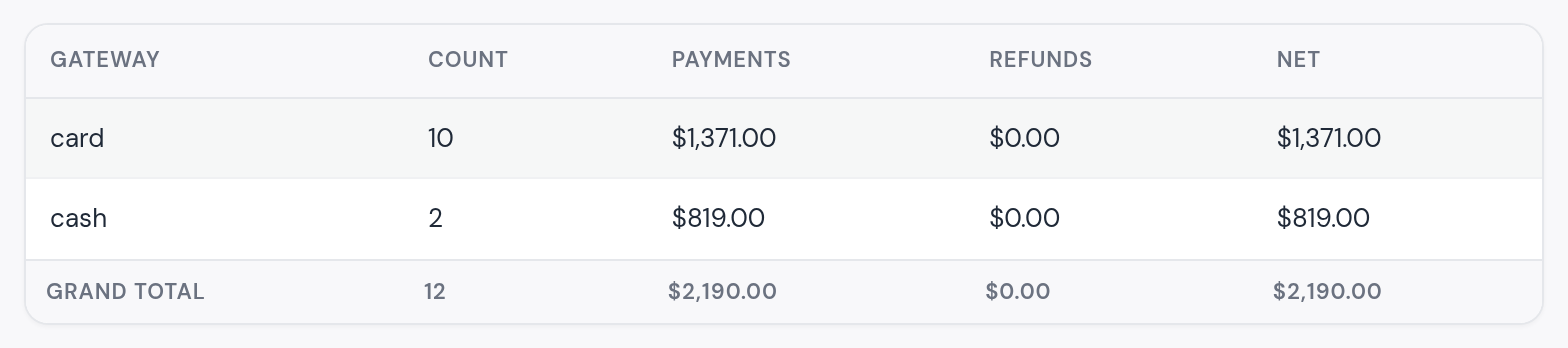
The shop puts the labor and the part on the job, and the customer gets a separate order to pay from a link. The report shows what came in, by card and in cash.
The repair, on its own order; the money.
11
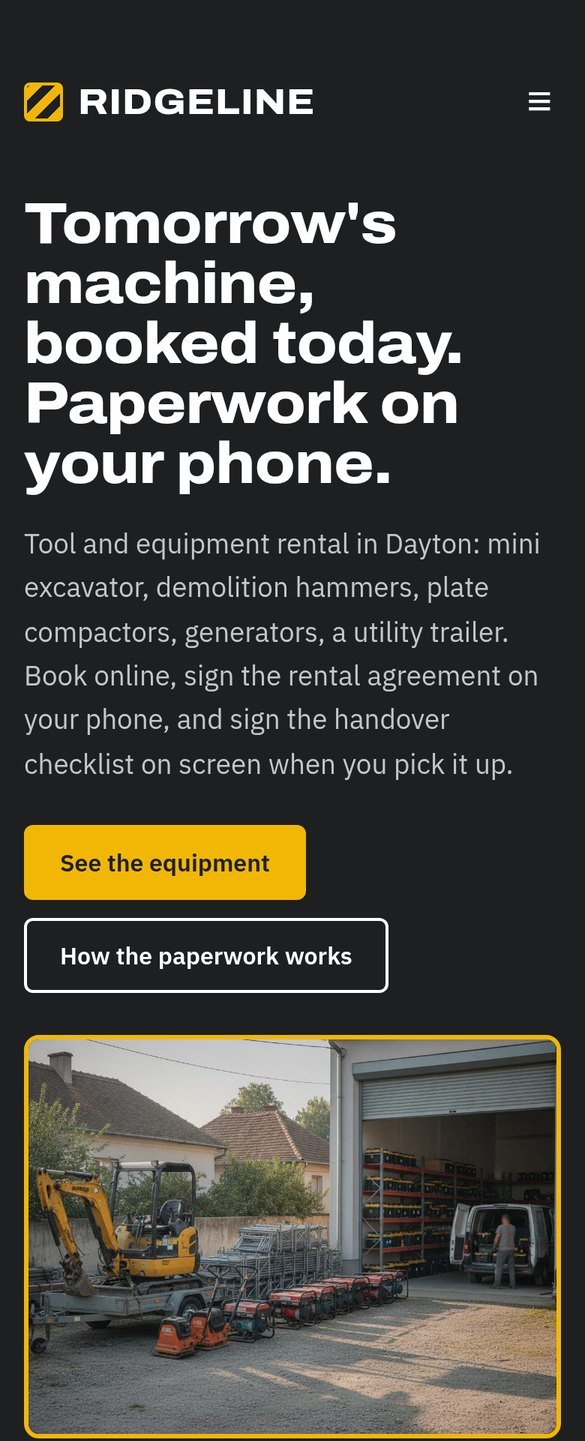
Your rental website, with the equipment and the paperwork. Included.
The business has a Facebook page with old photos and a phone number.
We build it in your name: the equipment with prices by the day, how the paperwork works on the phone, jobsite delivery. Hosting is included.
Ridgeline, the test yard. Yours looks like yours.
Questions rental yards ask us
If yours isn’t here, ask us. A person answers.
Does my rental agreement stay mine?
Yes. We put it in as it is, as text the customer reads and signs on their phone. The checklists follow the way you fill them in today: the condition, the hour meter, the remarks.
I have five identical units. How do I tell them apart?
Each one has its own number. The customer only sees “available”; at handover you choose which one goes out, from the units free on their days, and you can always see which one is with whom.
How is the damage deposit handled?
The deposit sits on the order from the booking and is taken at handover, by card or in cash, the way you take it now. At return it’s released, or kept for the repair.
Can I take photos at handover and at return?
Today you record the condition and the remarks in the checklist. Photos on the order are the next step; we build them for the yards that ask for them.
I deliver to jobsites. How does the driver know?
Delivery orders show up in the day’s list with the address. You assign them to a driver, and he sees them in the driver app: the route, the address with navigation, the customer and what to load. At handover the customer signs on his screen. The driver app is on the Driver app & dispatch plan.
My machines are serviced by the hour.
The hour meter is read at every return, and the service (an oil change every 250 hours, say) comes up on its own when it’s due. A unit in the shop can’t be rented.
What if I’m seasonal?
Reservety is month to month and you can cancel anytime. If you close for the winter, the Hibernation plan keeps your yard, your customers and your website for $15 a month.
Do I need a credit card for the trial?
No. The trial is fourteen days and free, with no card. You pay the first month when you want us to start your setup.
Ridgeline Rentals is a test yard we built for this page; the customers’ names are made up, the phone numbers don’t exist and the photos are generated. The text messages are drawn and the return inspection PDF is a generated image; every other screen is the system, with the test yard’s rentals run through it.
Start Your Rental Business the Right Way
Reservety handles your website, bookings, inventory, and payments — so you can focus on growing your business.