
Five groups of four children, private lessons, three courts, a gym for the rain, two coaches and an owner who coaches too. This page follows one week of it in Reservety: the groups made once on a week screen, a coach’s day off covered for one Thursday, a rainy Tuesday moved indoors, parents e-mailed and texted, attendance and cash taken on the coach’s phone, and on Sunday evening, who owes what. The same courts are also sold by the hour to anyone who wants to play.
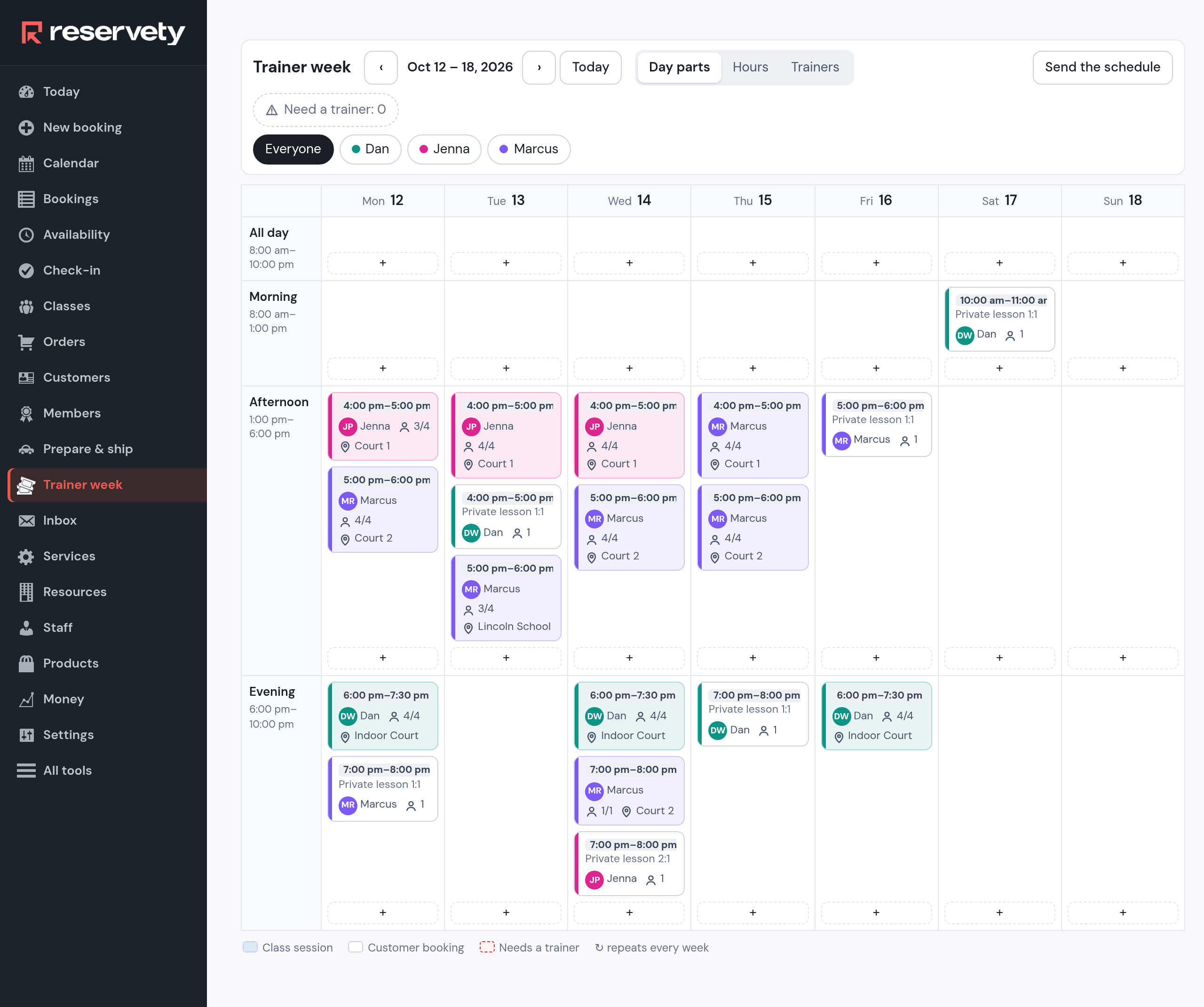
A tennis coach’s week has the same shape everywhere: the same groups at the same hours, a coach who is off on Thursday, rain on Tuesday, a new child on Wednesday, parents who need to know when and where, cash handed over at the fence, and on Sunday the question of who has paid.
Reservety keeps that week on one screen, Trainer week. A group is a class with four places that repeats every week, with a coach and a court. A weekly private lesson is the same thing with one place. Each child has a wallet: the family pays in advance, in cash or by bank, and every session the child attends is taken from it at the academy’s hourly rate. Coaches have an app on their phone with their week and the register.
The academy here is Brookfield Tennis Academy in Columbus, Ohio, on a test copy of a Reservety site, during the week of October 12, 2026. The first group was made on the screen exactly as shown; the other four groups, the families and their payments since September were seeded through the same code the screens use. Coaching, classes and studios are on Reservety’s Professional plan, $99 a month.
Who does what, in one table.
The owner builds the week once. After that the week runs itself: sessions repeat, the coaches see their own hours, parents get the schedule and a reminder, and the wallet keeps the score.
| A group | a class: 4 places, weekly, a coach, a court |
| A weekly private lesson | a class with 1 place, its own hourly rate |
| A one-off private lesson | a booking for a coach’s hour, online or by phone |
| What a session costs a family | $30 an hour from the child’s wallet |
| What a coach is paid | $35 per session taught |
| What a parent receives | the week by e-mail, a reminder by text, a receipt |
| What a coach uses | an app on the phone: my day, my week, the register |
| The courts | held by the groups; sold by the hour when free |
Ten steps, done once at the start of the season. The first group is made on the screen from nothing; the rest is the same form again.
Three lists set up before the groups. Staff: the owner, Dan Whitaker, who coaches too, and two coaches, Marcus Reid and Jenna Park, each with a phone and the hours they work. Resources: Court 1, 2 and 3, the Indoor Court and the Lincoln School Gym two blocks away, one place each. Services: the two private lessons anyone can book, 1:1 at $80 an hour and 2:1 at $110.
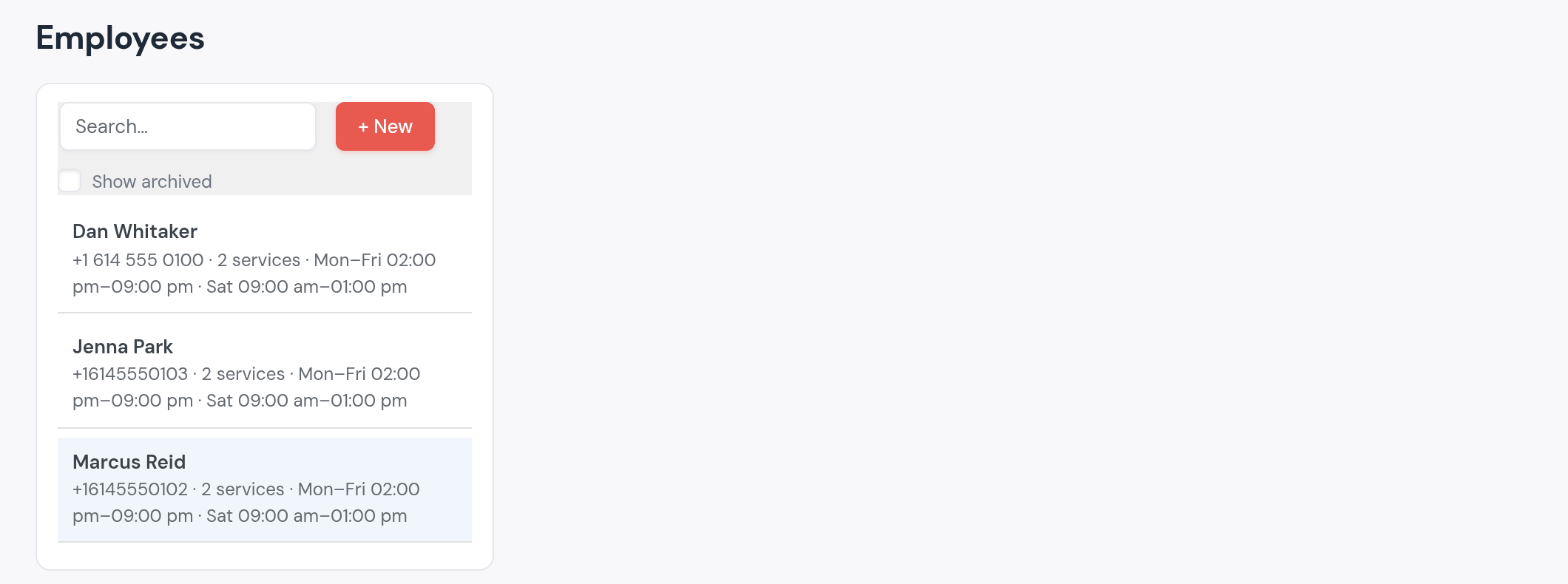
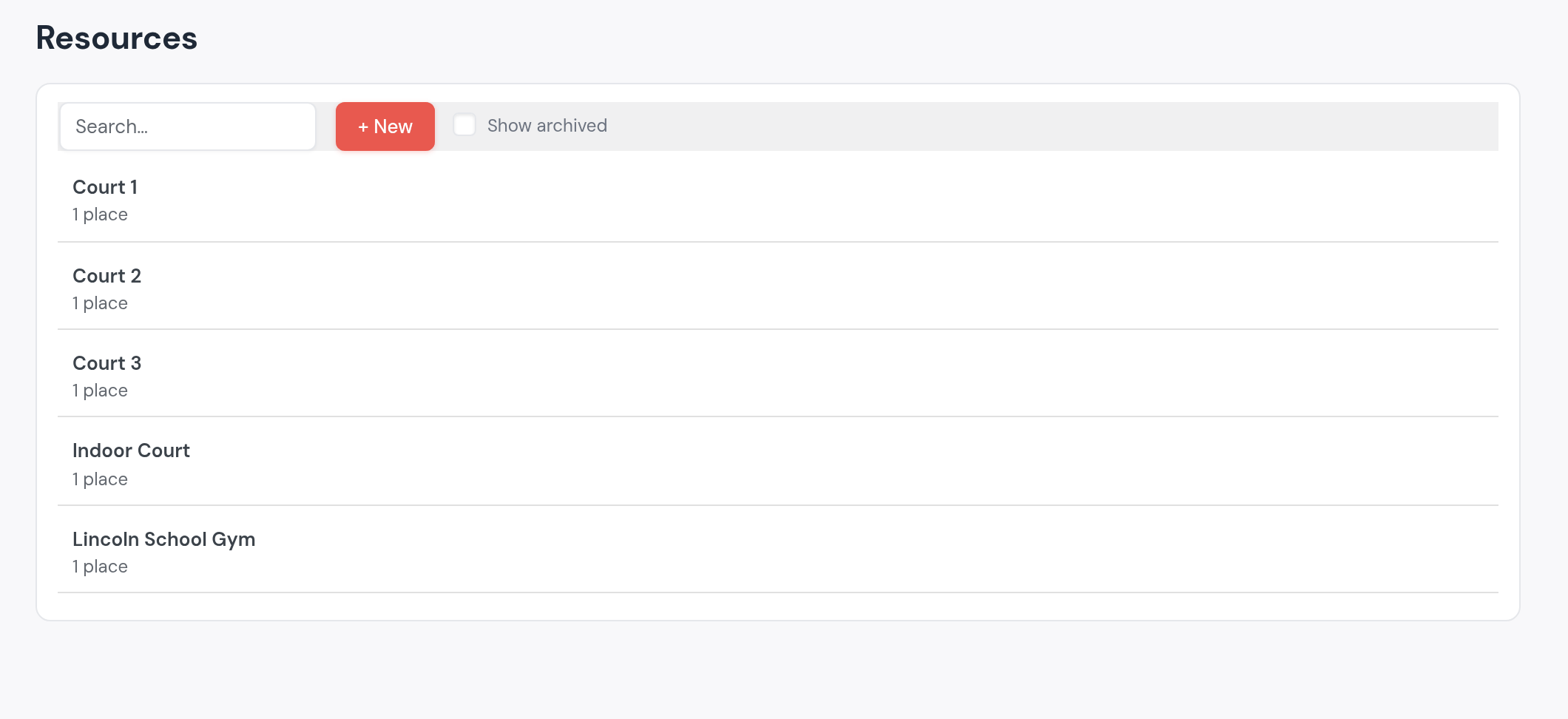
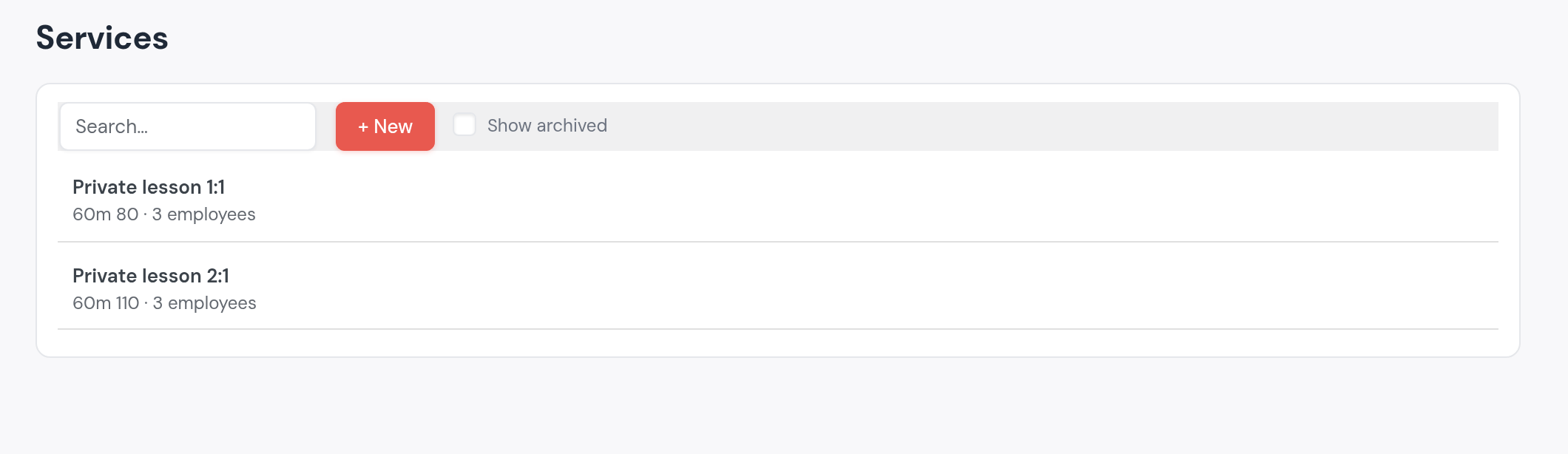
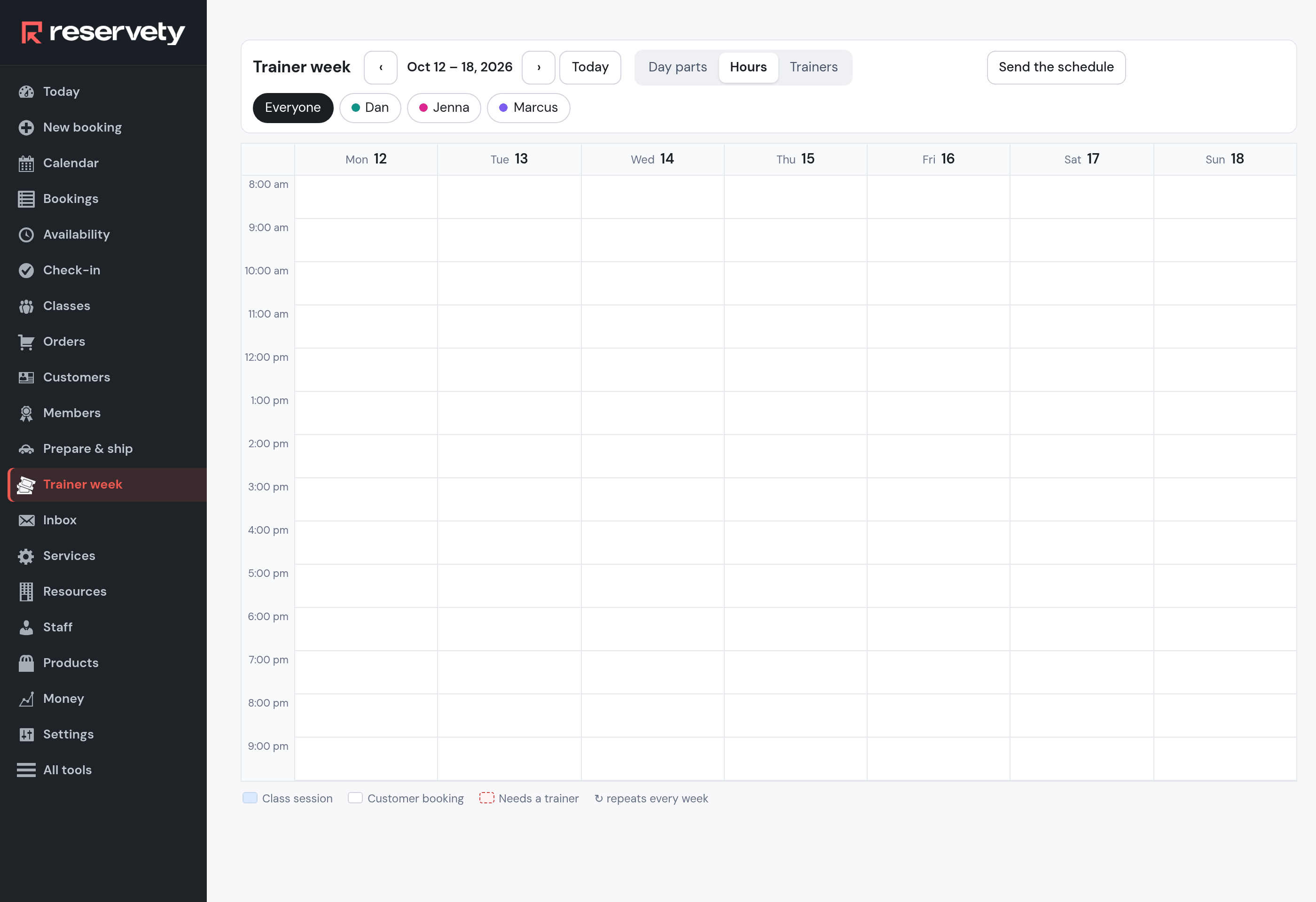
Trainer week shows seven days. On Hours the rows are the hours of the day, 8 am to 9 pm; any free hour can become a group.
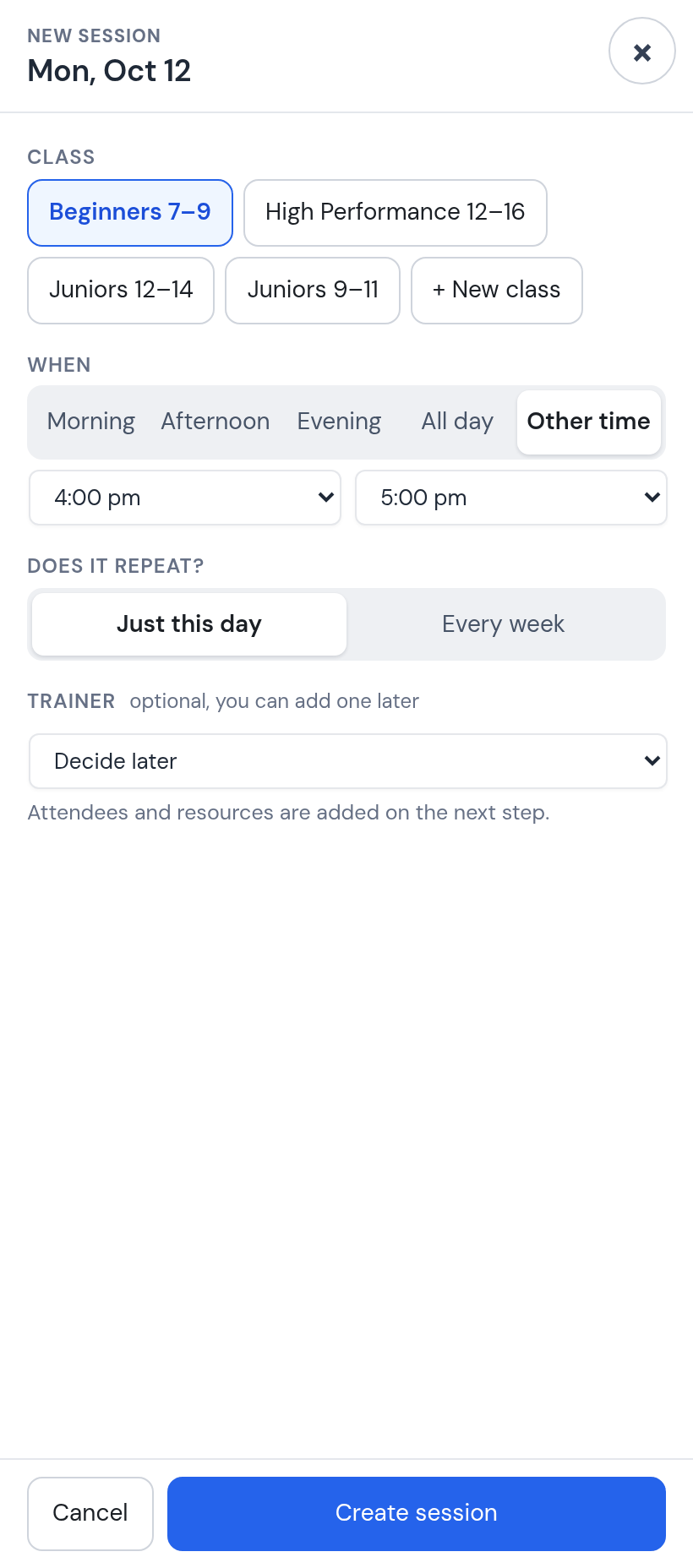
A click on Monday’s column at 4 pm opens New session with the hour already set, 4:00 to 5:00 pm, for that day only and with no coach yet. The classes that already exist are buttons at the top; a new group starts with + New class.
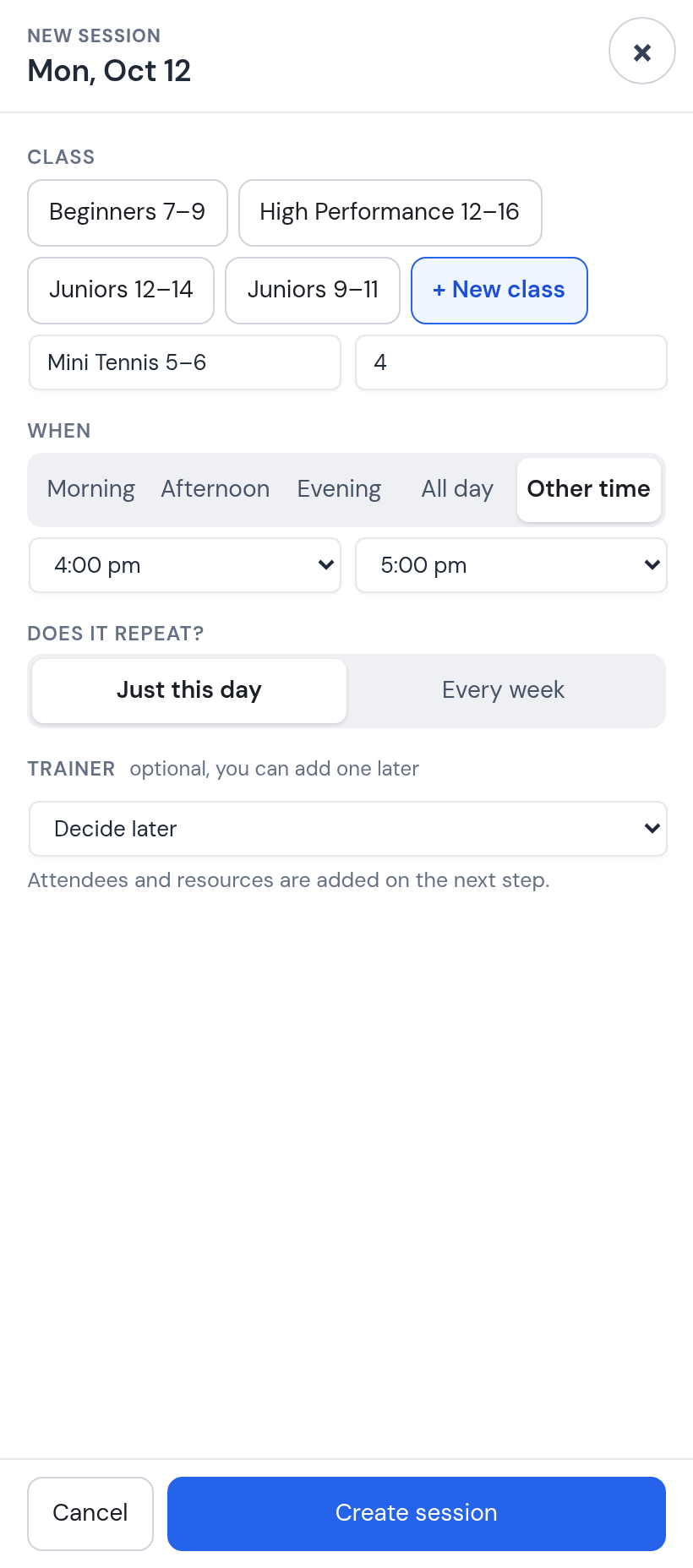
Mini Tennis 5–6, four places. A place is a child: the fifth parent who asks is told the group is full.
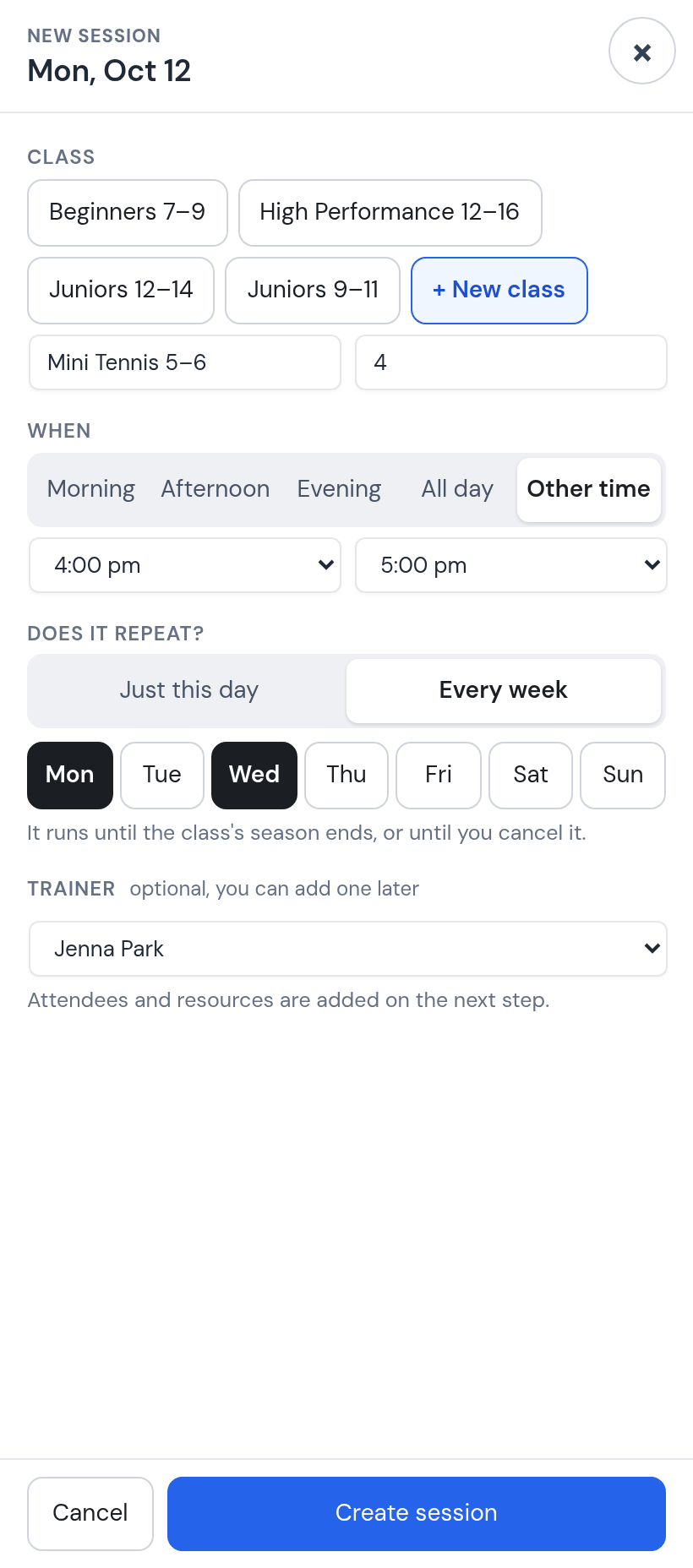
Every week, Monday and Wednesday, coach Jenna Park. One form makes the whole season: every Monday and Wednesday at 4 pm until the season ends or you cancel the group.
The new session opens. Under Resource, type “Court”: every court shows whether it is free at that hour. Court 1 is free on Monday at 4 pm; one click and it is held for the group.
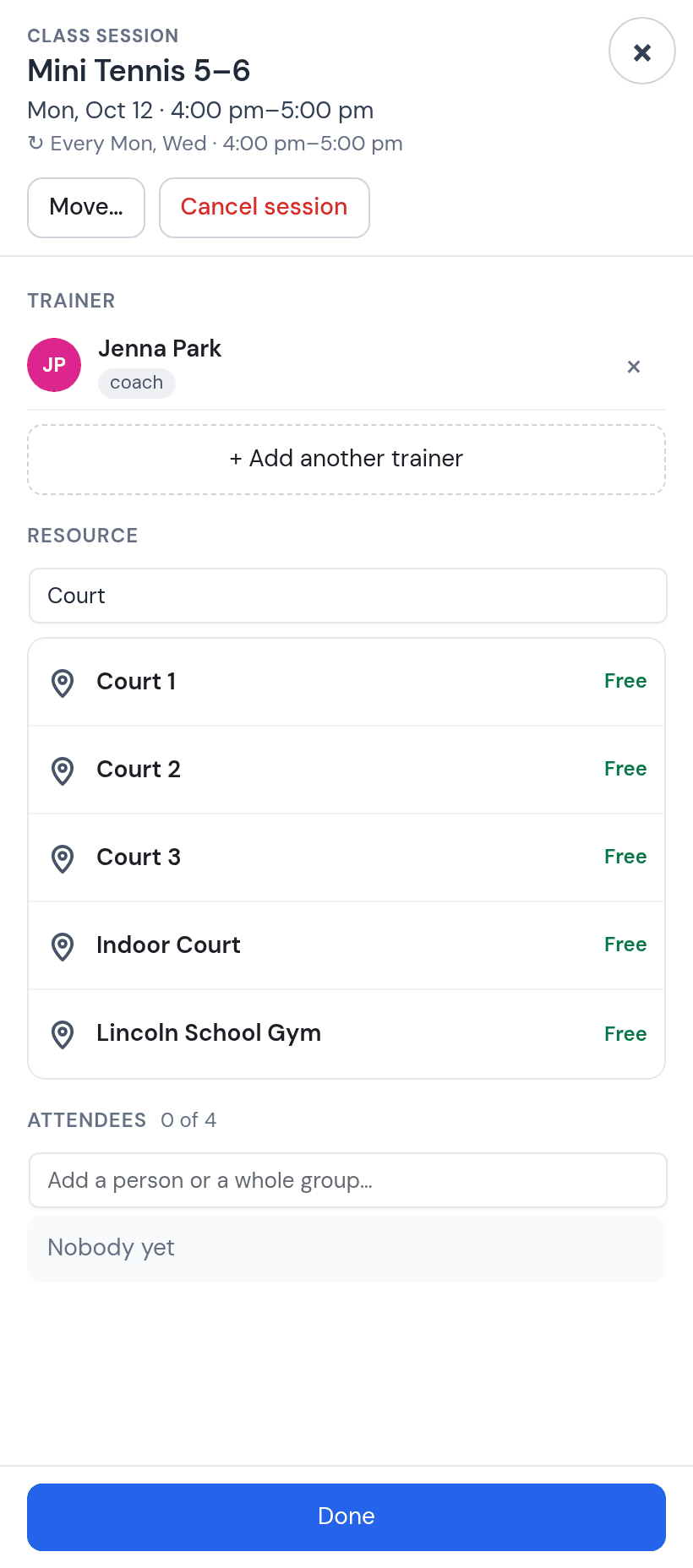
Why it matters. A court attached to a session is blocked for that hour. When the same court is sold by the hour (part 06), the hours the groups use are simply not offered.
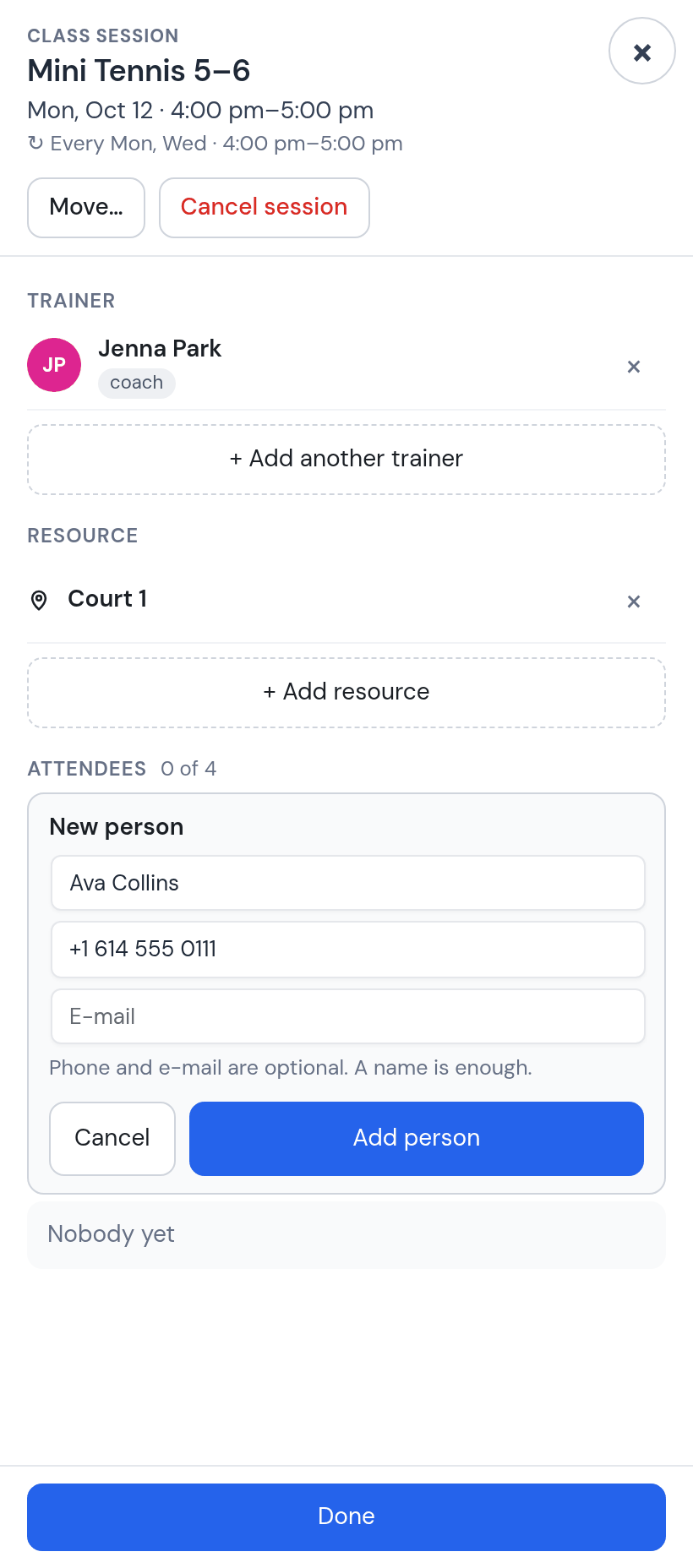
Type a name nobody has yet and Reservety offers to add a new person. A name is enough; the parent’s phone is what reminders and receipts go to. Ava Collins, Noah Bennett, Mia Turner: three of the four places.
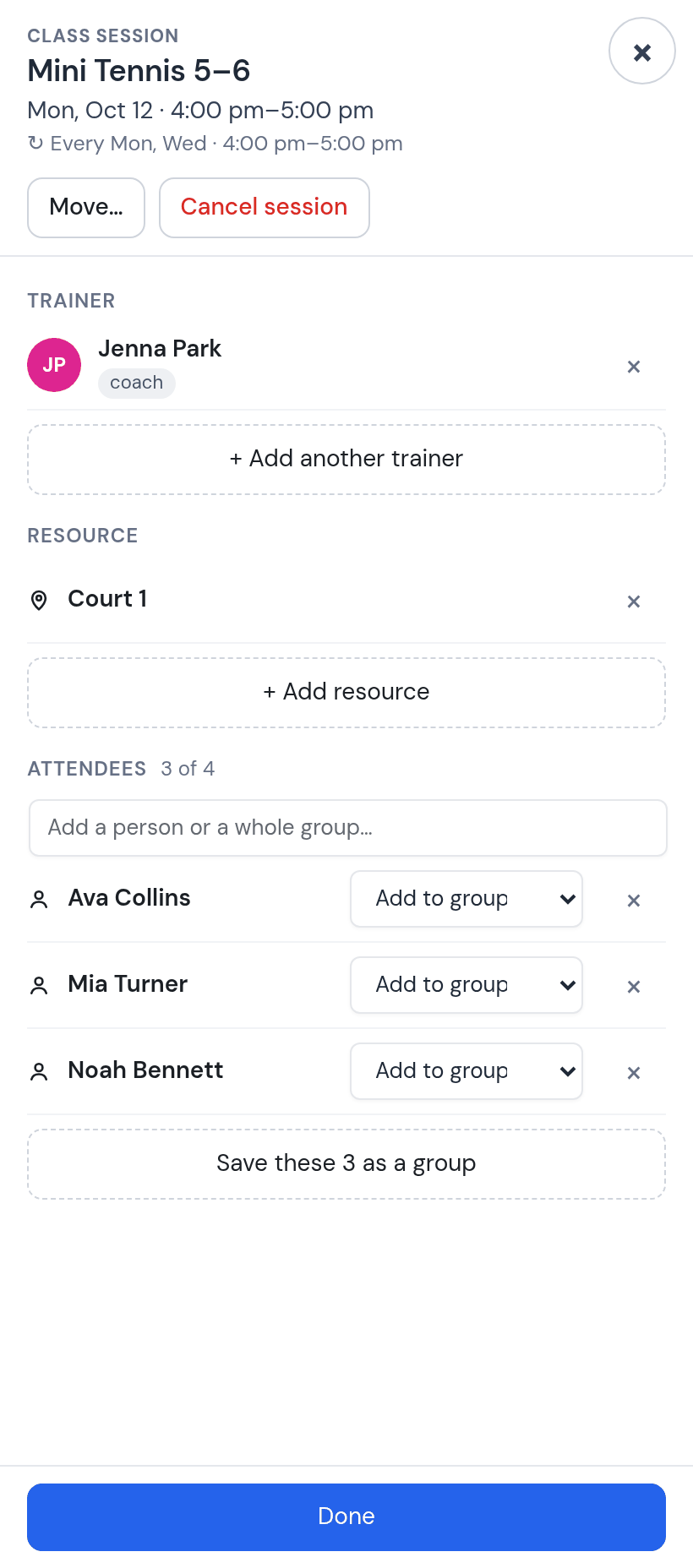
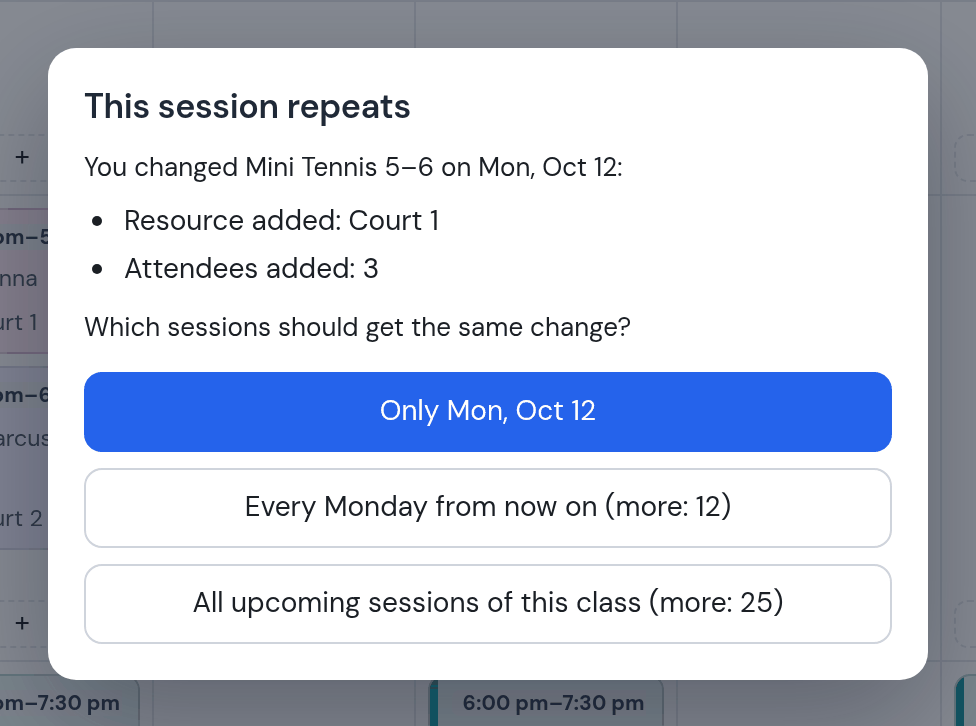
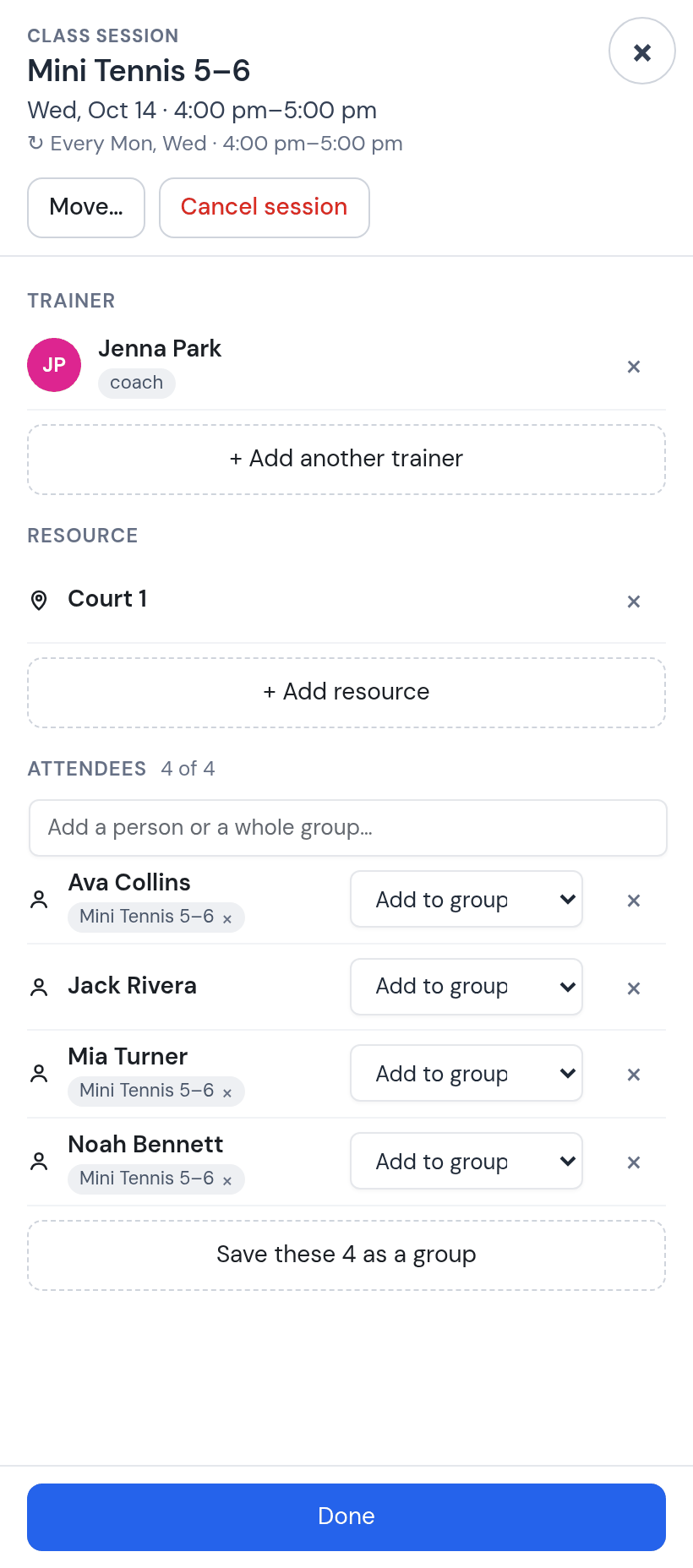
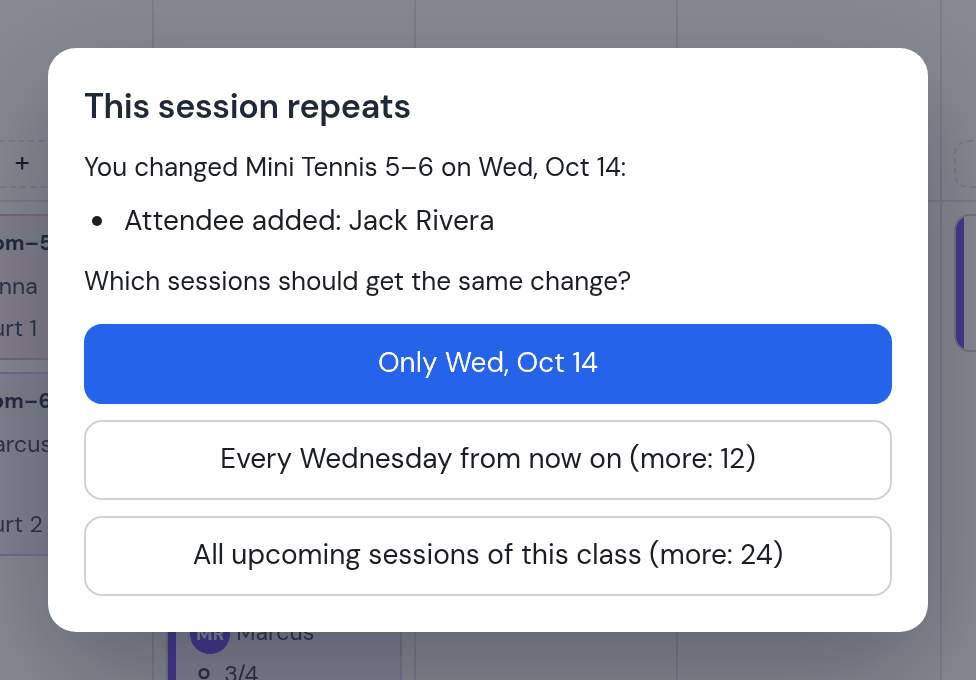
Done asks once, not once per child: only this Monday, every Monday, or every session of the class. All upcoming sessions puts the court and the three children on every Monday and Wednesday of the season.
Beginners 7–9 on Tuesday and Thursday with Jenna, Juniors 9–11 and Juniors 12–14 with Marcus at 5 pm, and High Performance 12–16 with Dan on the Indoor Court on Monday, Wednesday and Friday, 6 to 7:30 pm. That is the academy.
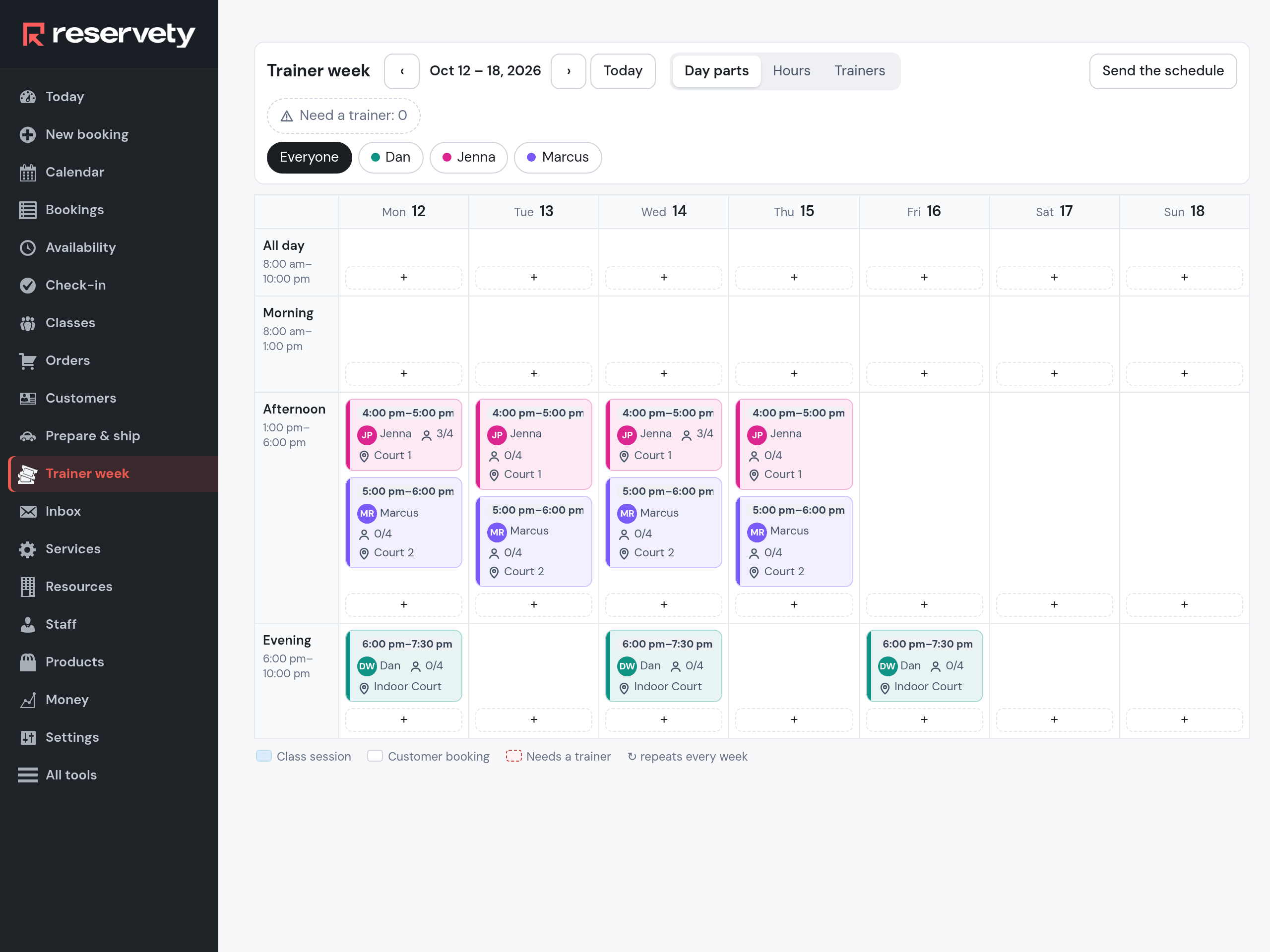
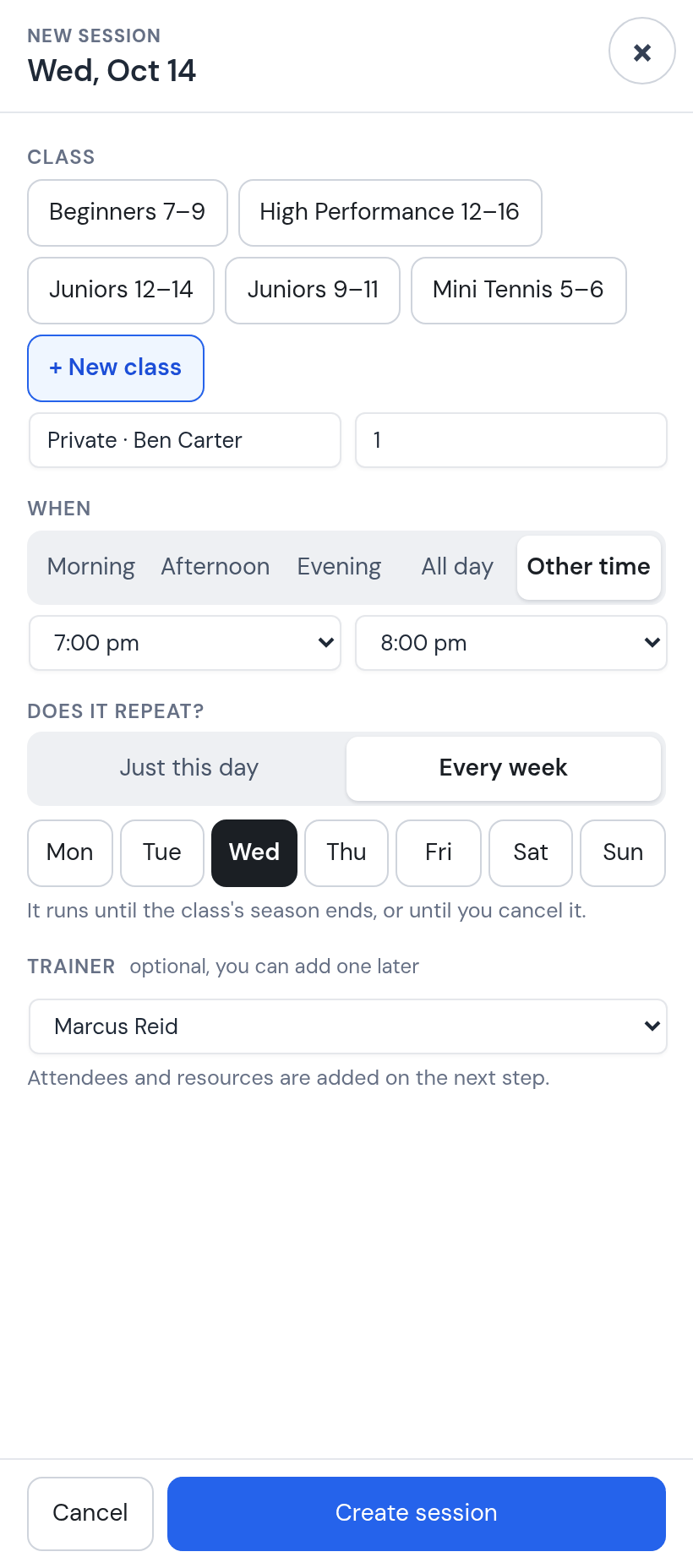
Ben Carter has a private lesson with Marcus every Wednesday at 7 pm. It is made the same way: a new class, one place, every Wednesday, Marcus, Court 2. It has its own hourly rate, $80, so Ben’s wallet is charged a private lesson, not a group session.
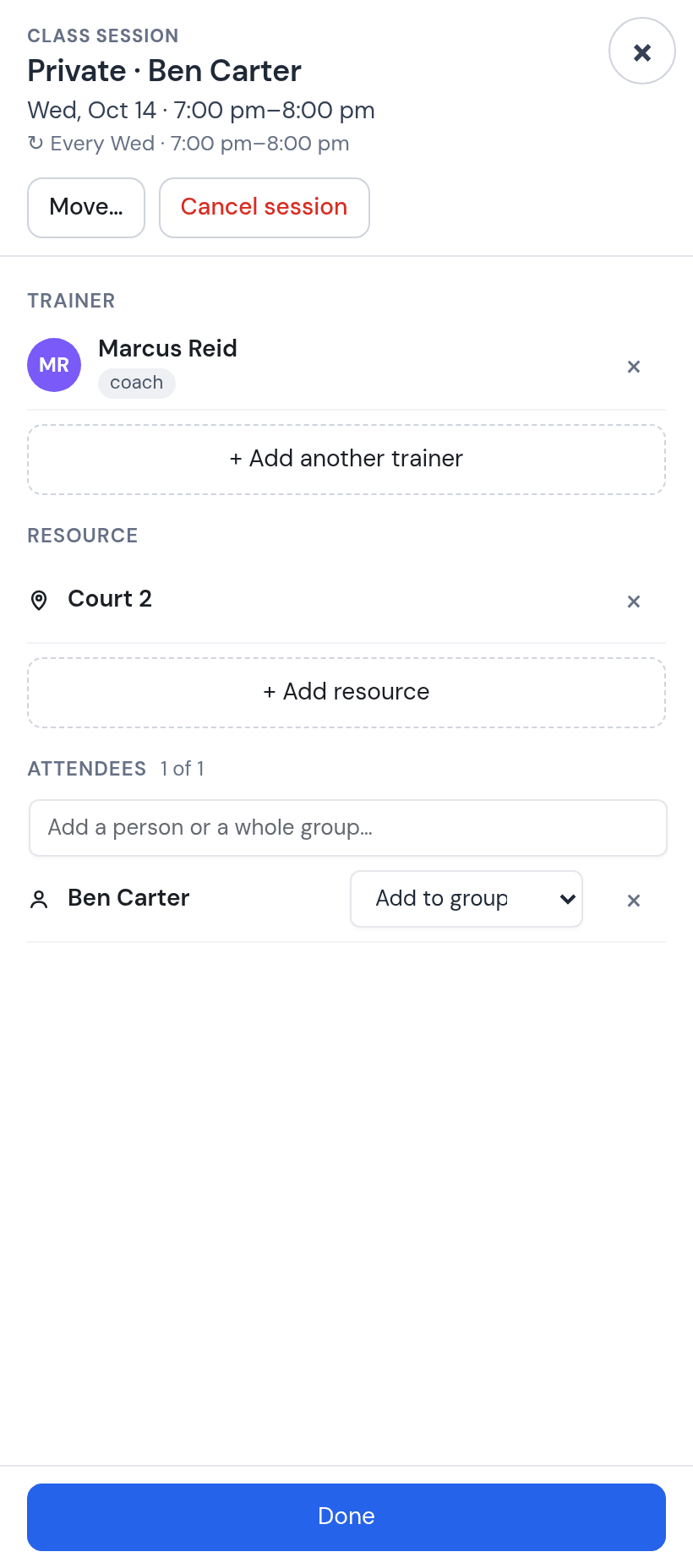
Six steps on the week ahead: what changed since last week, who covers, where the rain goes, who is new, the private lessons, the schedule.
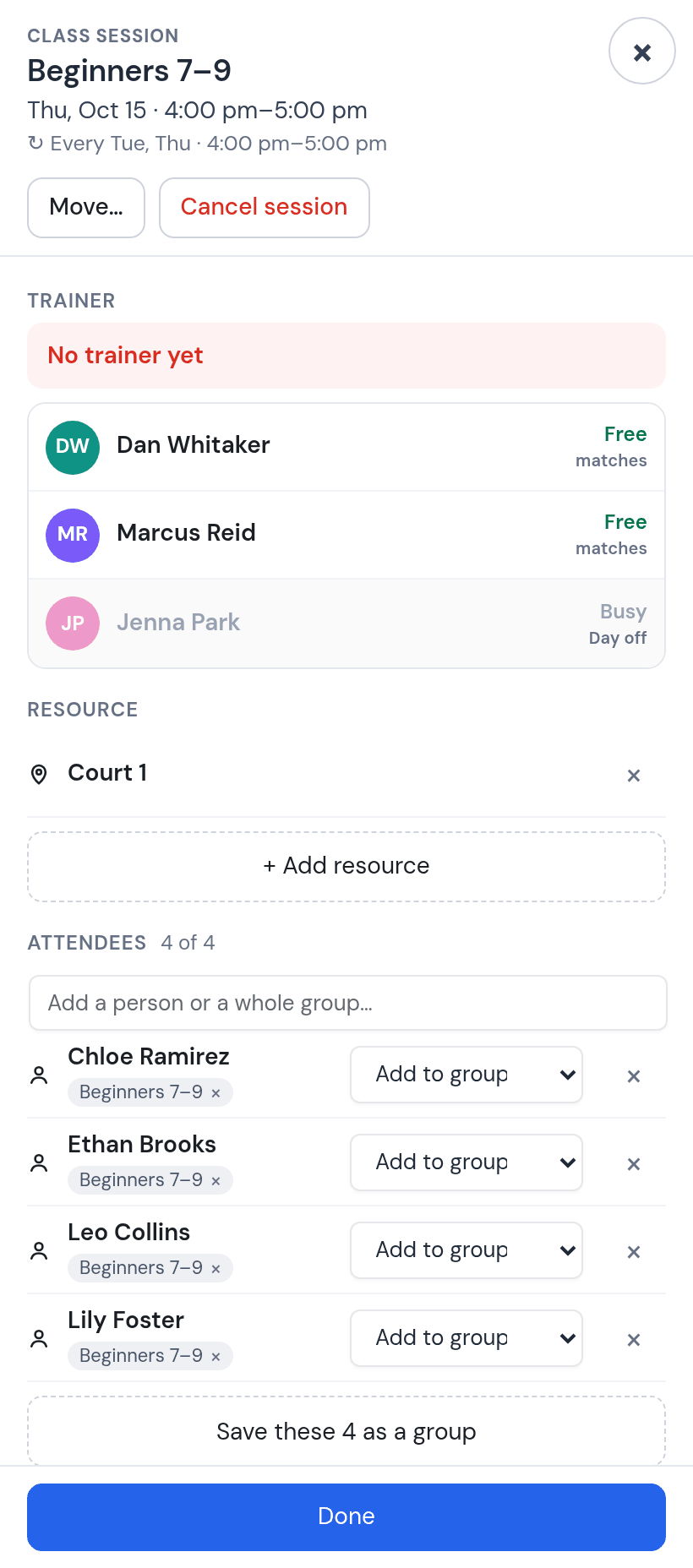
Everything is on one screen: the groups by day and time, the private lessons as bookings, and in red what needs you. This week: Thursday at 4 pm has no coach, because Jenna is off that day.
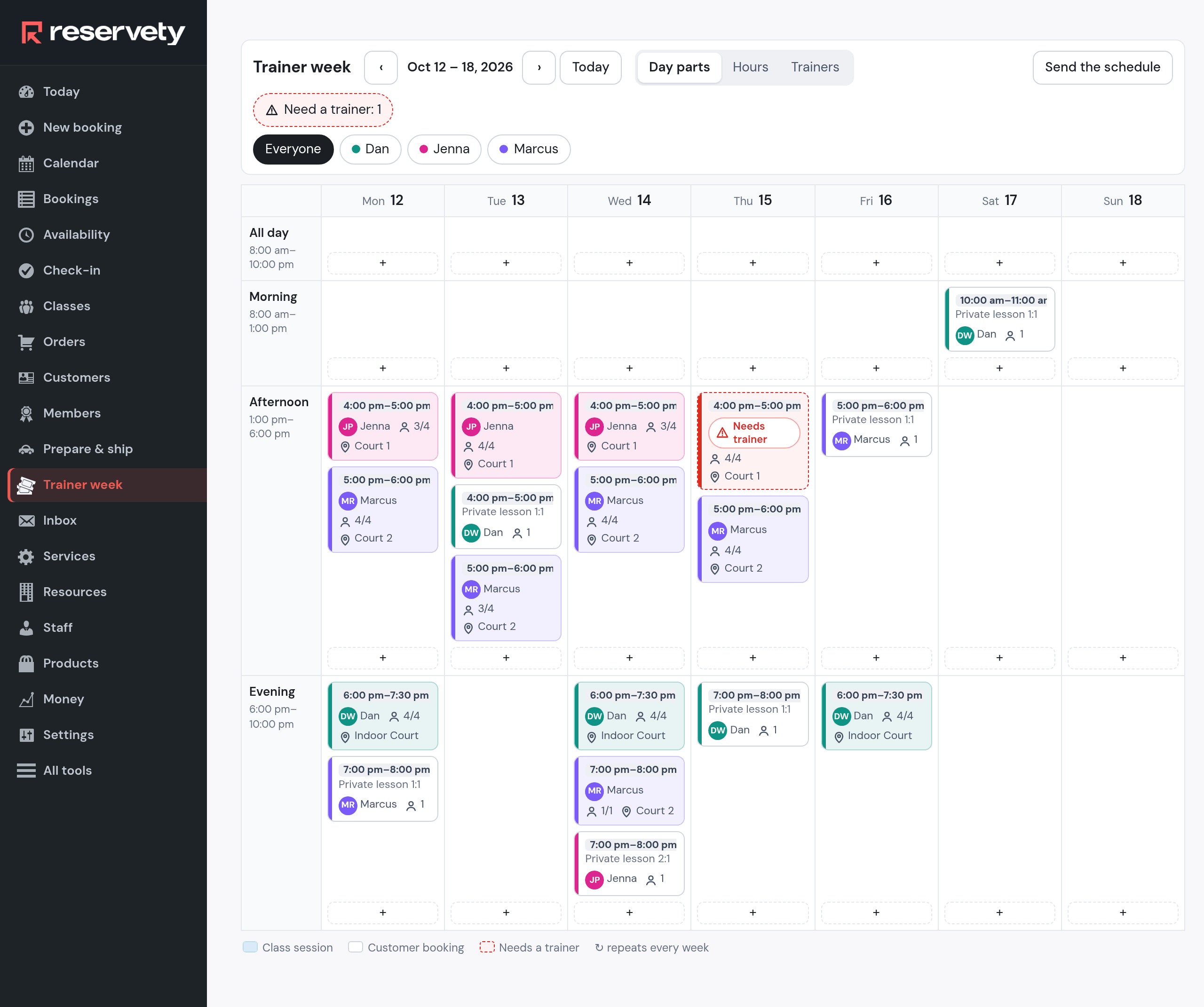
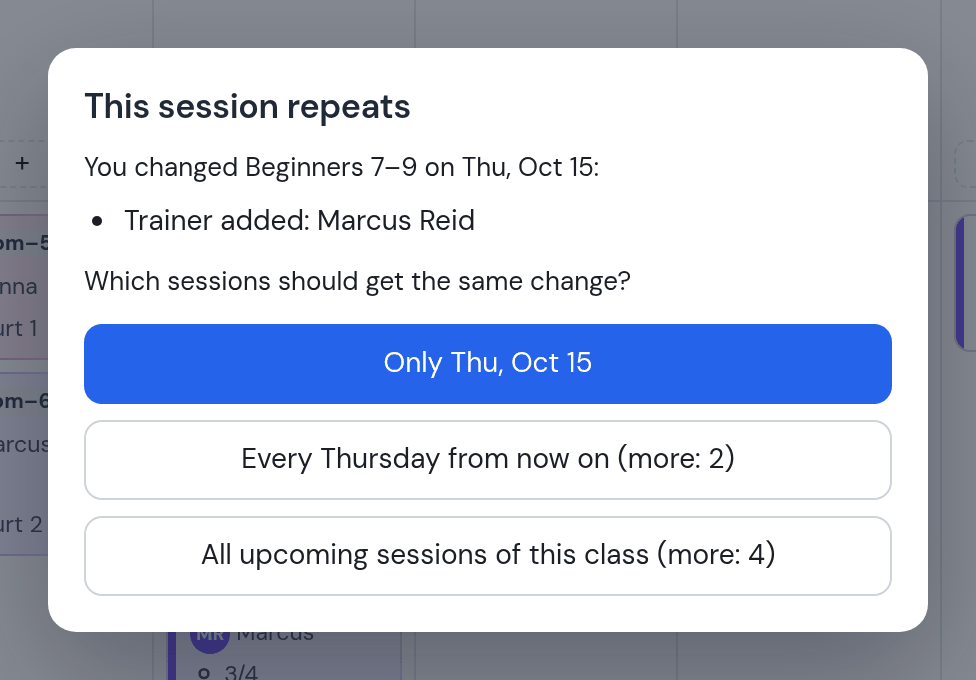
Open the Thursday card. The coach list says who is free and who is not: Jenna is Busy, Day off. Pick Marcus, then answer Only Thu, Oct 15. Next Thursday is Jenna’s again; Marcus’s schedule and pay pick up the session.
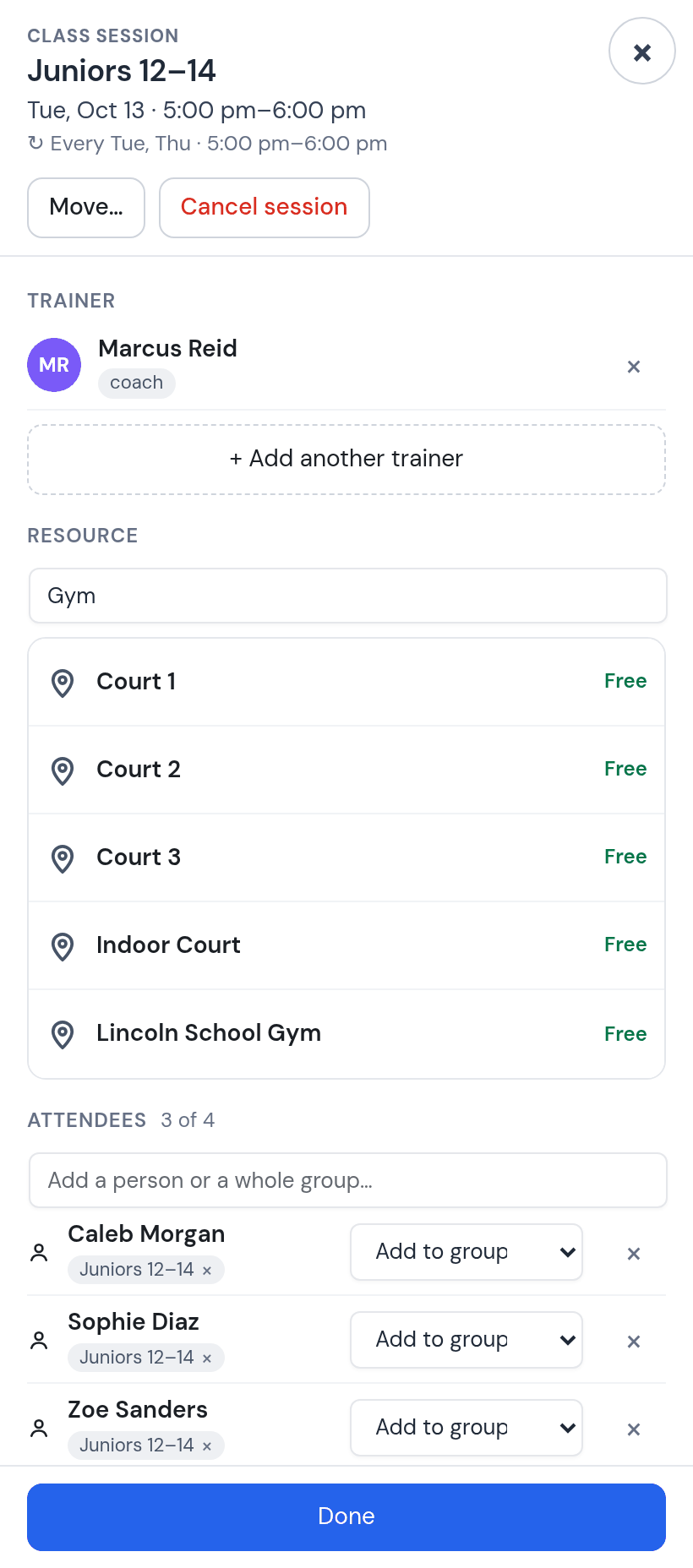
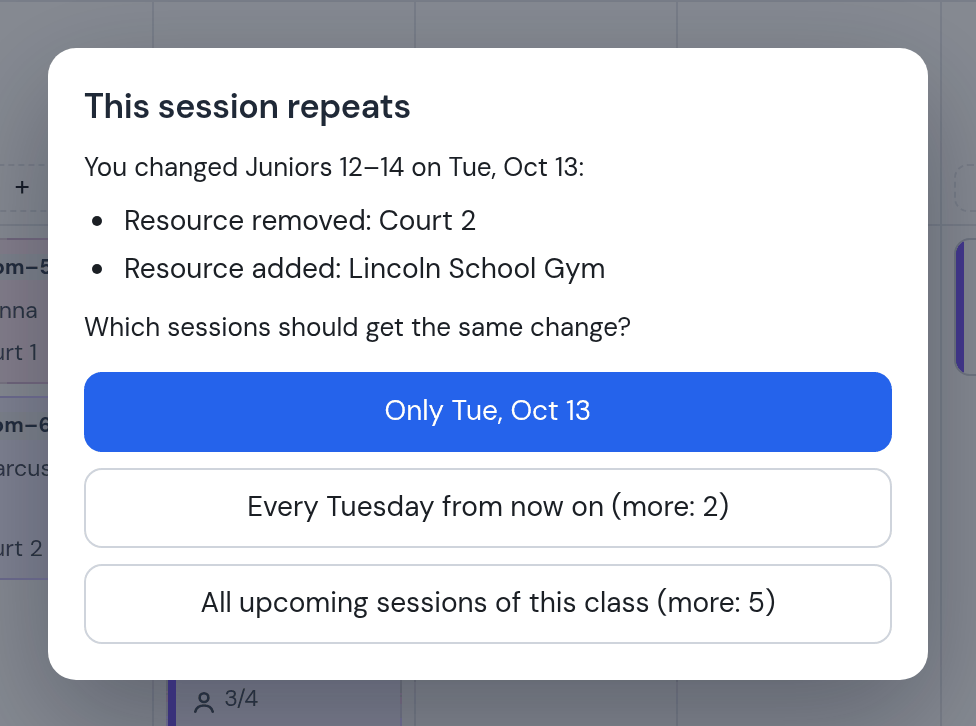
Open Tuesday’s 5 pm card, remove Court 2, add Lincoln School Gym, and answer Only Tue, Oct 13. Court 2 is free again for that hour; Thursday stays on Court 2.
Jack Rivera joins Mini Tennis. Open Wednesday’s card, type his name and his parent’s phone, Done, All upcoming sessions. The group is full: 4 of 4.
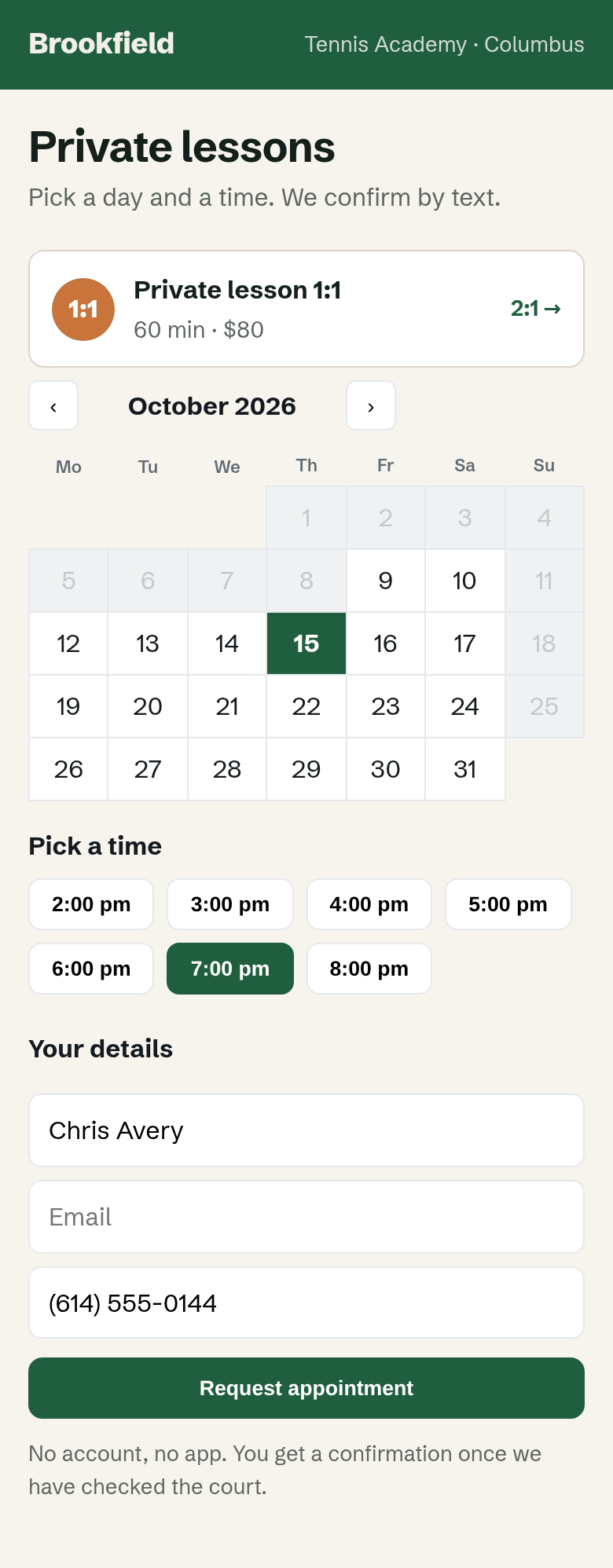
The academy’s page has a booking box for private lessons: a day, a free hour, a name and a phone, no account and no app. Chris Avery asks for Thursday at 7 pm. The request lands in your app; Confirm, and he gets a text.
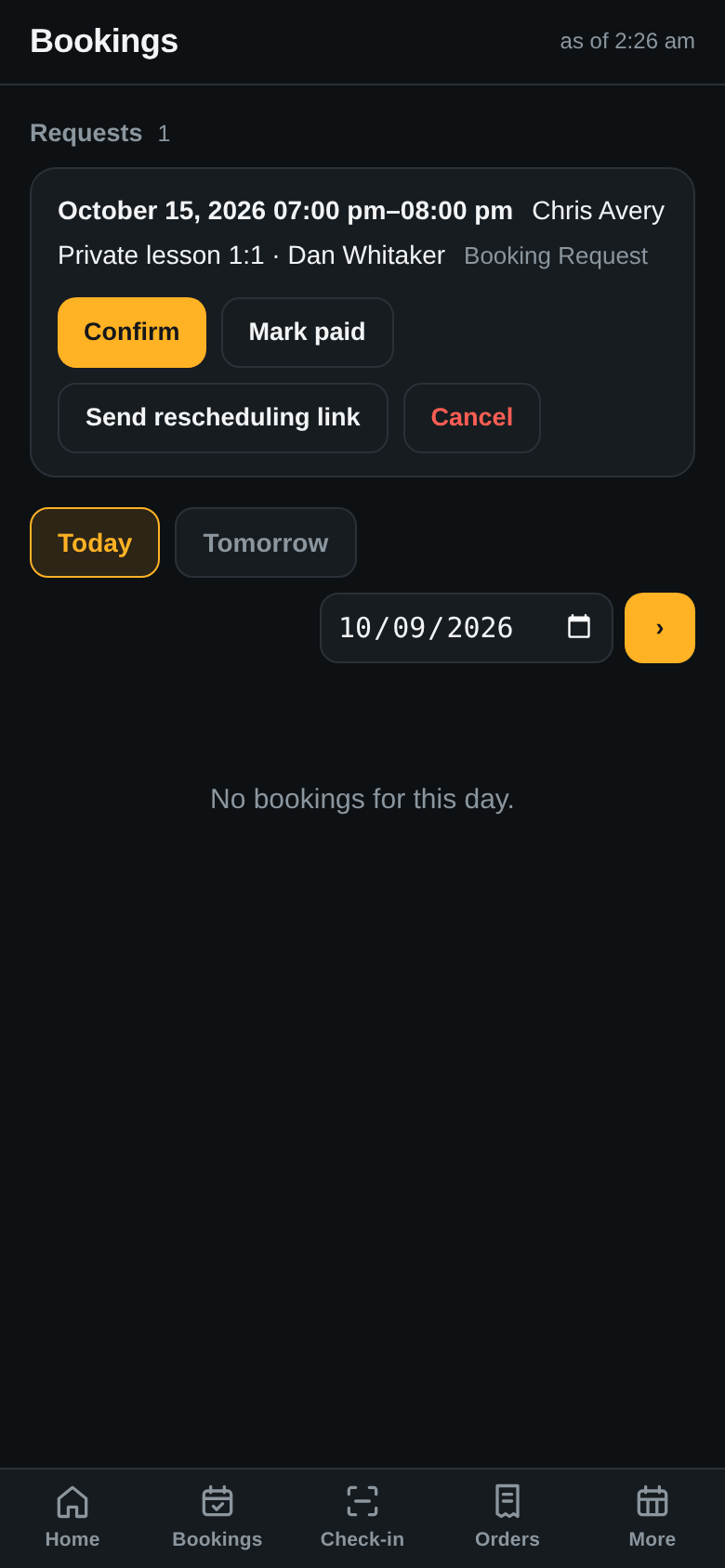
A coach or the club decides. A rule gives every private lesson a coach; here the request went to Dan. Send rescheduling link texts the client a page where they move the lesson themselves, up to four hours before.
Send the schedule previews who gets what: 12 sessions, 21 families, 3 coaches. Each family gets only its own child’s sessions; each coach gets their sessions with the names of the children.
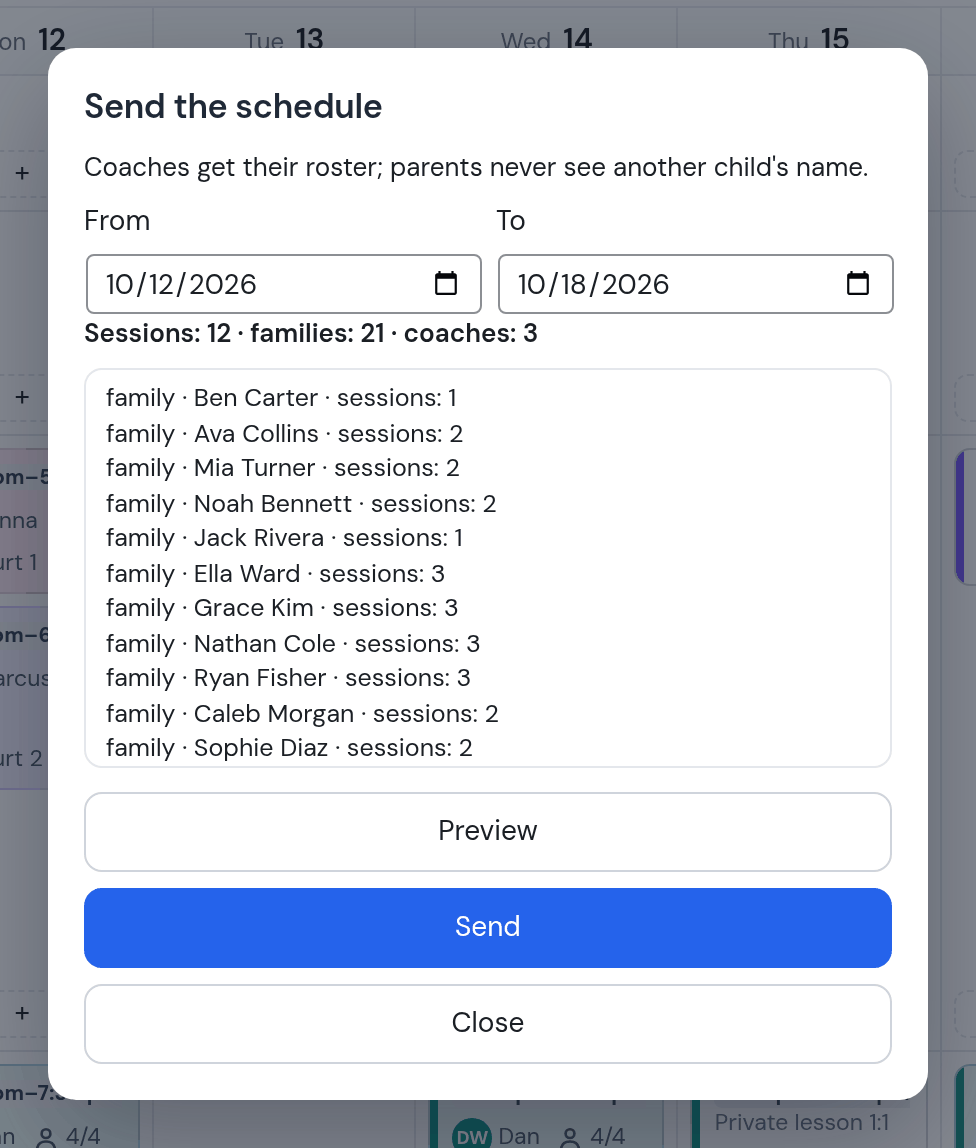
What reaches a family during the week, and what they can do without calling you.
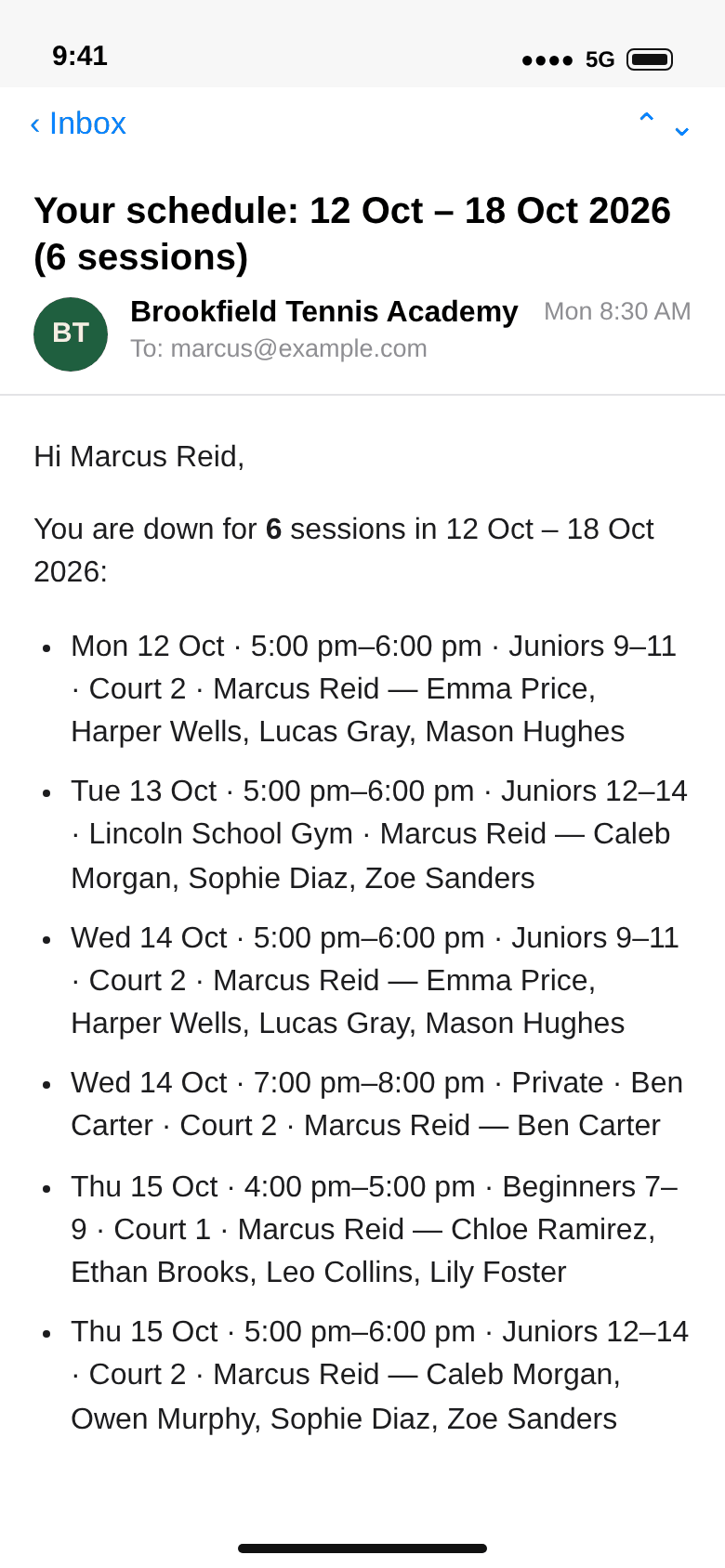
The Collins family gets Ava’s week: Monday and Wednesday at 4 pm, Court 1, with Jenna. Marcus gets his: five groups and Ben’s private, with Thursday’s cover in it and the children’s names.
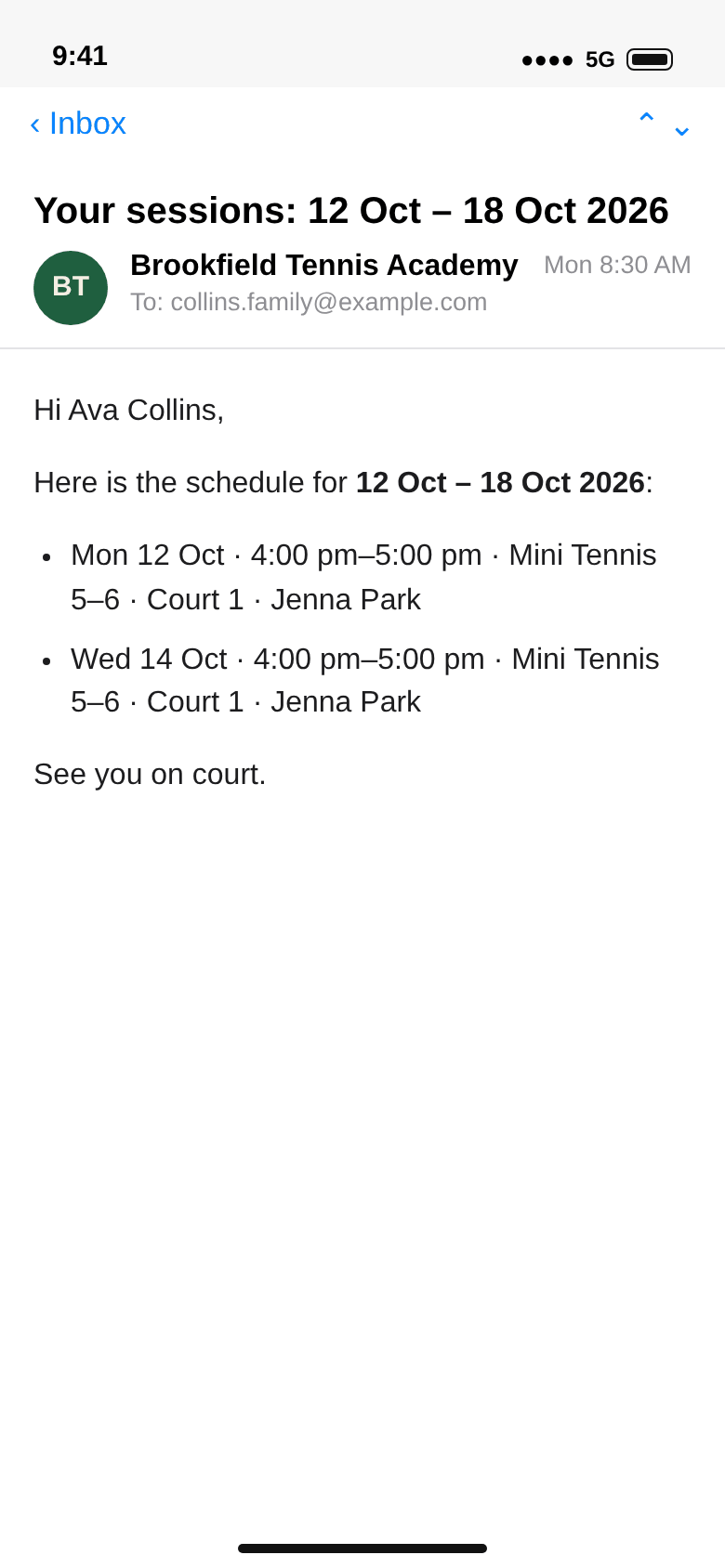
Twenty-four hours before a session the parent gets a text. Owen’s parent answers that he has a cold. Dan takes Owen off Tuesday’s list in Trainer week: a session a child does not attend is not charged.
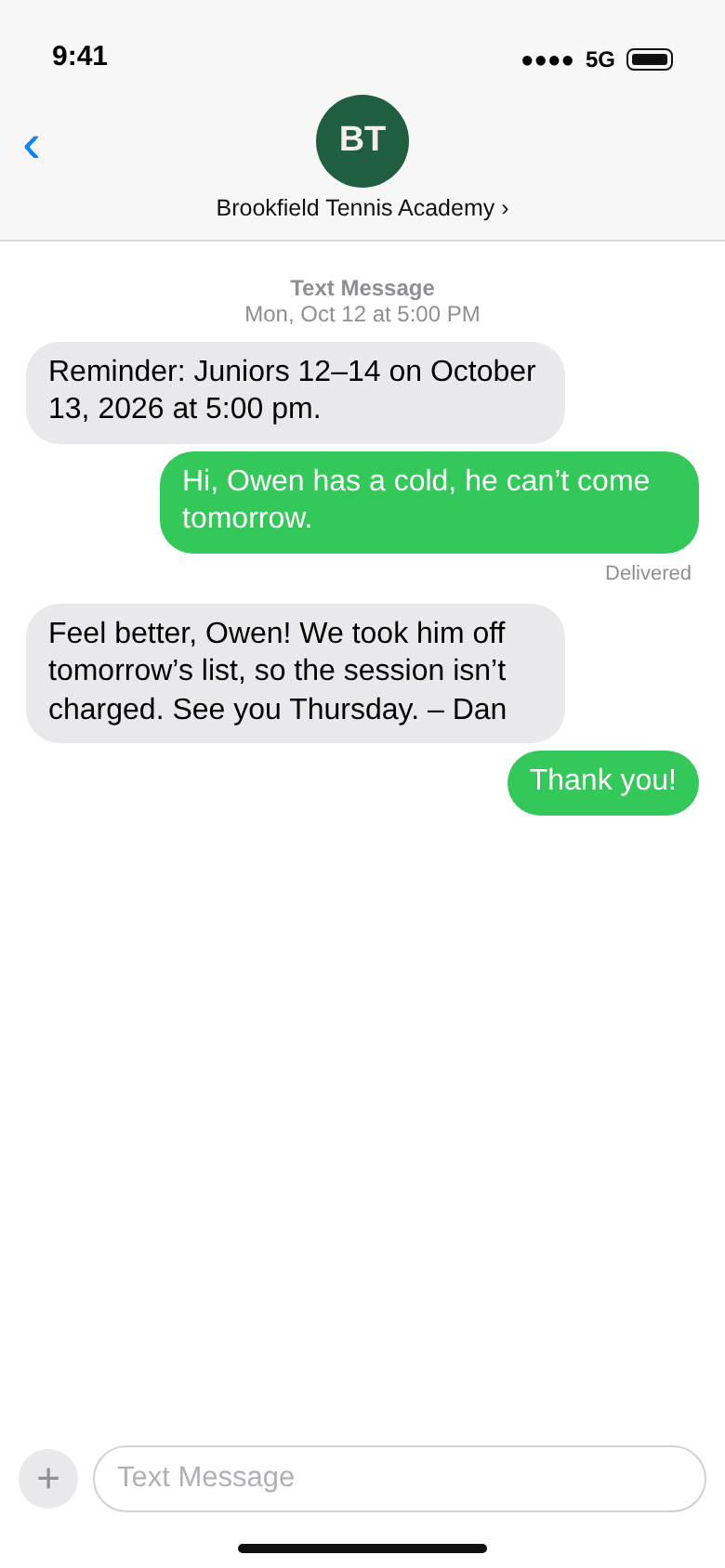
Text and e-mail. Reminders go by text and by e-mail; the hours before are a setting (24 here, 3 for the coaches). The weekly schedule goes by e-mail. A parent who never gave an e-mail address still gets the reminder and the receipt by text.
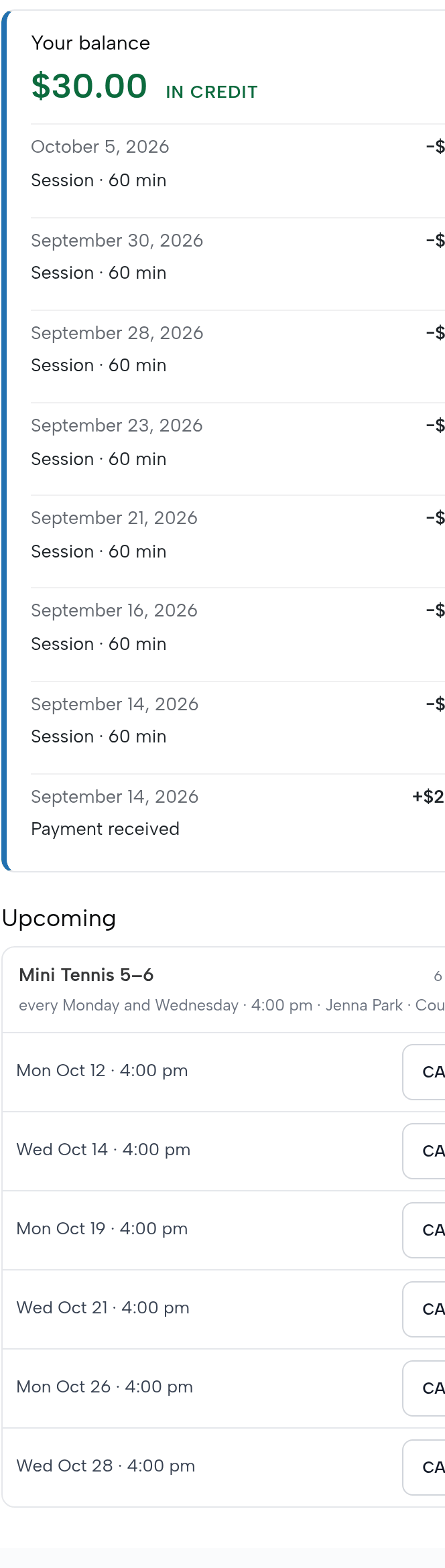
Logged in, a parent sees the child’s balance with every payment and every session behind it, and the sessions ahead. Cancel works until four hours before; after that the place stays booked.
Each group has a page reached by its link (it is not listed in the shop). A parent sees the places left session by session and books one. Mini Tennis has one place left on Monday; from Wednesday it is full, because Jack took the fourth place.
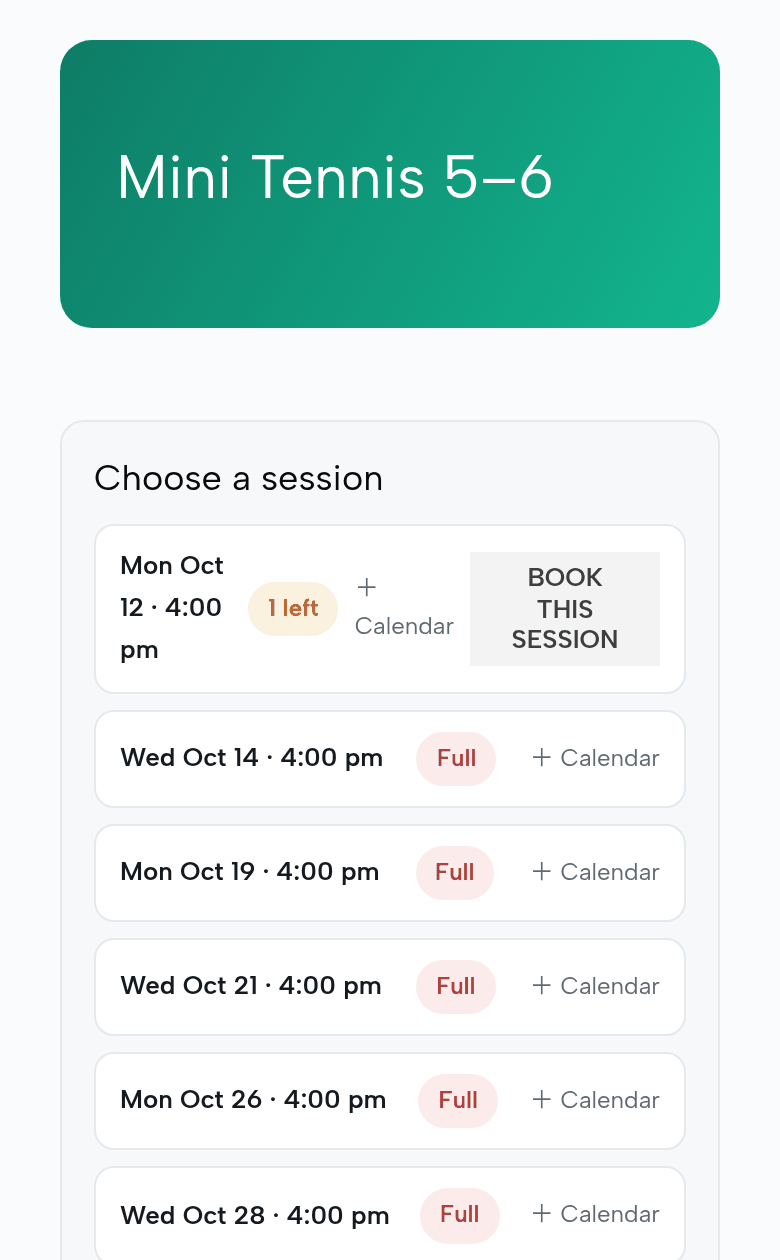
One session at a time. Online, a parent books one session at a time. Signing a child up for the whole season is done by you or a coach, as in step 7.
The coach’s side, on his phone. He sees his own week and his groups; he cannot see prices, other coaches’ weeks, or the shop.
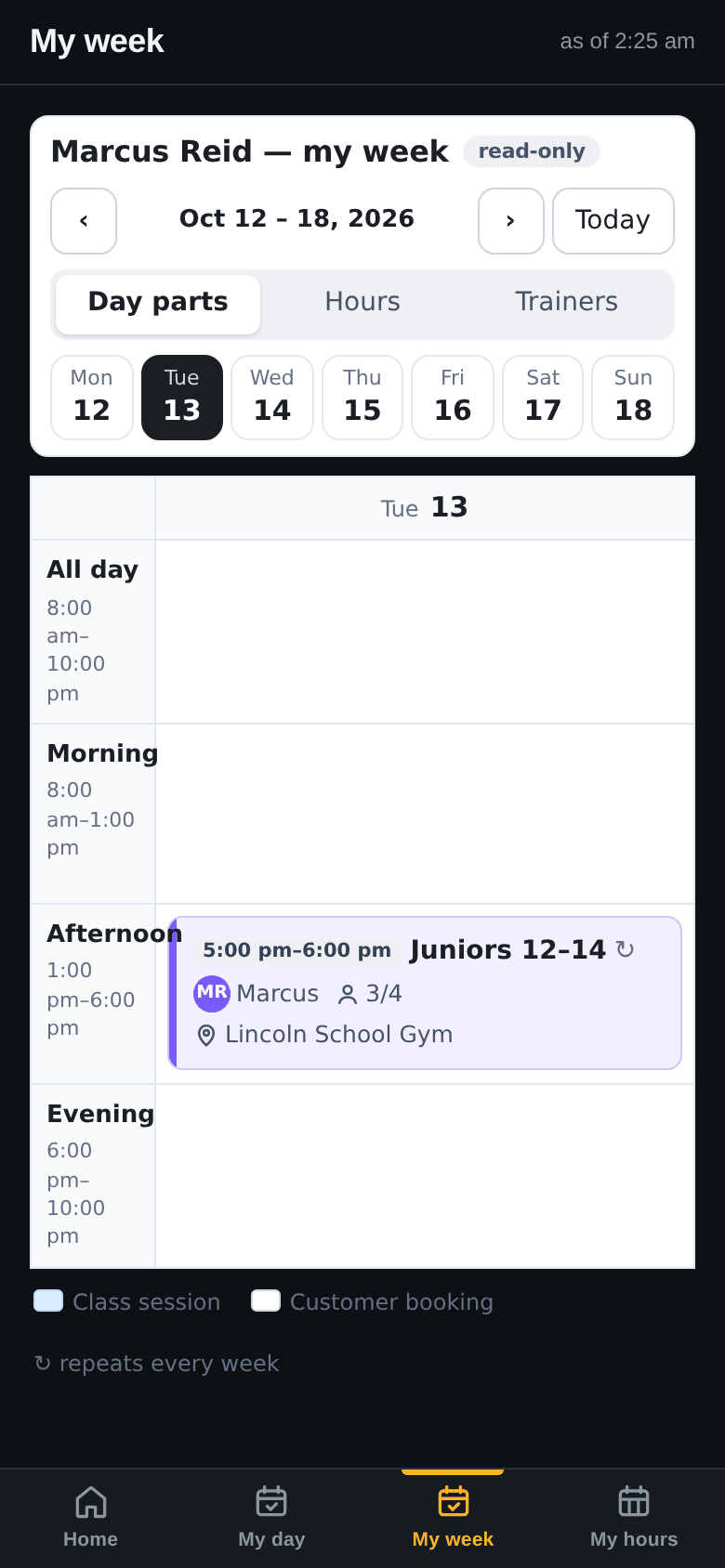
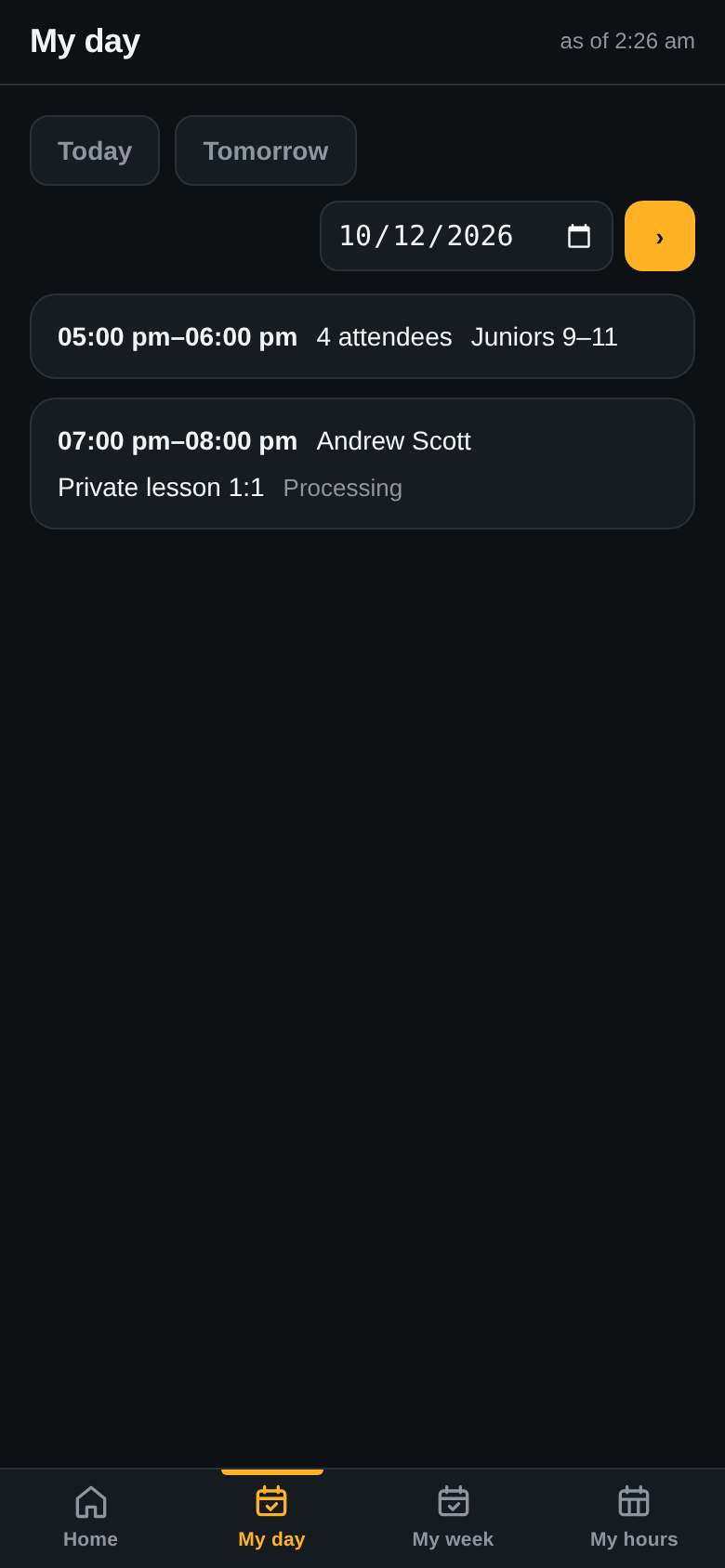
Marcus installs the app from a link. My week shows Tuesday at 5 pm in the gym; My day lists Monday: his group at 5 pm and Andrew Scott’s private at 7.
The register lists the three children coming, each with their balance. One tap each: present, and the session is charged. Owen is shown as cancelled and is not charged.
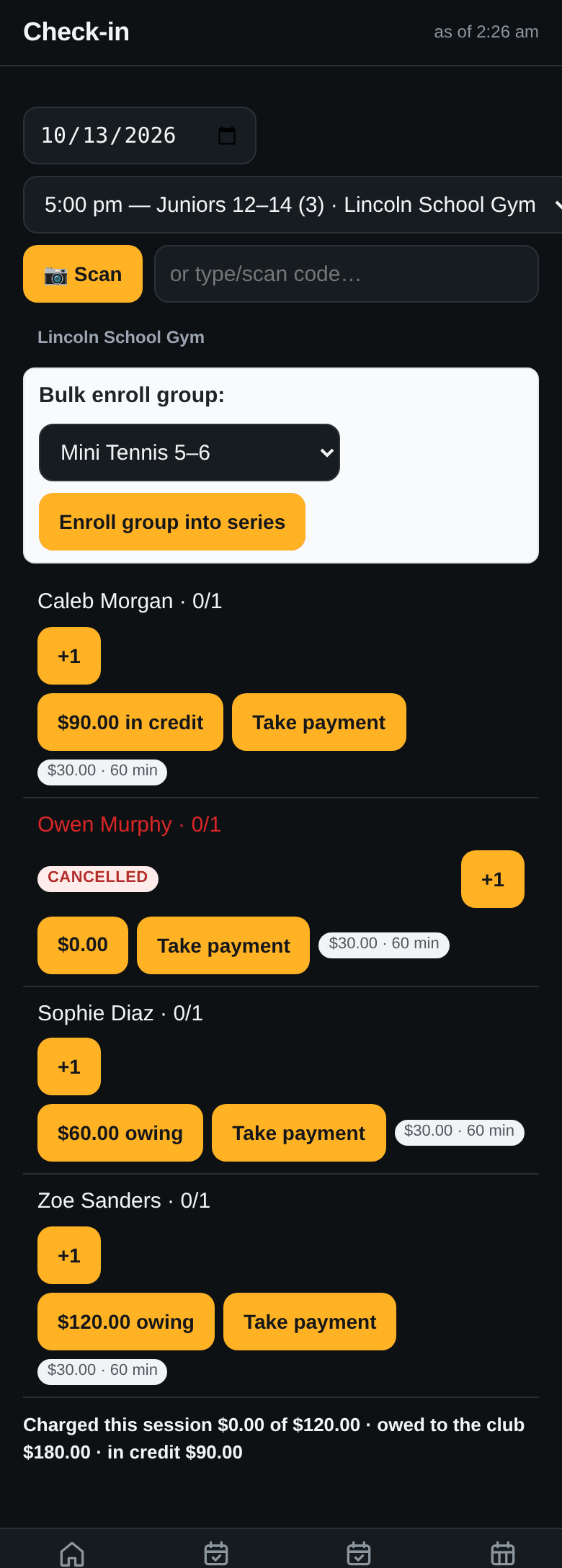
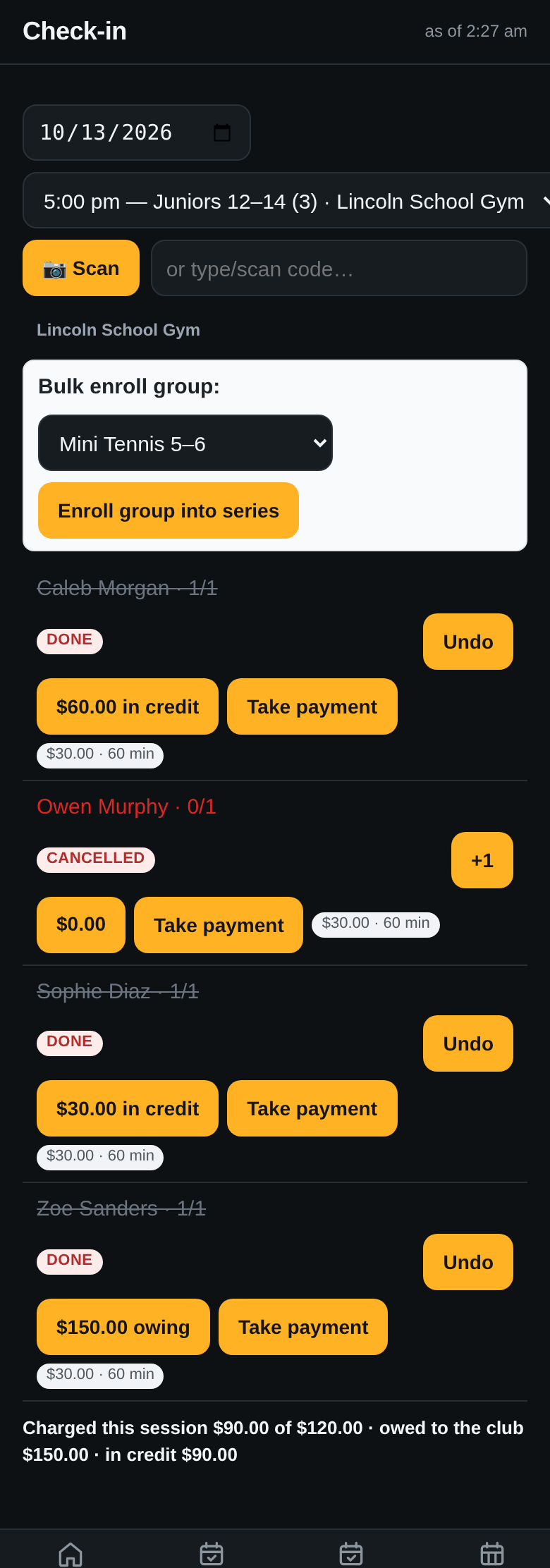
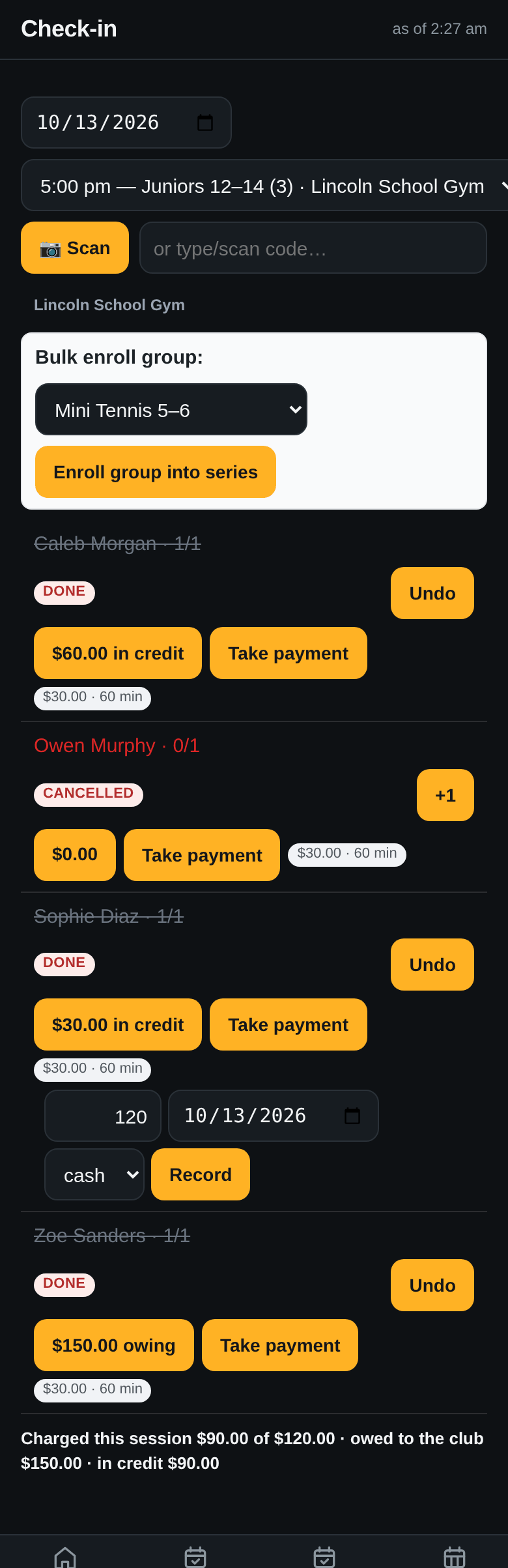
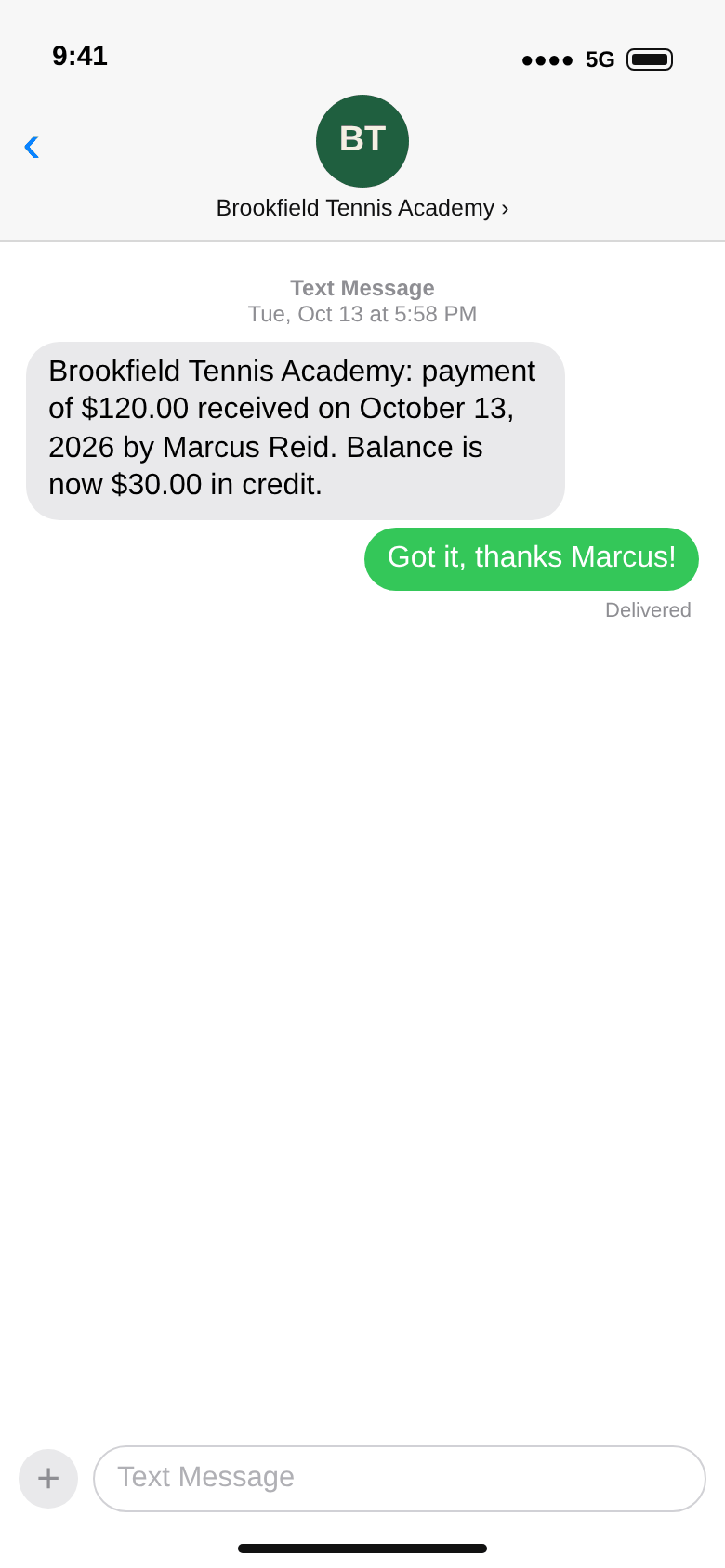
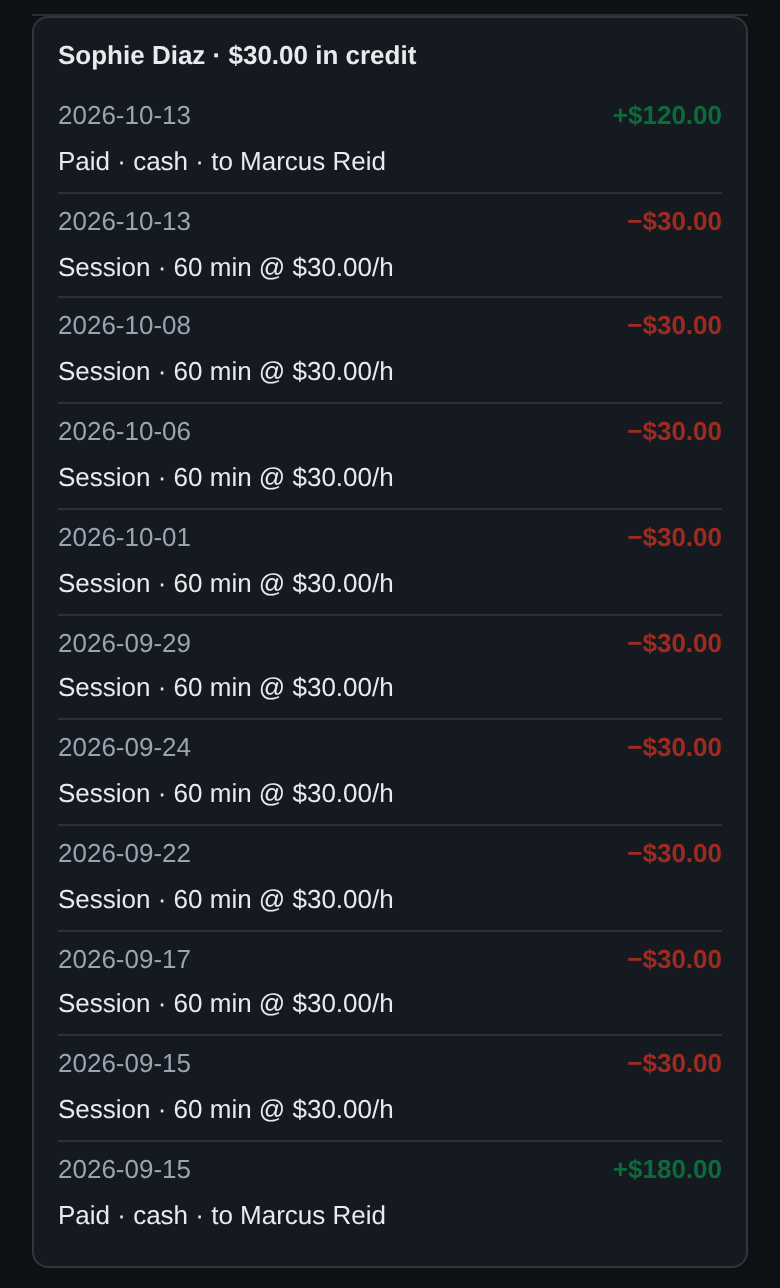
On Sophie’s row, Take payment: the amount, the date, cash. Her balance goes from $90 owing to $30 in credit, and her parent gets a receipt by text. The $120 is now money Marcus holds for the academy; it comes off what the academy owes him (step 26).
A tap on the balance opens Sophie’s ledger: what was paid, when and to whom, and every session with its length and rate. This is what you show a parent who asks why they owe.
Two screens: the families, and the coaches.
Class Money for the week: $120 collected, $450 owed to the academy by five families, $330 held in credit. Each line says when the family last paid and to whom, which is the question to ask before you call.
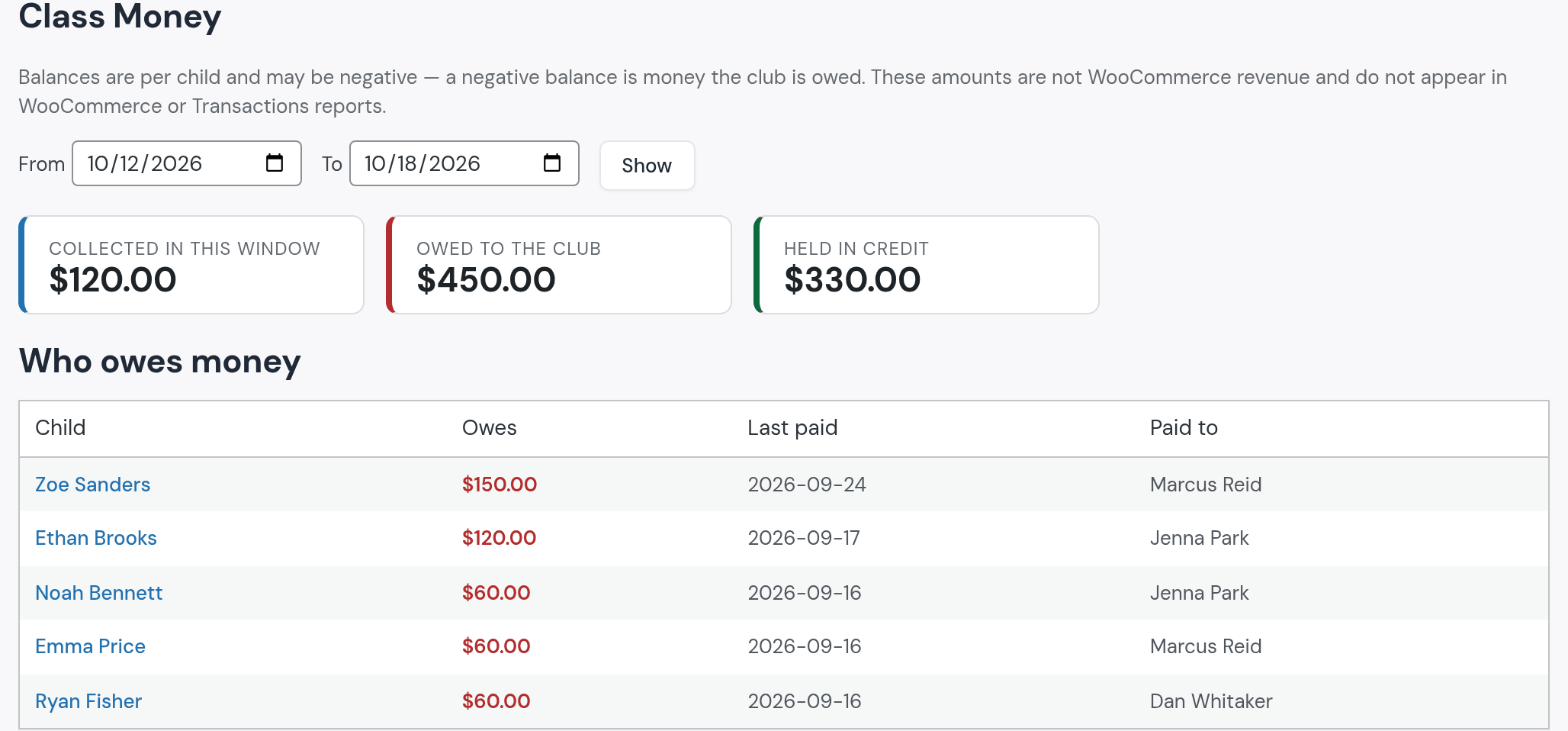
You make the call. There is no button that texts a family about a balance; you call or text them yourself. The receipt they get after paying is automatic.
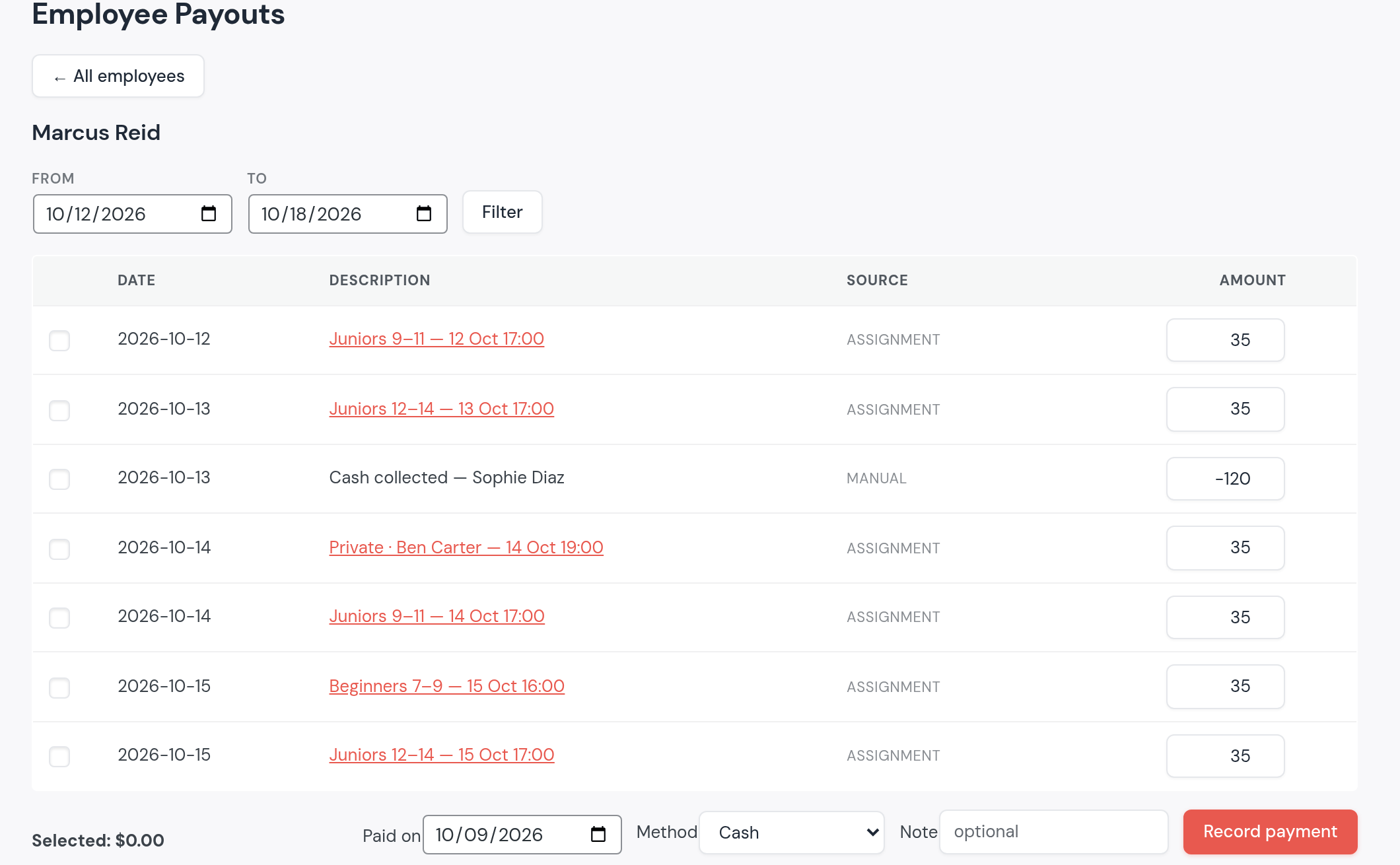
Each session Marcus taught is a line at $35, Thursday’s cover included. The $120 he took from Sophie’s mom is a line of −$120. Pay him the total, or ask for the difference, and record it.
“Where can I book a tennis court, and how much is it per hour?” The same courts the groups use are sold by the hour to anyone.
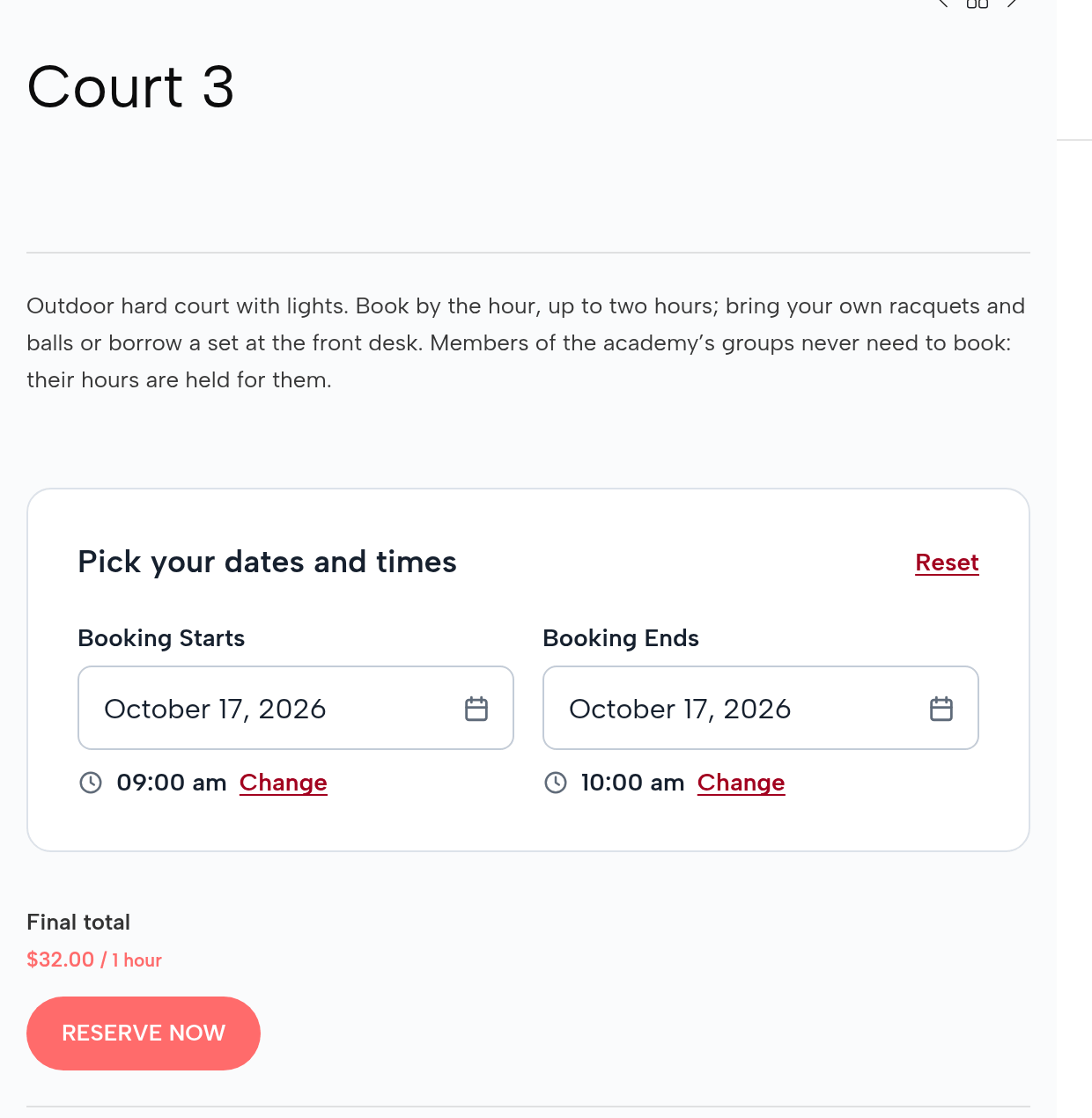
Court 3 is a product in the academy’s shop: $24 an hour, $32 on weekday evenings from 5 pm and at weekends, one or two hours, paid in full online. A neighbor books Saturday from 9 to 10 am: $32.
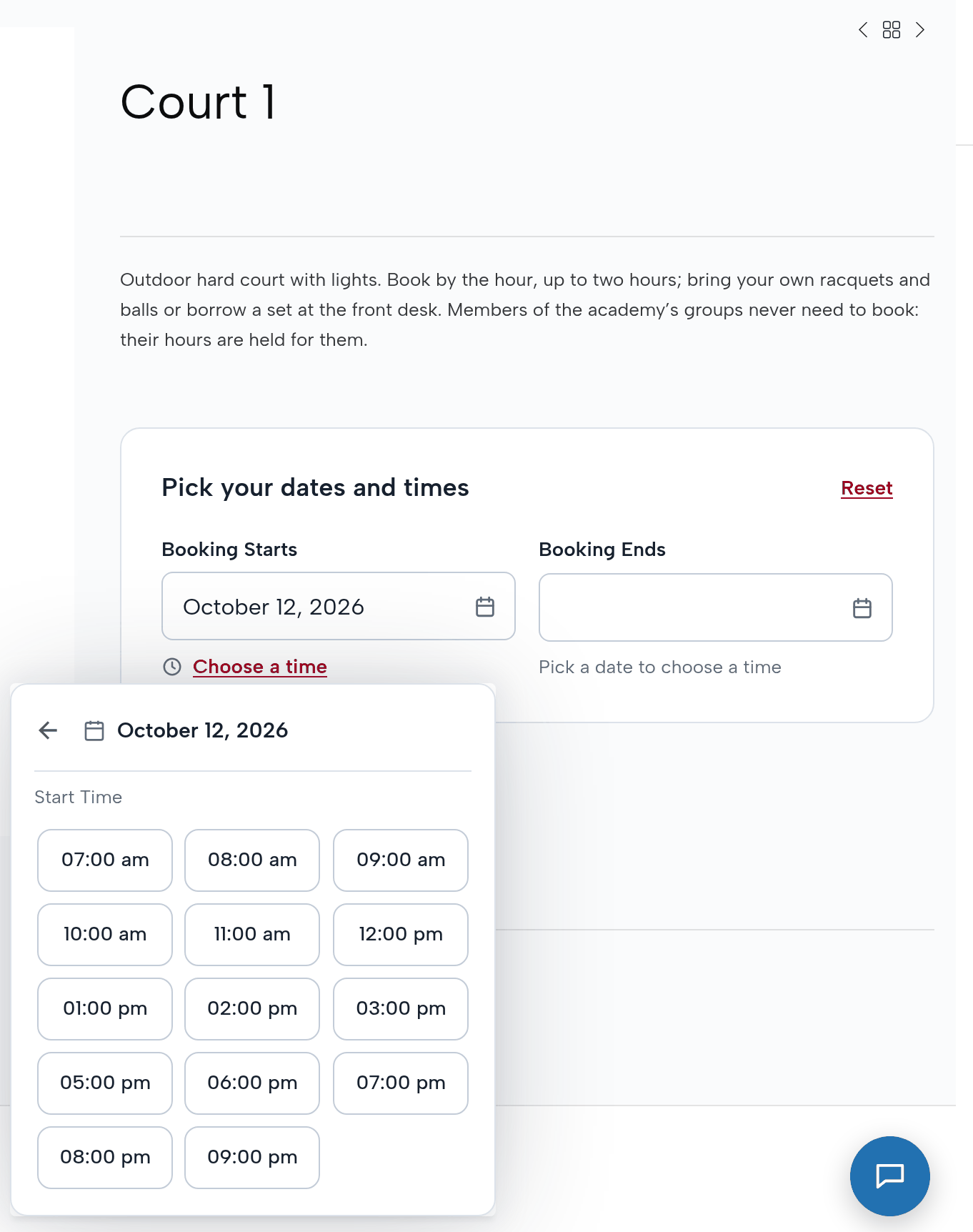
Court 1’s list of start times on Monday skips 4 pm: Mini Tennis holds the court then. Nobody keeps two calendars; the group’s session is the block.
So nobody is surprised after the first week.
Built on a test copy of a Reservety site set up as Brookfield Tennis Academy, Columbus, Ohio, for the week of October 12, 2026. The academy, its coaches, the families, their phone numbers (555-01xx) and e-mail addresses (example.com) are invented; no card was charged and no message was sent. Every admin and app screen is the real system. Drawn for the guide: the text-message and mail frames around the system’s real texts and e-mails, the parents’ replies, and the academy’s private-lessons page around the real booking widget.
Reservety handles your website, bookings, inventory, and payments — so you can focus on growing your business.