The courts or rooms your classes use can be rented by the hour whenever they're free: a price per hour, a higher one in the evenings and at weekends, one or two hours at a time, paid online. The hours your groups hold are never offered. Shown on Brookfield Tennis Academy's courts in Columbus, Ohio; a dance studio's room or a yoga room is set up the same way.
1. Your courts are products too
This screen is in the Full menu.
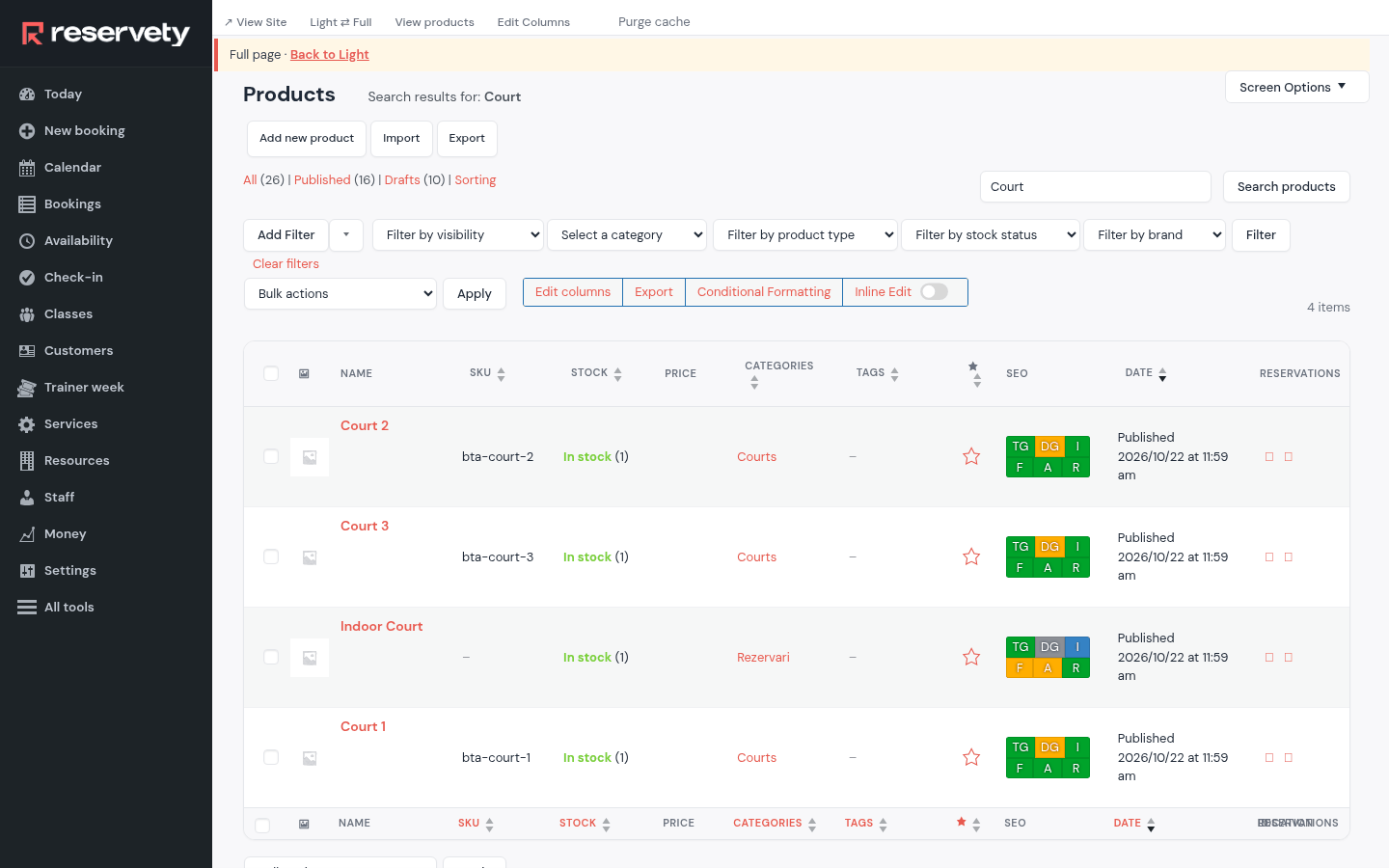
Every court you added under Resources is also a product. Open Products in the Full menu and search Court: Court 1, 2 and 3 are in the Courts category, and that is what the shop shows. Open the one you want to sell by the hour.
2. The price of an hour, and more in the evenings and at weekends
This screen is in the Full menu.
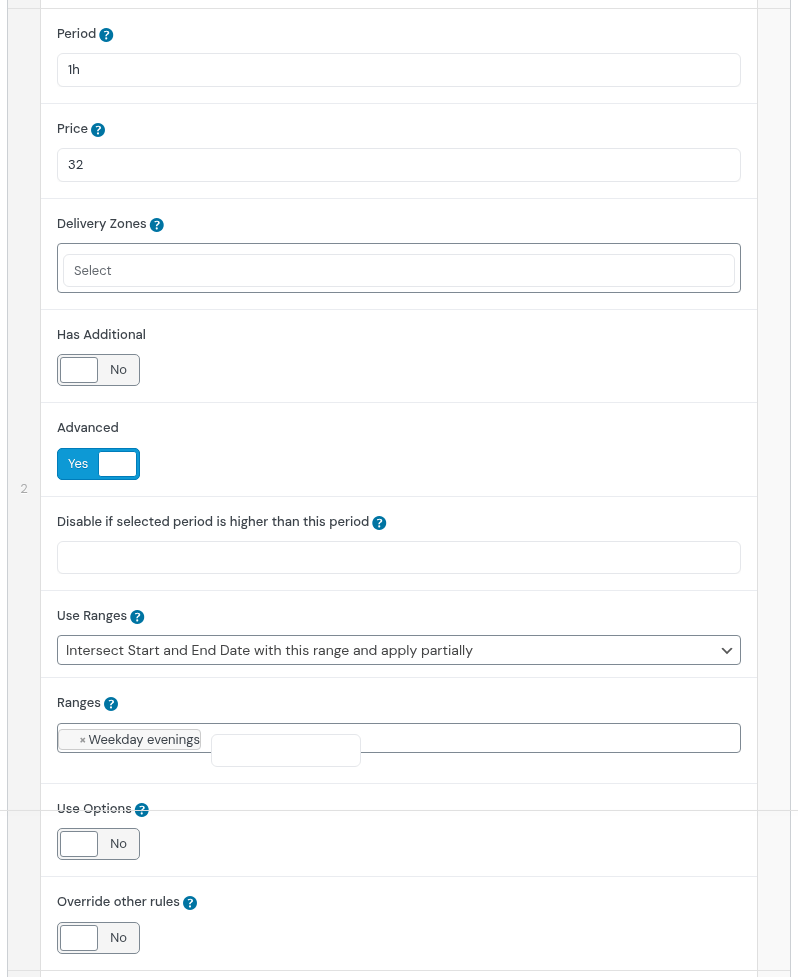
On the court's page, Bookable Pricing: each row of Advanced Pricing is a Period and a Price. The first row, 1 hour at $24, is the normal price. The second, shown here, is 1 hour at $32 with Advanced on, Use Ranges set to intersect and the range Weekday evenings: a booking that touches the evening costs the higher price. A third row does the same for Weekends.
3. One or two hours at a time
This screen is in the Full menu.
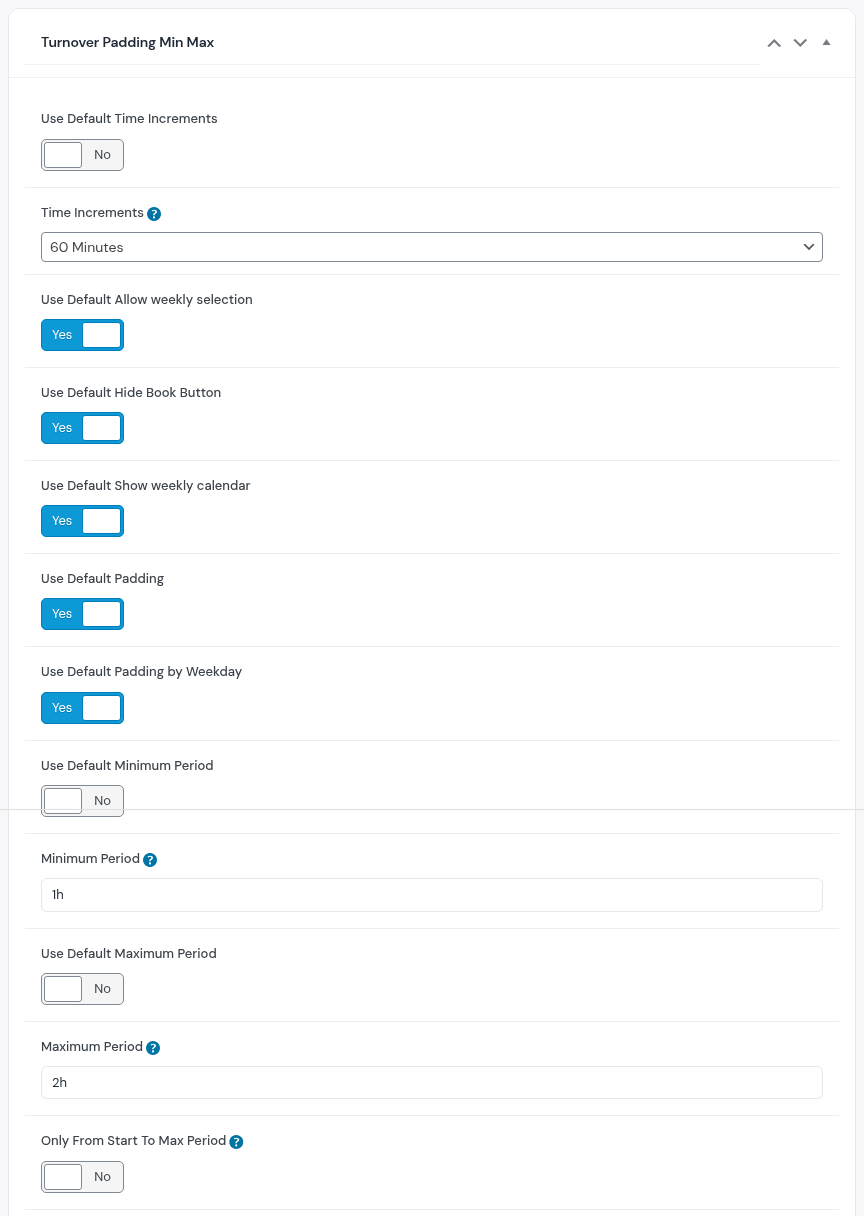
Further down, Turnover Padding Min Max: Minimum Period 1h and Maximum Period 2h are the shortest and the longest booking, and Time Increments of 60 minutes make every booking start on the hour.
4. Which hours are the evening
This screen is in the Full menu.
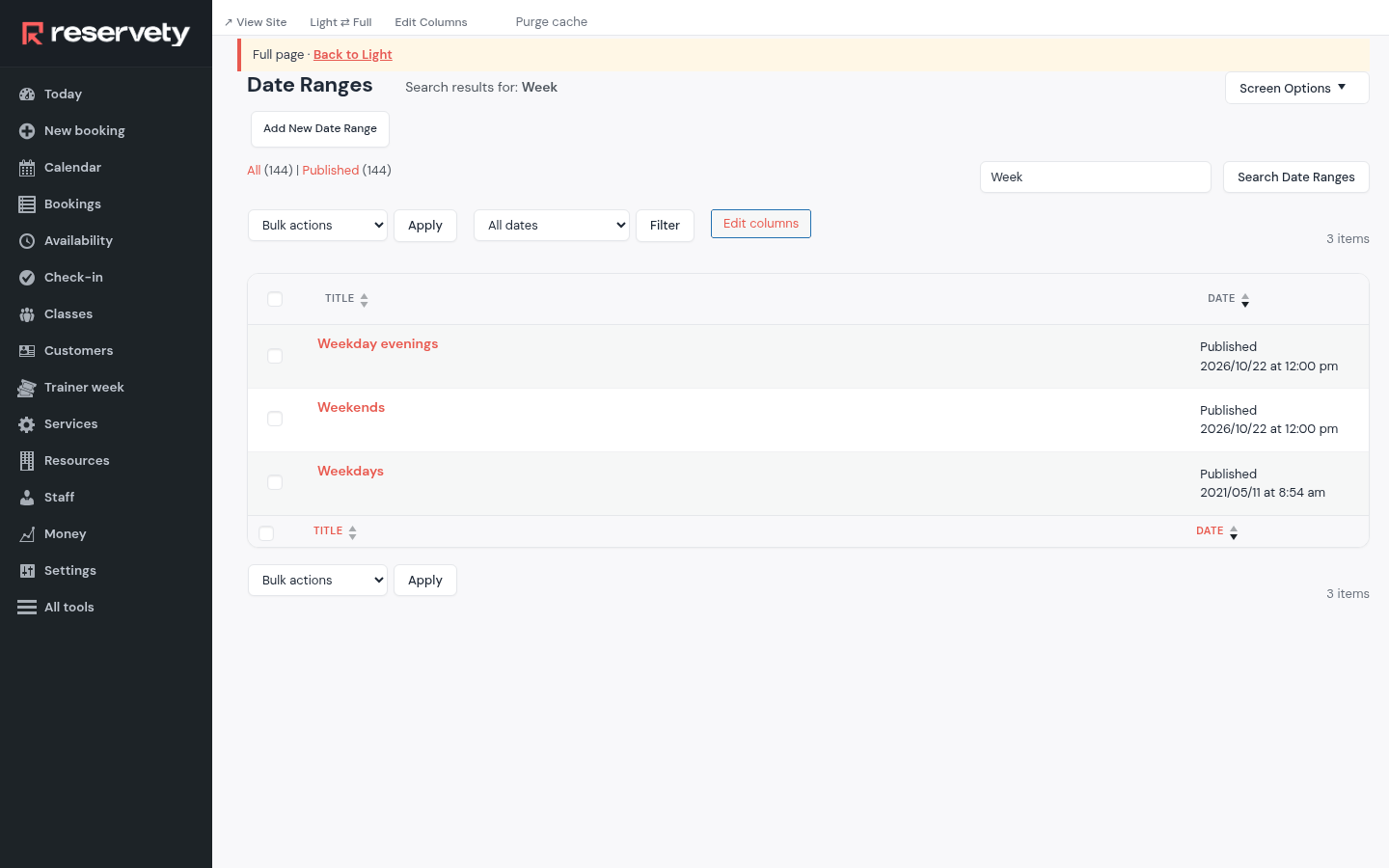
Date Ranges (Full menu) holds the periods the prices refer to: Weekday evenings, from 5 pm to 10 pm, and Weekends, Saturday and Sunday. One range serves every court.
5. What a player sees and pays
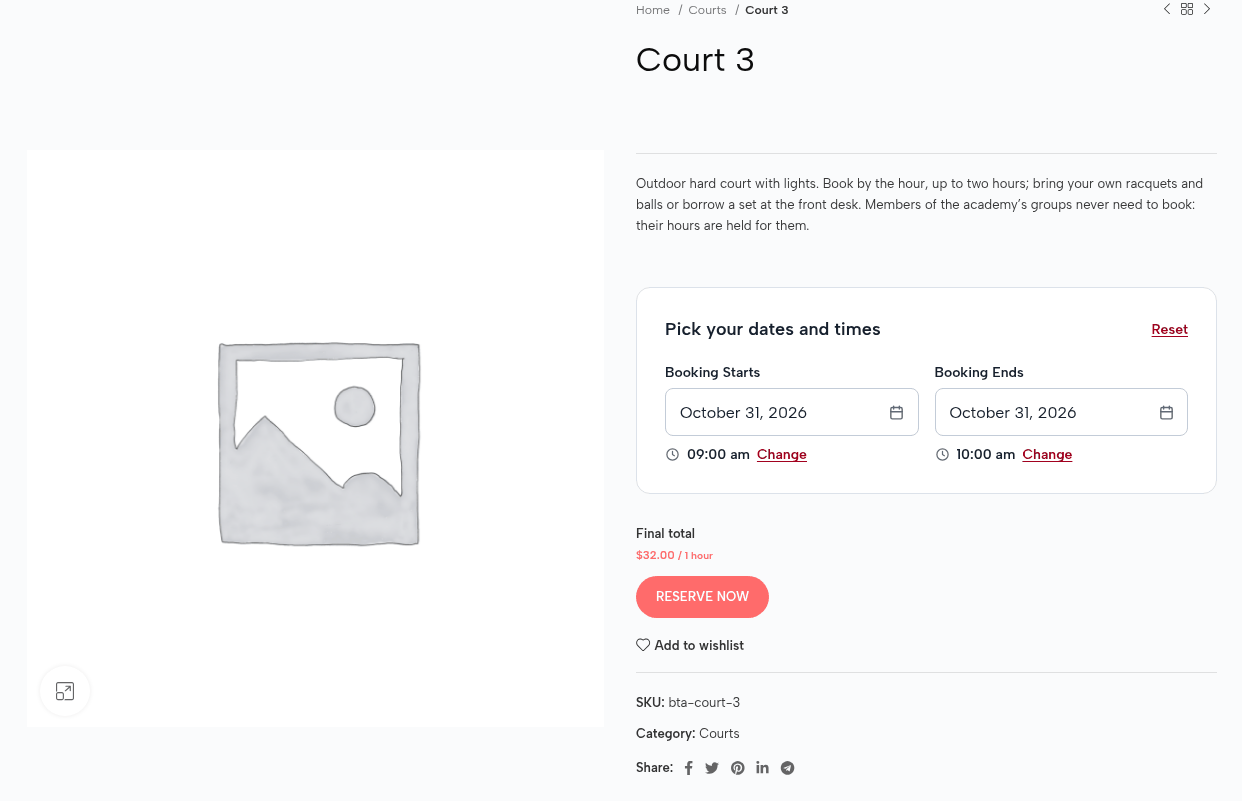
On the court's page anyone picks a day and an hour: Saturday from 9 to 10 am is $32, the weekend price. Paid online, in full.
6. The hours the groups use are not for sale
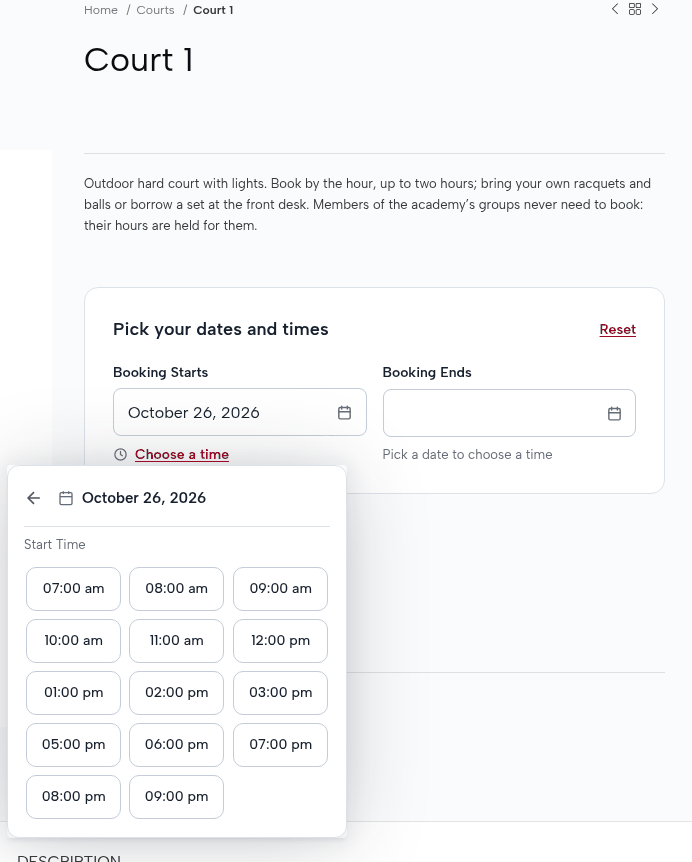
Court 1's start times on Monday skip 4 pm: Mini Tennis holds the court then. Nobody keeps two calendars; the group's session is the block.
Set it up on your own Reservety site
Reservety handles your website, bookings, inventory, and payments — so you can focus on growing your business.