A working day at Hartley's Barbershop: requests to confirm, phone bookings, walk-ins who pay at the chair, people who move, cancel or don't show, and the barbers' own day on their phones. Every screen is on the Light menu, except payouts.
1. Start on Today
Where: Today
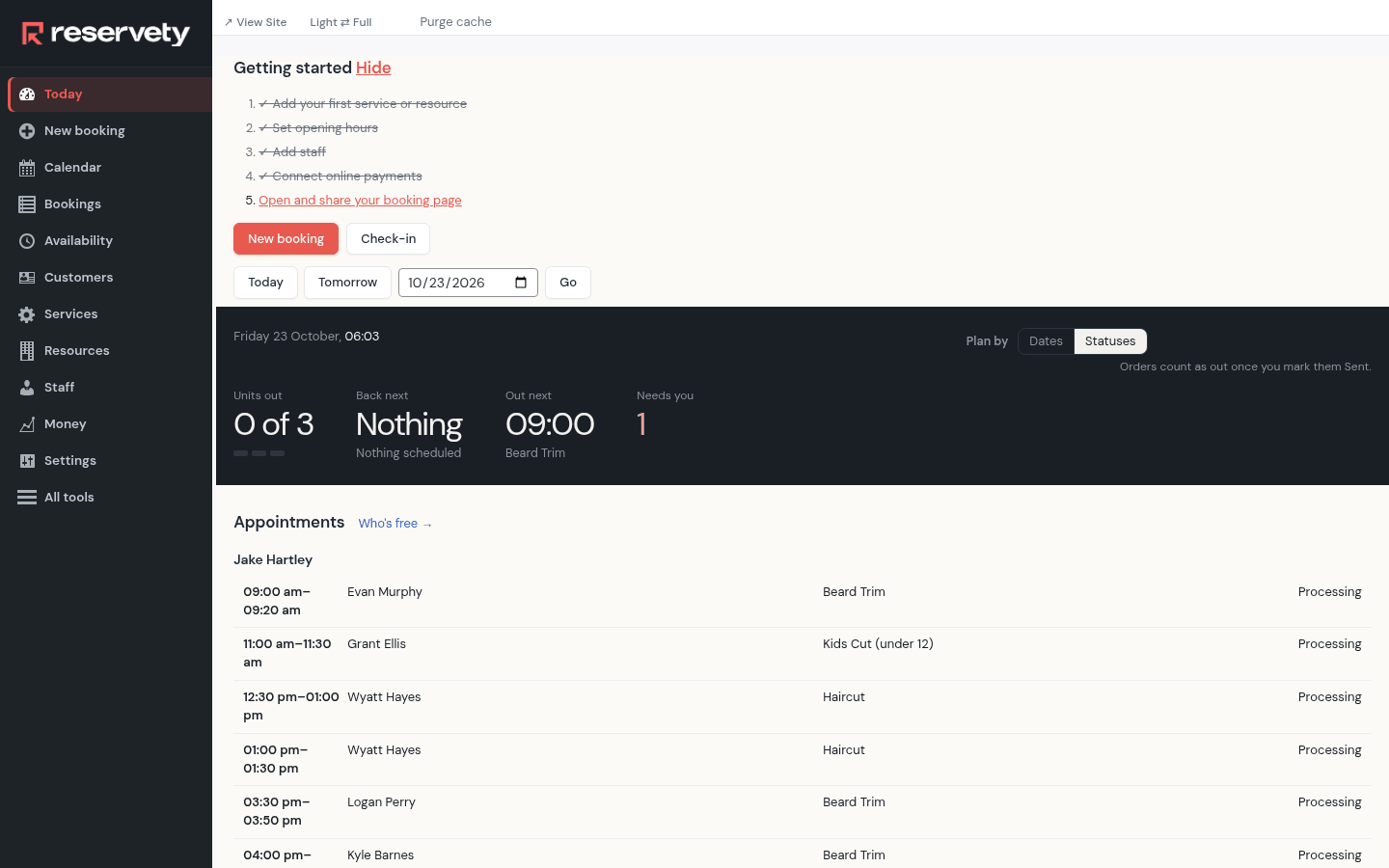
Today opens with each person's appointments for the day: the time, the customer, the service and where the booking stands. What needs you, money owed for example, is right under it.
2. Confirm a request
Where: Bookings
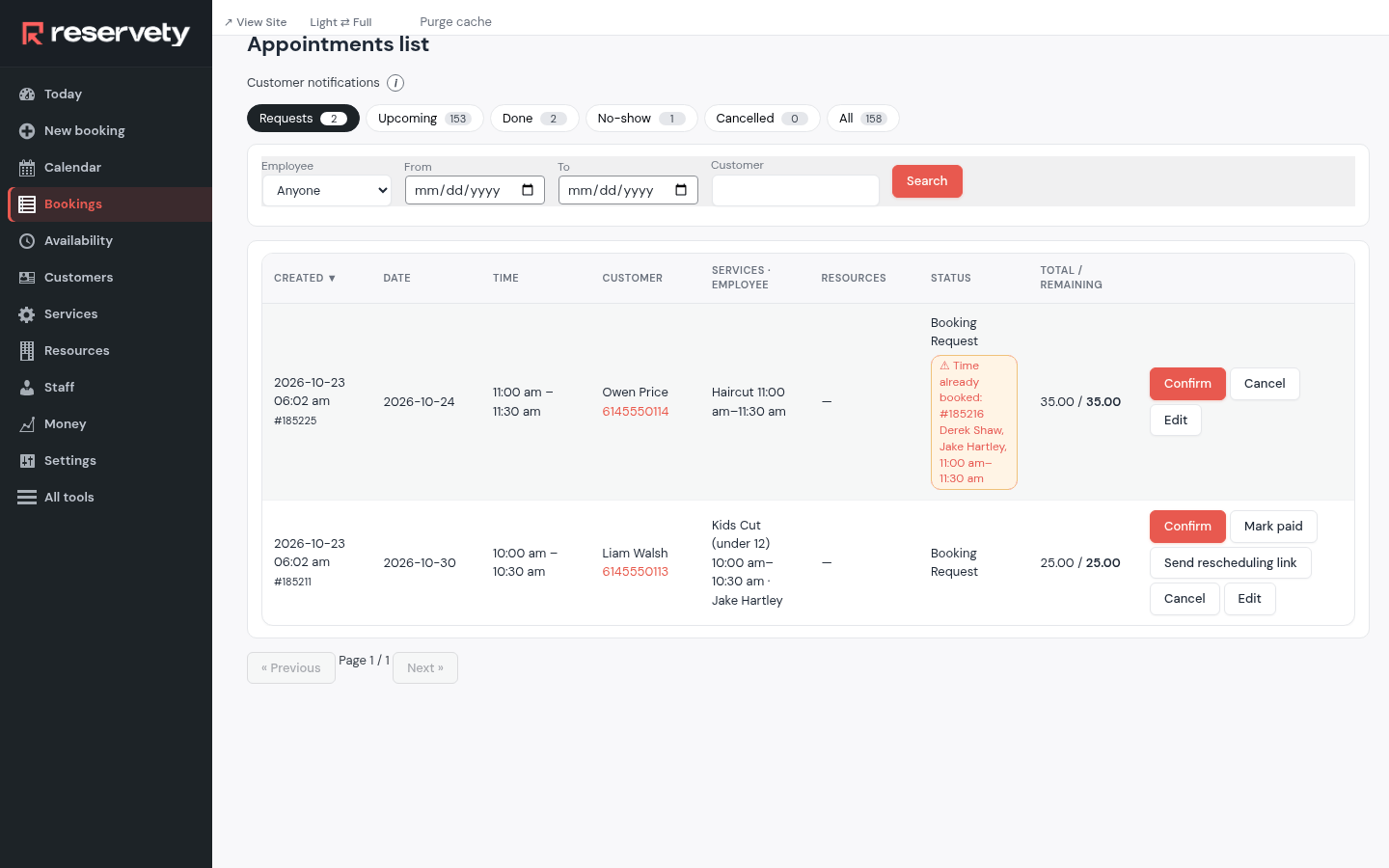
Bookings that customers asked for online wait under Requests. Each shows the time asked for, and a warning when that time is already taken. Confirm books it and tells the customer; Cancel turns it down.
3. Take a booking on the phone
Where: New booking
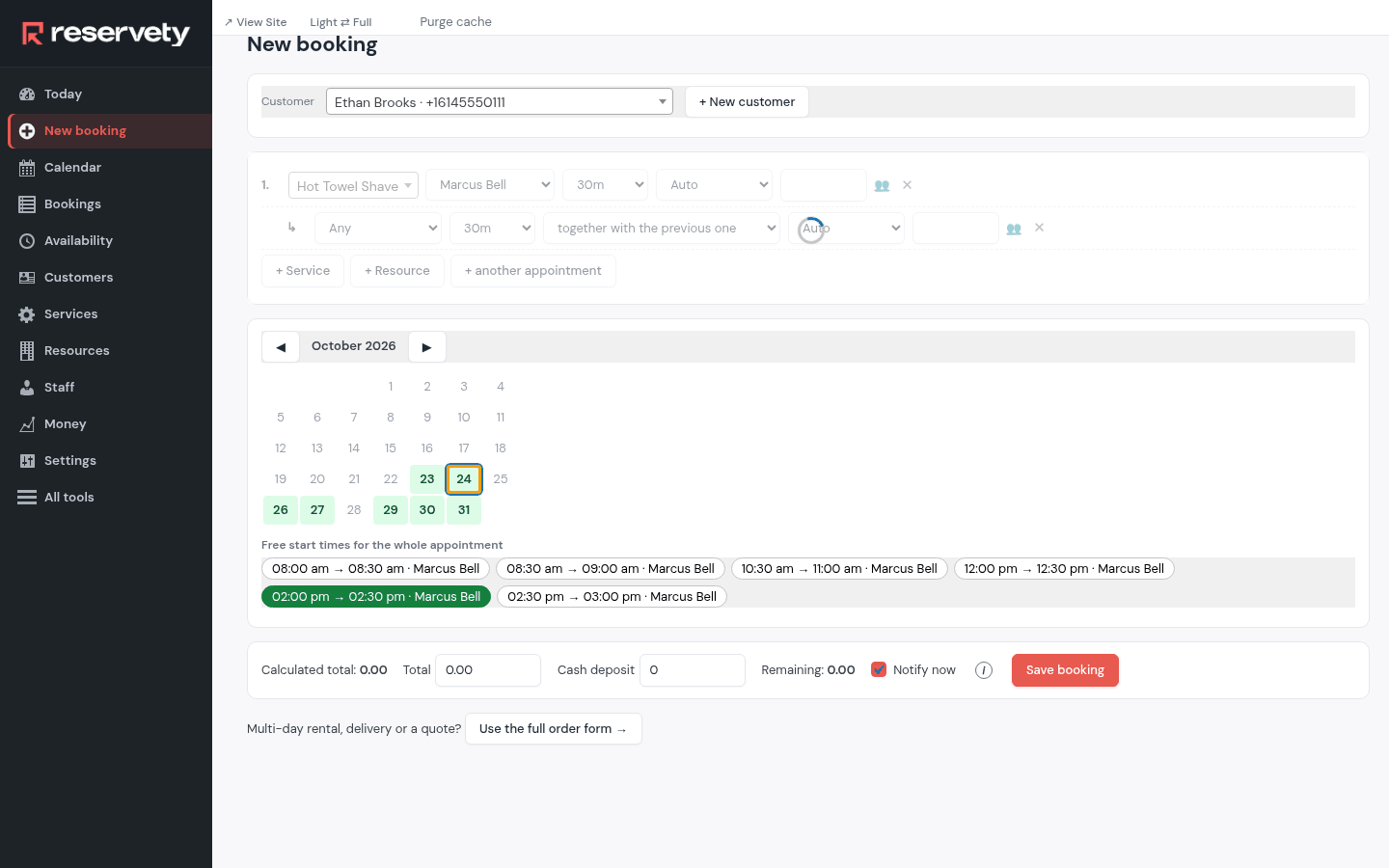
Click New booking. Pick the Customer (or + New customer for someone new), click + Service, choose the service and who does it, then the day and a free time. Save booking books it; Notify now sends the confirmation.
4. A walk-in pays at the chair
Where: Bookings
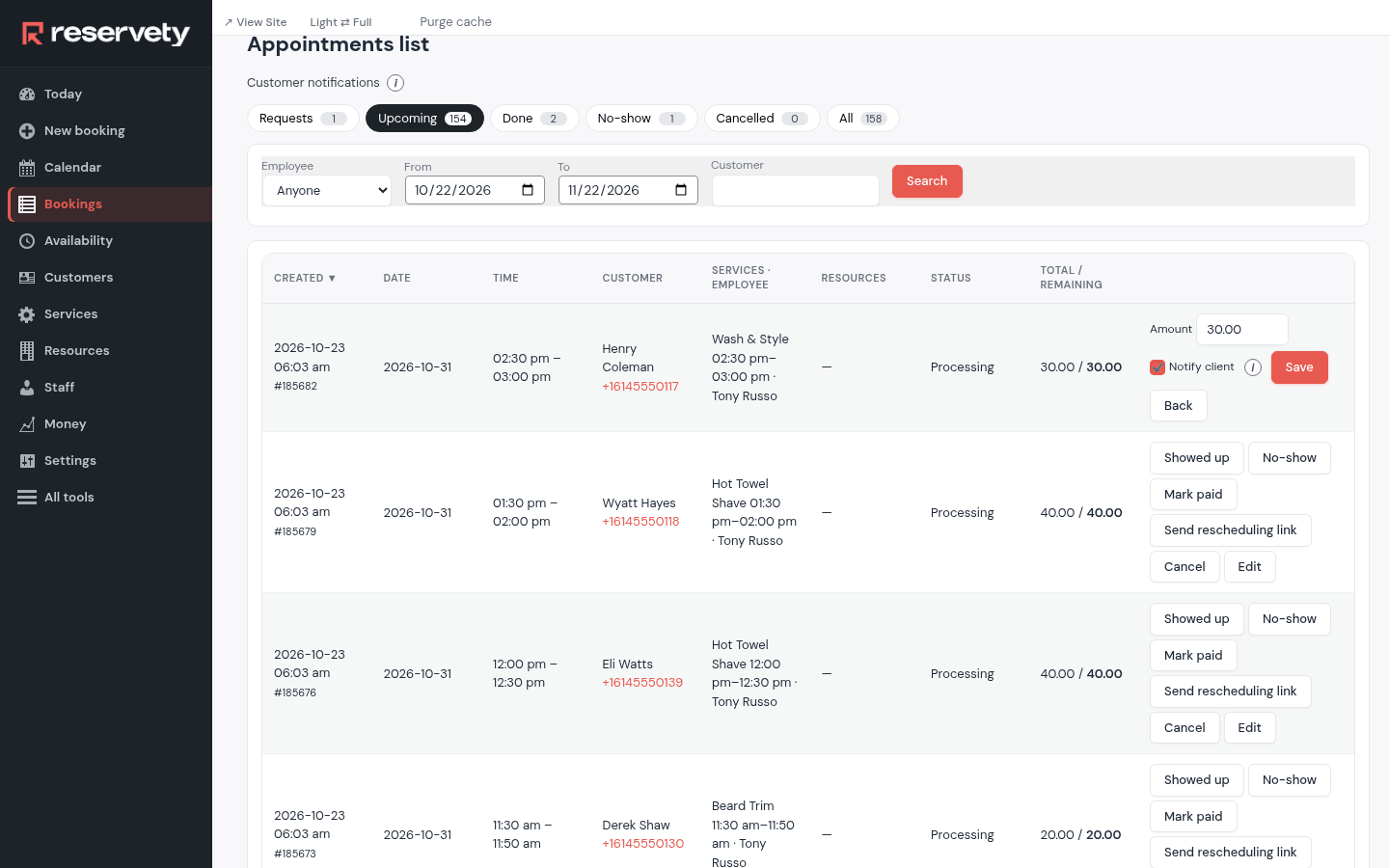
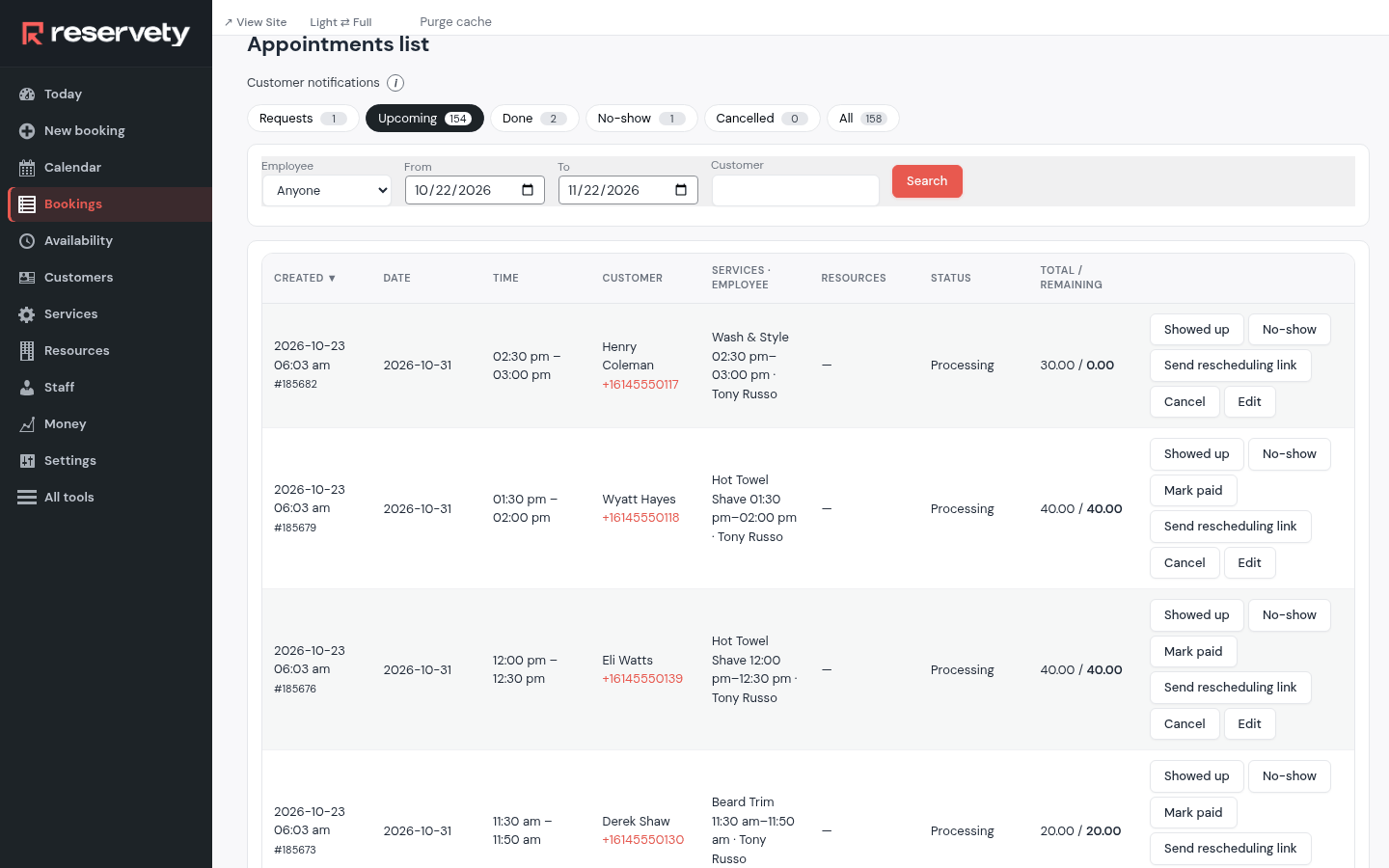
In Bookings, under Upcoming, click Mark paid on the booking, check the Amount and click Save. The booking shows as paid, and the money lands in today's takings.
5. Everything about one appointment, from the calendar
Where: Calendar
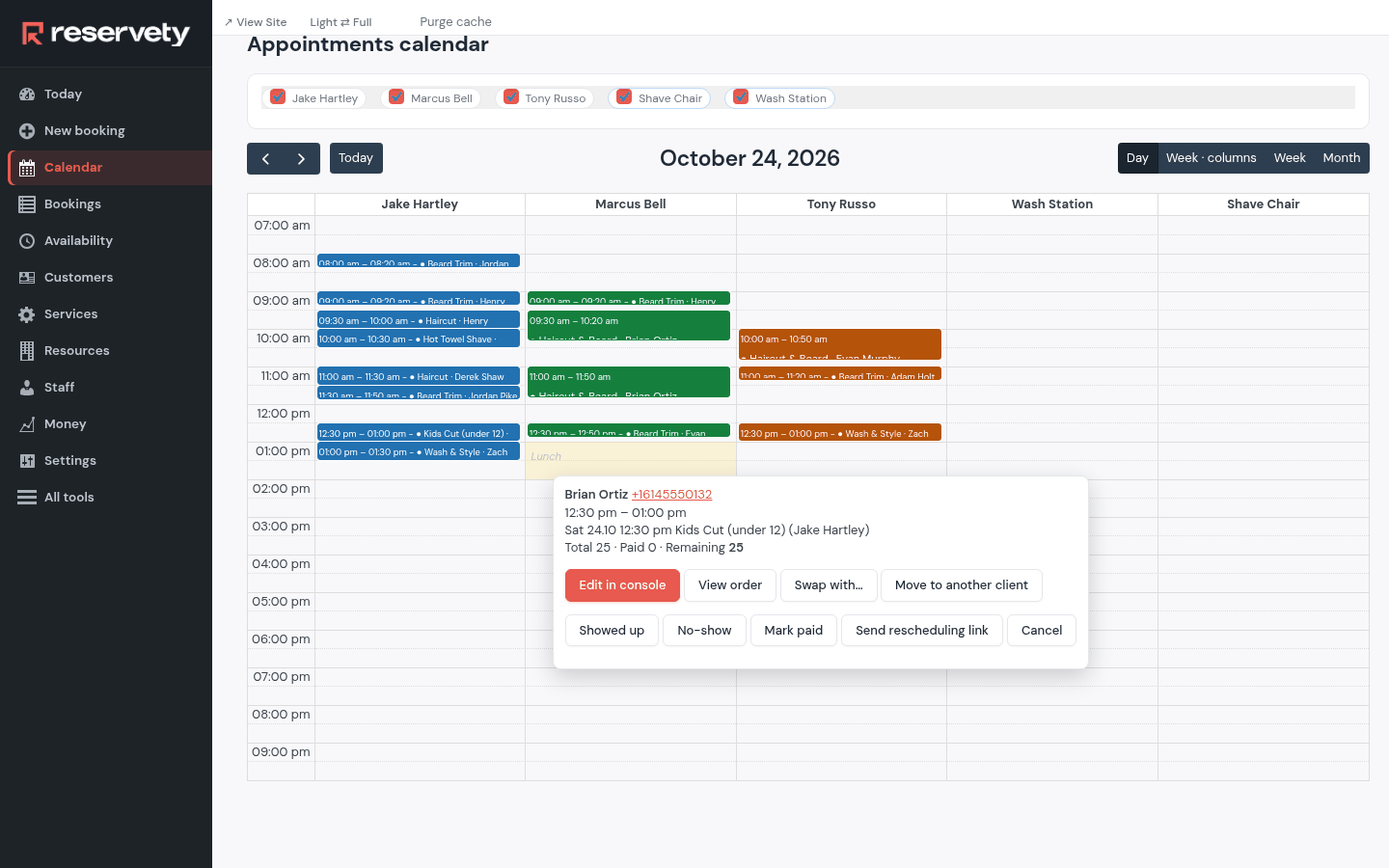
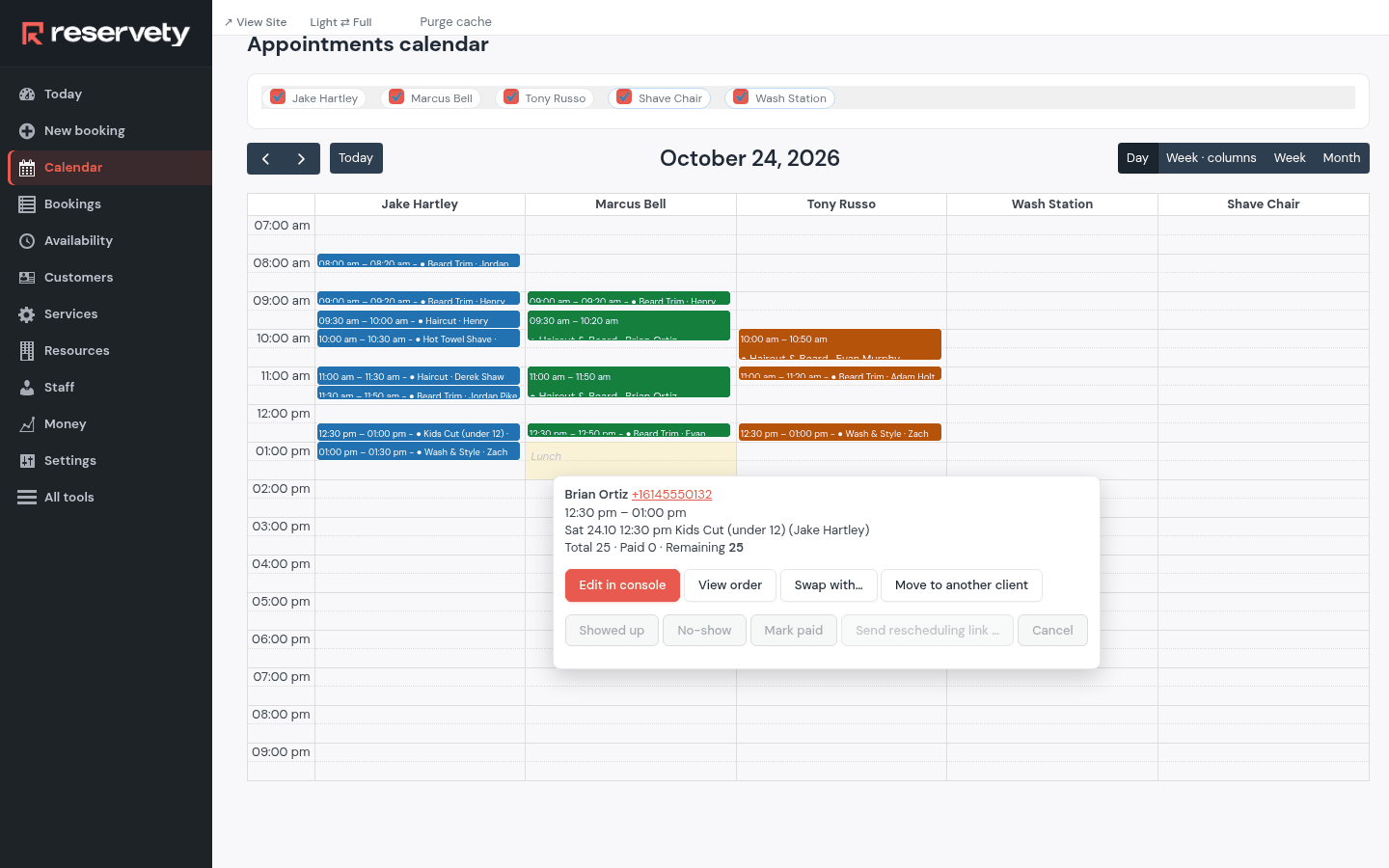
Open Calendar and click an appointment. Its menu has everything you do with it: Showed up, No-show, Send rescheduling link, Cancel, Swap with…, Move to another client, and Mark paid while it still owes money.
6. Move an appointment
Where: Calendar
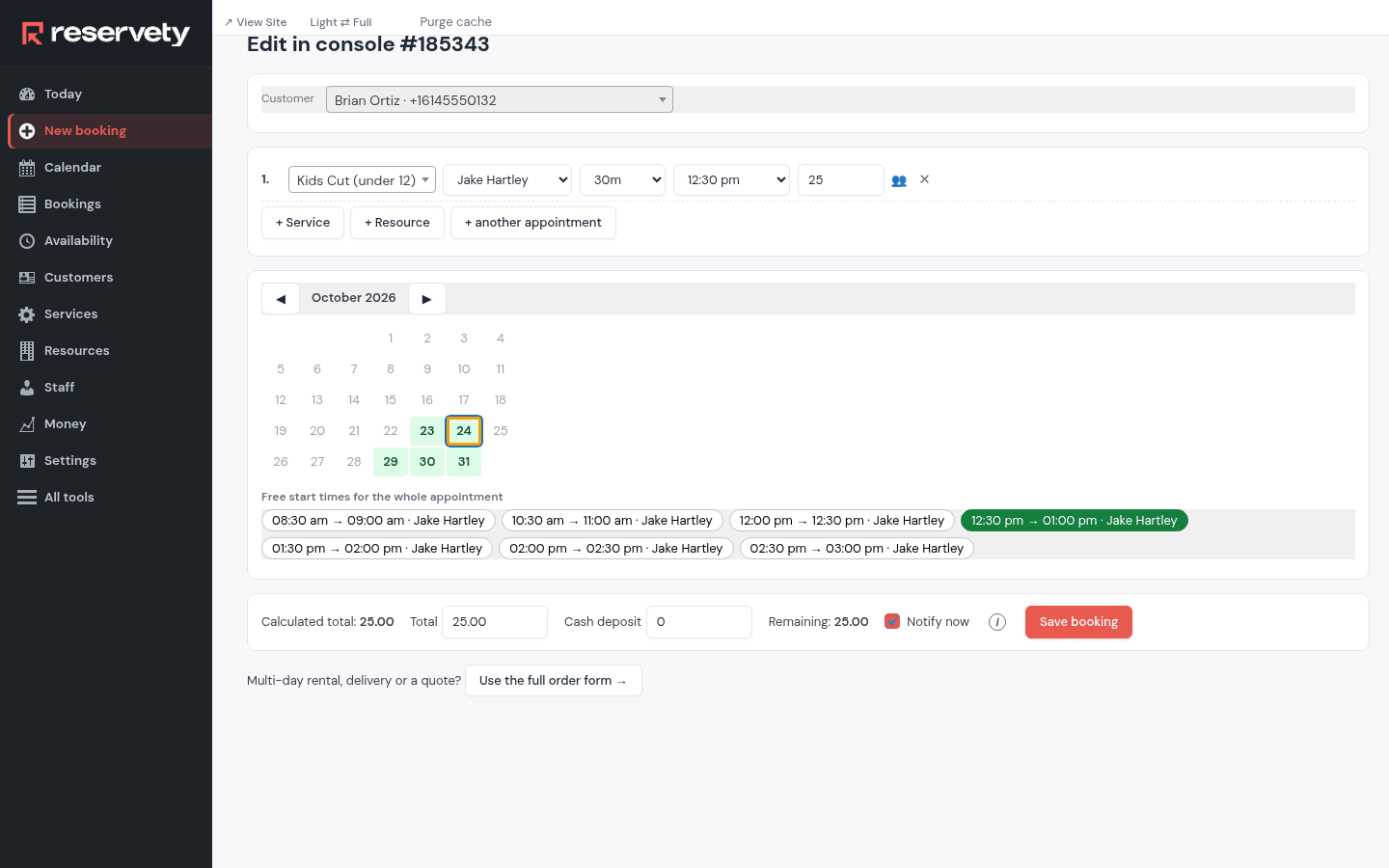
Drag the appointment to another time, or to another person's column. To change more than the time, click Edit in console in its menu: the booking opens in the console, where you pick another day, time, person or service and click Save booking.
7. Swap two appointments
Where: Calendar
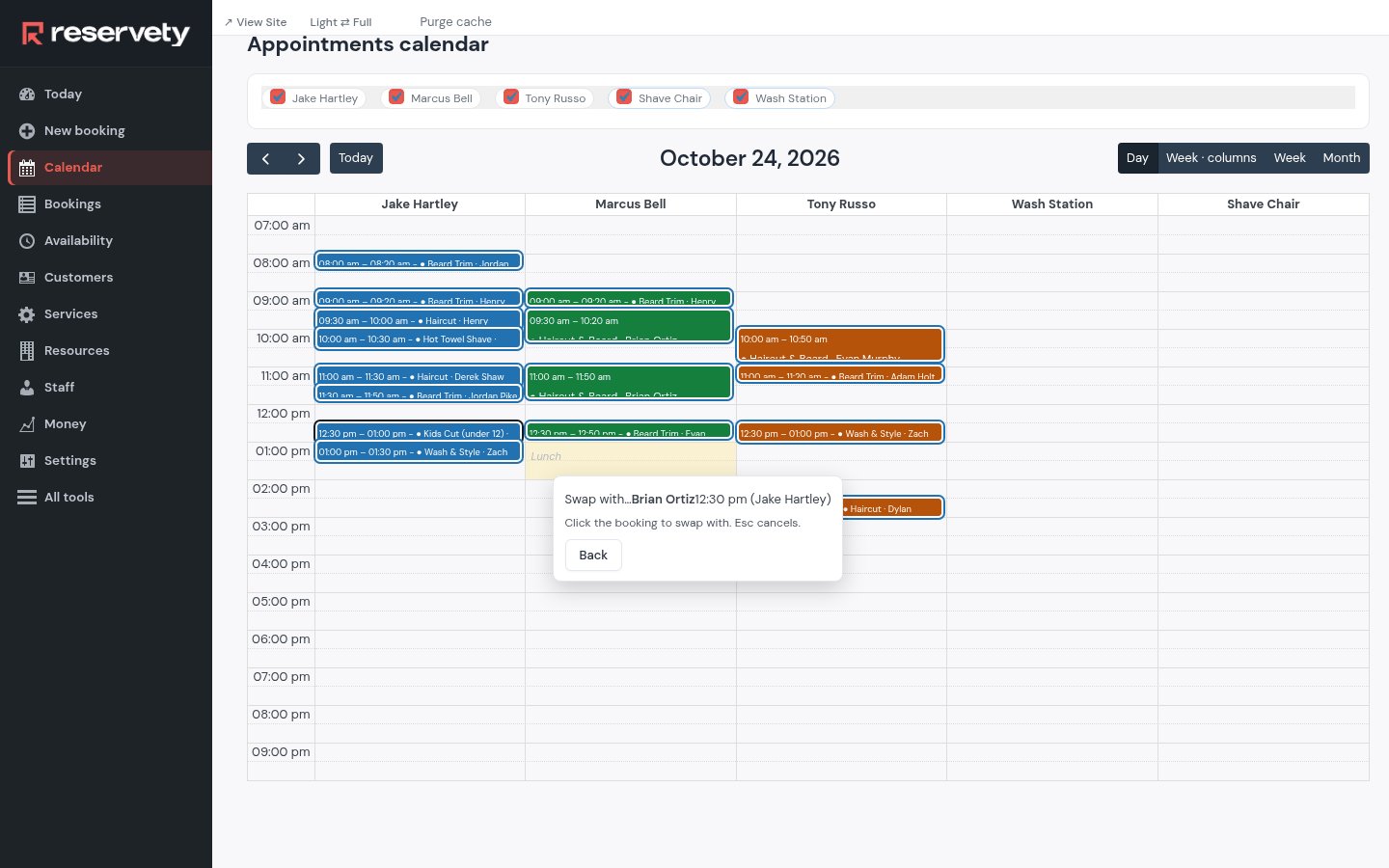
Two customers who'd rather trade places: Swap with… in one appointment's menu, then pick the other. Both move at once, and each keeps their own service.
8. Let the customer pick another time
Where: Calendar
Send rescheduling link sends the customer a link to choose another free time themselves. When they pick one, the appointment moves and you're told.
9. Every booking, by where it stands
Where: Bookings
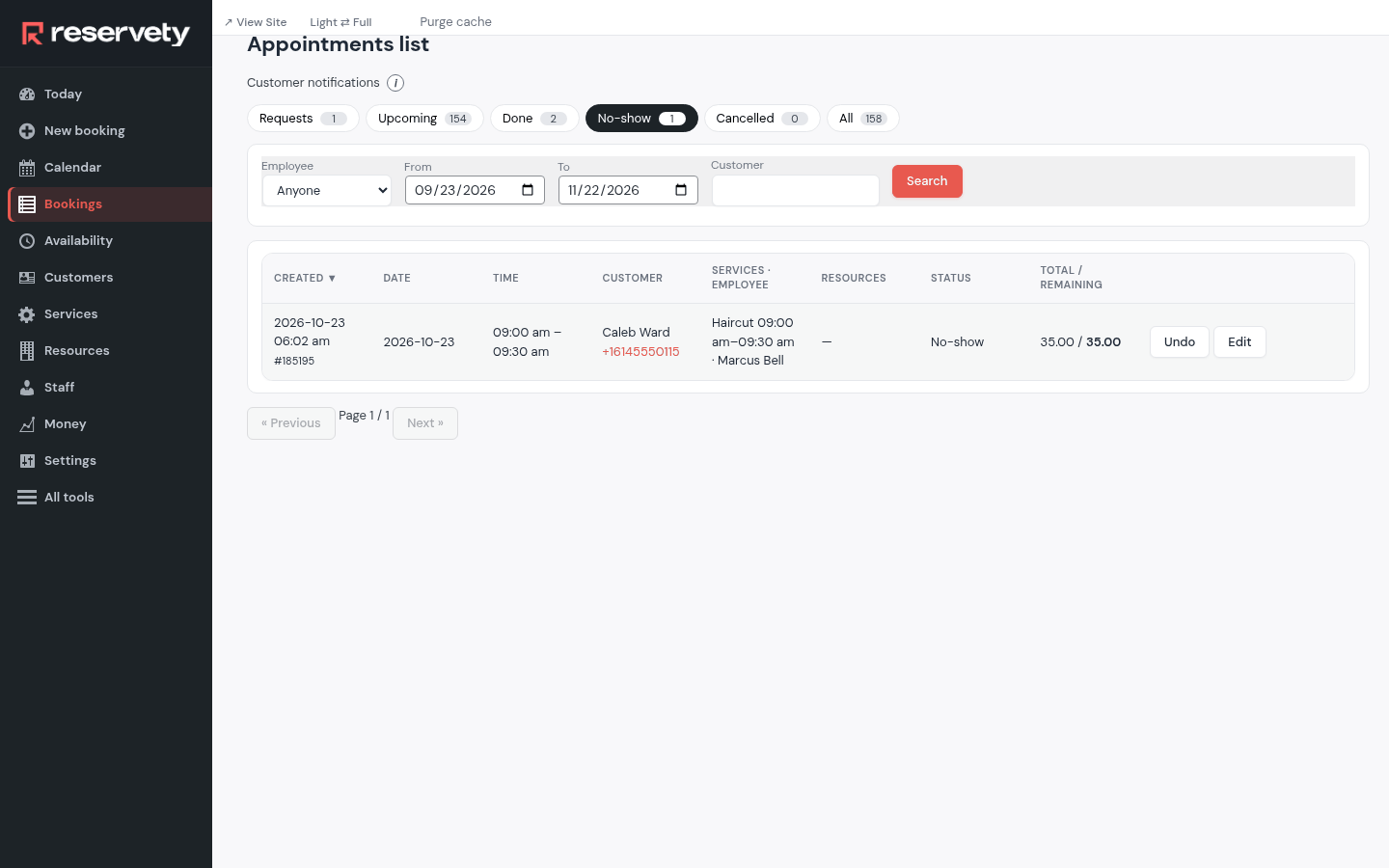
Bookings keeps the list in tabs: Requests, Upcoming, Done, No-show, Cancelled and All. Filter by Employee, dates or customer above the list.
10. Showed up, or didn't
Where: Bookings
When the customer is in the chair, click Showed up: the booking moves to Done. If they never came, No-show moves it to the No-show tab, where Undo puts it back if you clicked the wrong one.
11. Cancel, and choose what happens to the money
Where: Bookings
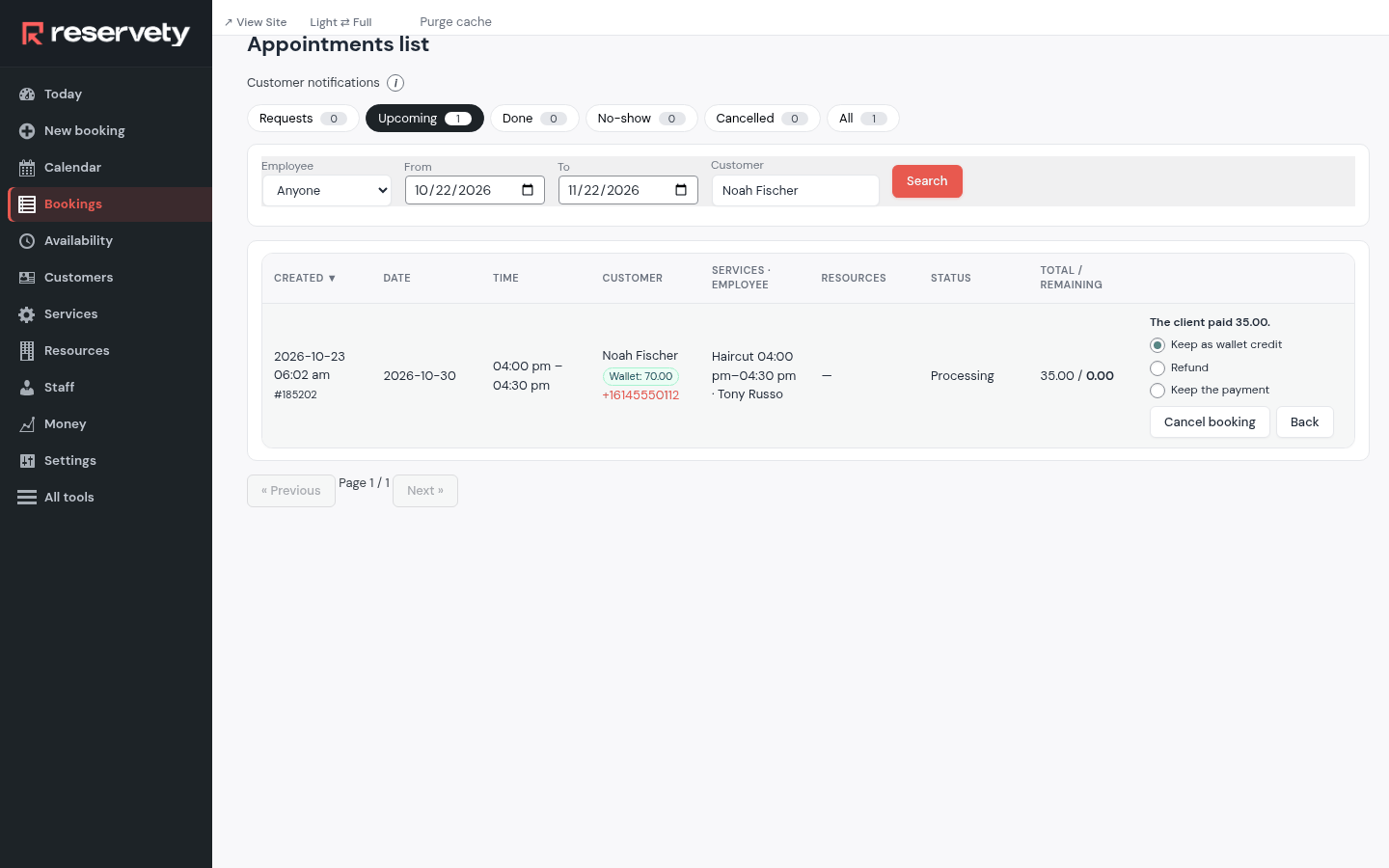
Cancel on a booking that's paid asks what to do with the money: keep it, keep it as wallet credit for the next visit, or refund it. Pick one and confirm.
12. A customer's card and wallet
Where: Customers
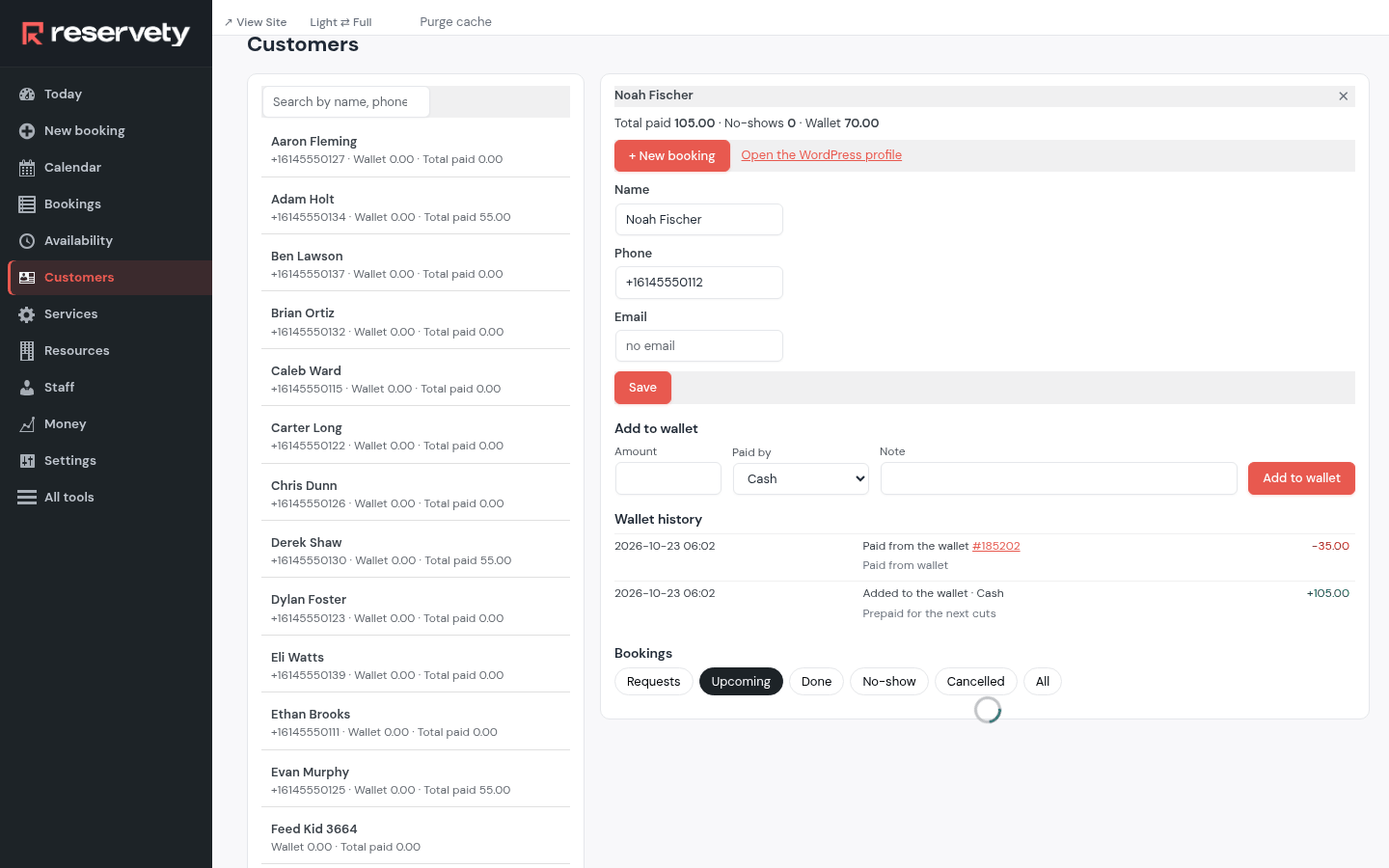
Customers lists everyone with their phone, their wallet and what they've paid. Click one: their bookings, their wallet's history, and Add to wallet for money paid in advance.
13. Each barber's day, on their phone
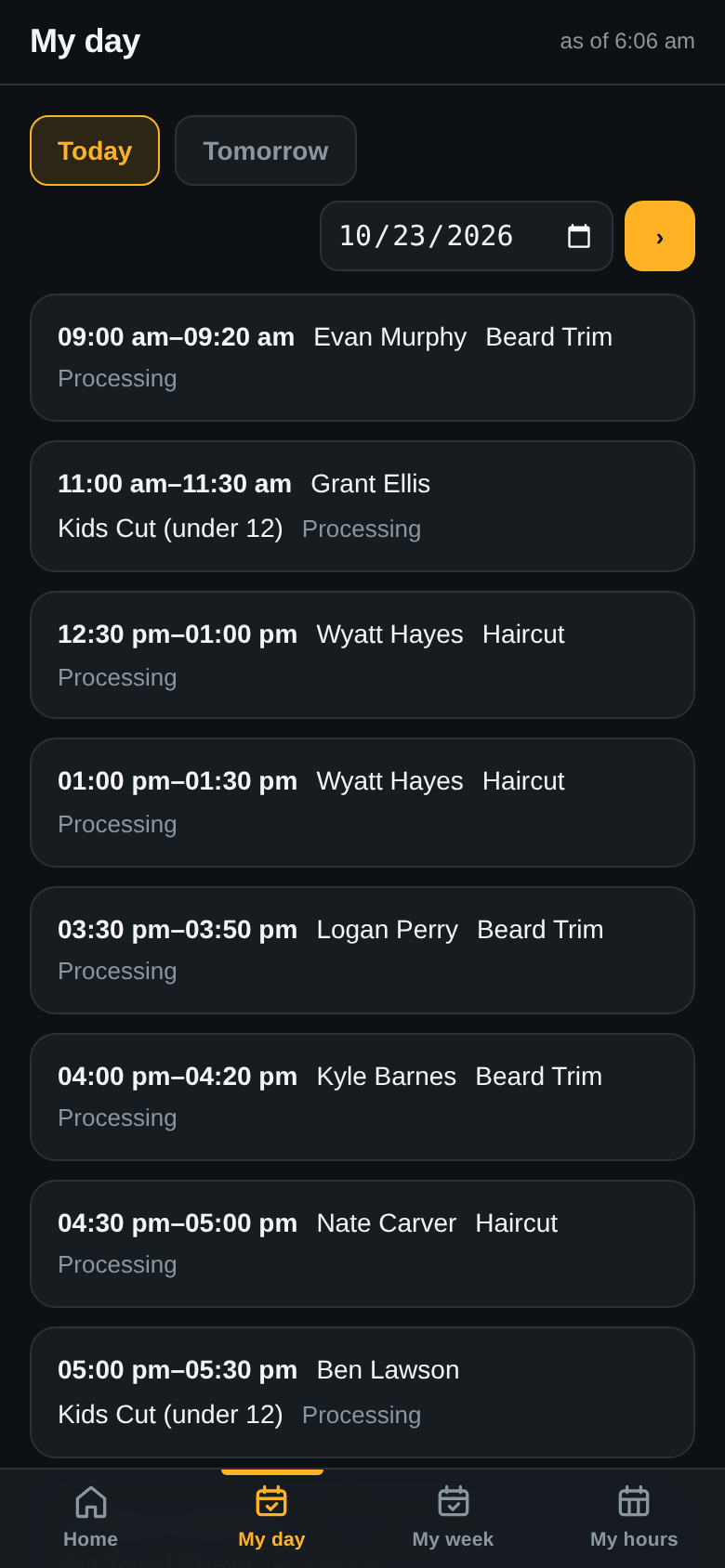
Every person on the staff list has the staff app on their phone. My day shows their appointments for today, or Tomorrow, in order.
14. Their hours and time off
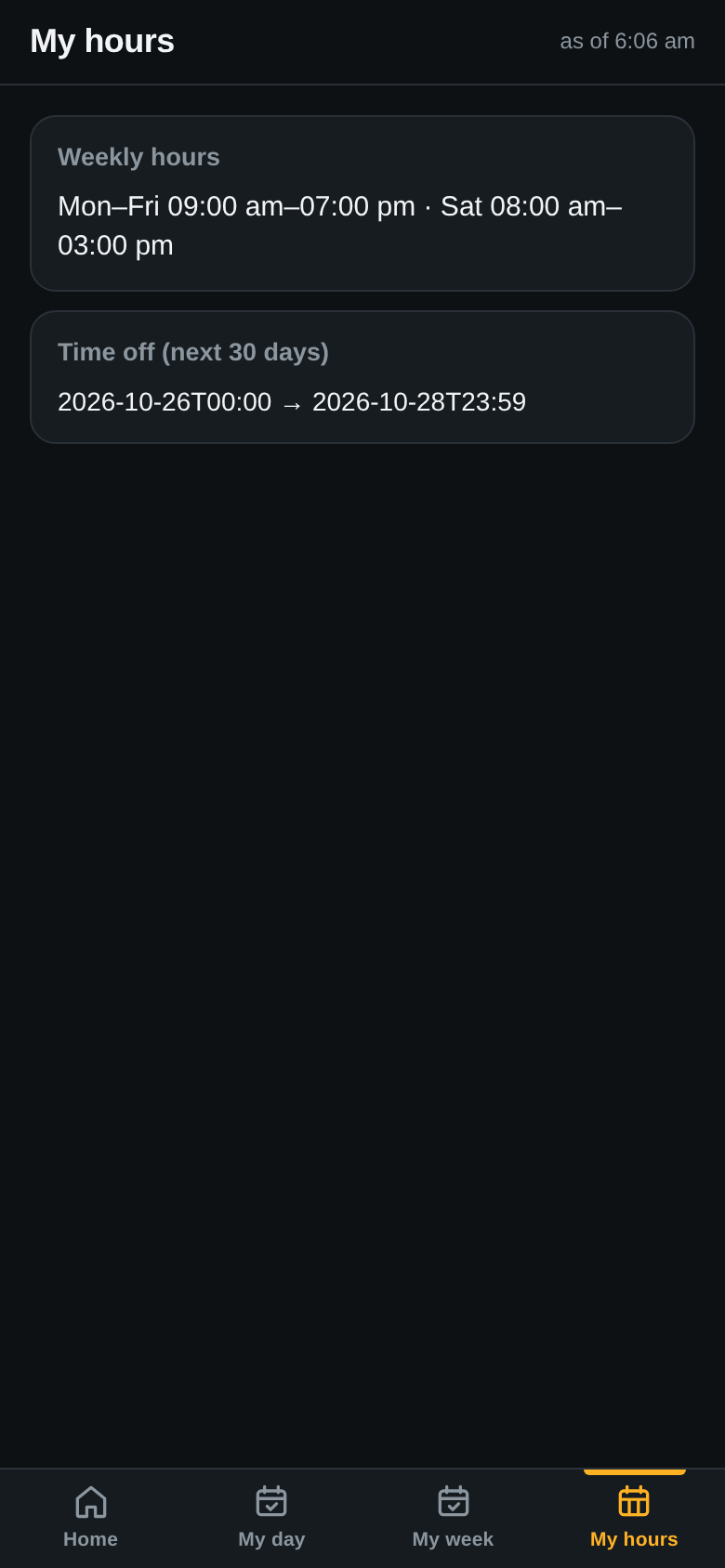
My hours shows their weekly hours and the time off coming up, so nobody has to ask.
15. The day's money
Where: Money
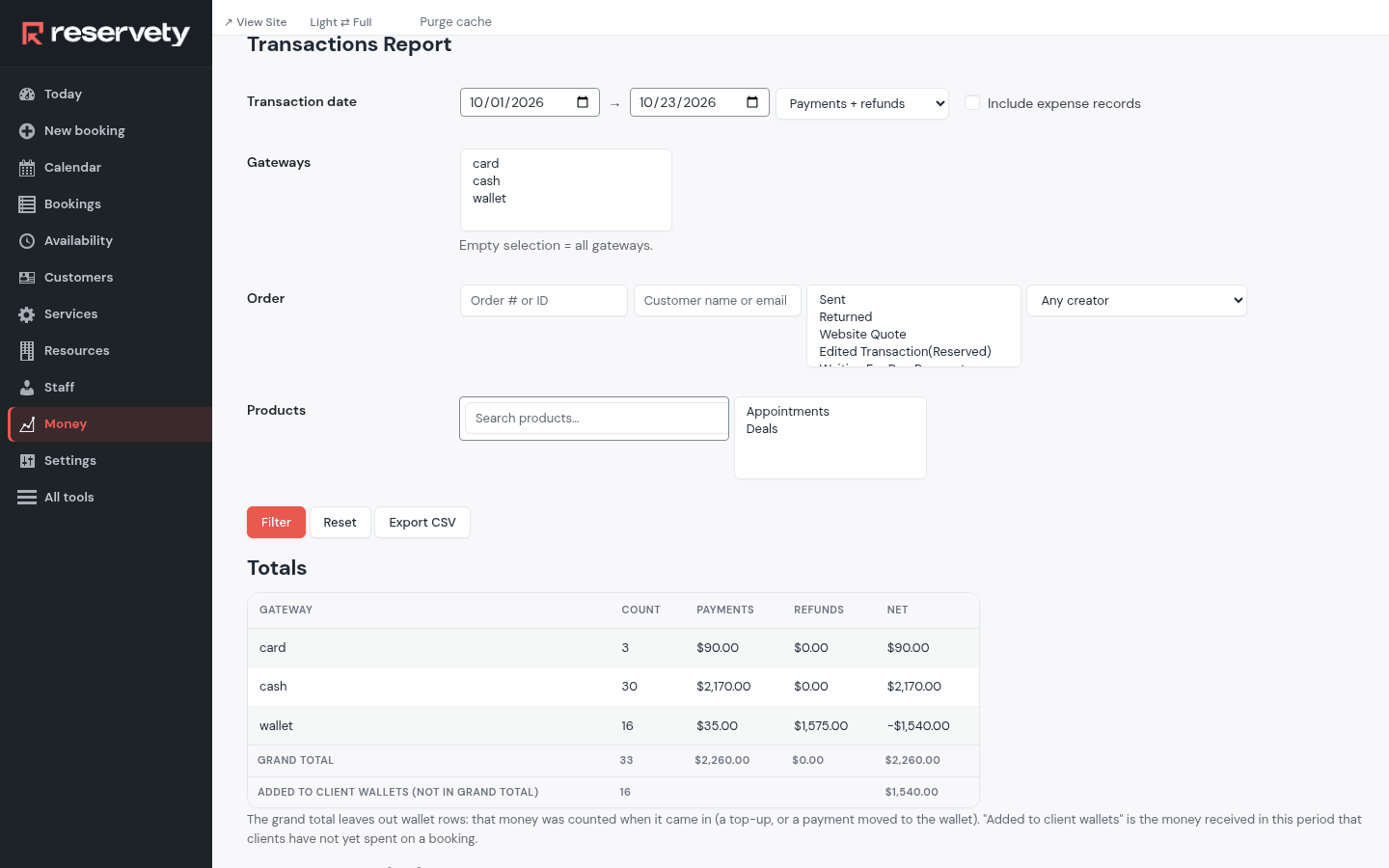
Money lists every payment, by card or in cash, with the date and the booking it's for. Filter by date or payment type above the list.
16. What each person is owed
This screen is in the Full menu.
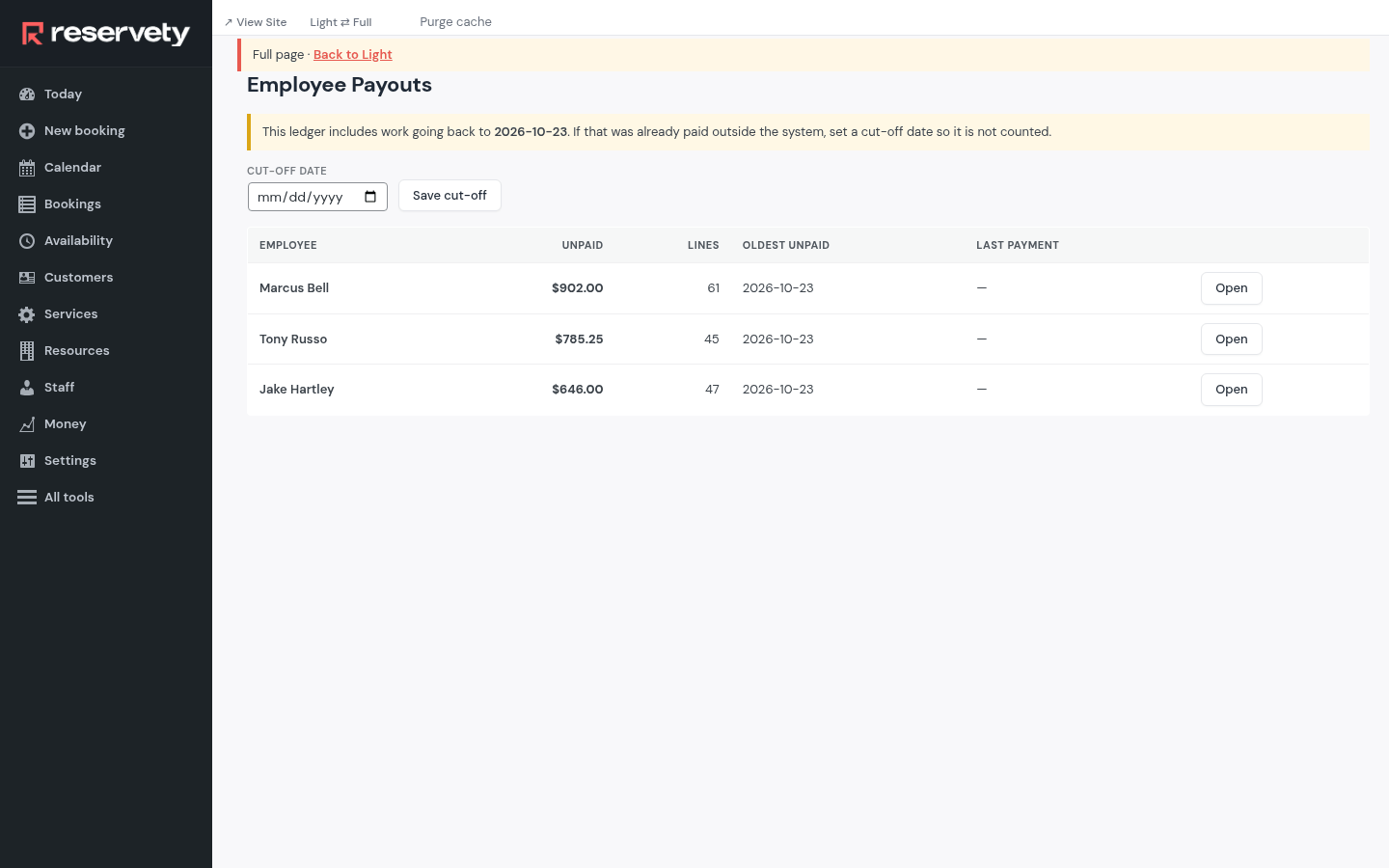
Employee Payouts adds up each person's work since they were last paid. Open one to see the appointments behind the number and record the payment.
Set it up on your own Reservety site
Reservety handles your website, bookings, inventory, and payments — so you can focus on growing your business.